Get a $ 99 coupon now! Learn More
Virtu Desktop available now Learn More
×
Language and Currency

Choose your language

Choose your Currency
Category

News

Beginner’s Blueprint: How to Produce Music with Easy Steps

Key Takeaways

  • Music production is a holistic process involving songwriting, arranging, recording, and technical skills, with the producer playing a key role in transforming musical ideas into polished tracks.
  • Aspiring music producers need essential gear like a Digital Audio Workstation (DAW), audio interface, studio monitors, and MIDI controllers to build a functional home studio and craft their music.
  • Releasing music today involves digital distribution, mastering tracks for uniform quality, and employing marketing and branding strategies to share the music with a global audience.

Ready to bring your musical dreams to life, but don’t know where to start? We’ve got you covered.

From choosing the right equipment and software to mastering your final track, this quick and helpful guide will walk you through the essential processes and gear to make your musical dreams come true. Expect tips for beginners and insights into the role of a music producer, all designed to help you start your music production journey with confidence.

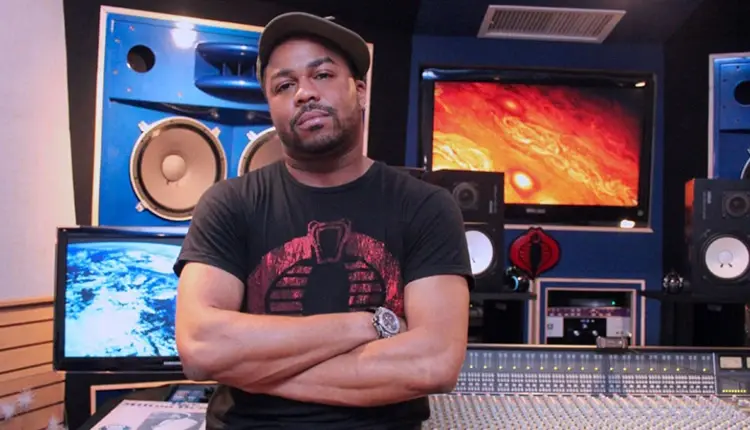
Demystifying Music ProductionDelve into the heart of music production, where a single musical idea blossoms into a full-fledged song. It’s a journey through:
  • Songwriting
  • Composition
  • Sound design
  • Mixing
  • Mastering

The music production process is more than just piecing together notes and rhythms; it’s about understanding technical nuances and how a song can evolve with sub-ideas to strike a chord with listeners. The music producer is the architect of this creative and technical endeavor, weaving together concepts and sounds to sculpt the final musical piece.

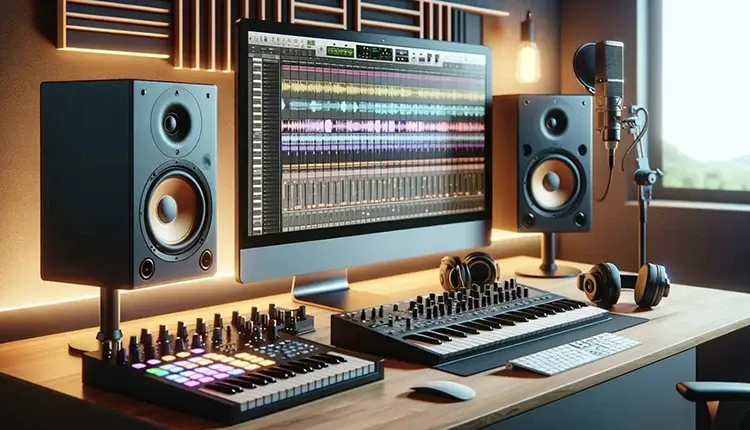
The Role of a Music ProducerStep into the shoes of a successful music producer, a role that is as dynamic as it is crucial. The music producer is responsible for:
  • Bridging creative ideas with practical execution
  • Providing leadership and guidance to artists
  • Having a deep understanding of music and musical knowledge
  • Being proficient in recording and engineering
  • Managing the intricate details of contracts and project budgets

They are the maestros of the studio, ensuring that the vision for a project is brought to life.

With a hand in arranging compositions, supervising recording sessions, and proposing alterations to the music, they are pivotal in transforming a rough sketch into a masterpiece. Sometimes, they even step into the realm of songwriting, crafting melodies and lyrics that resonate with the soul.

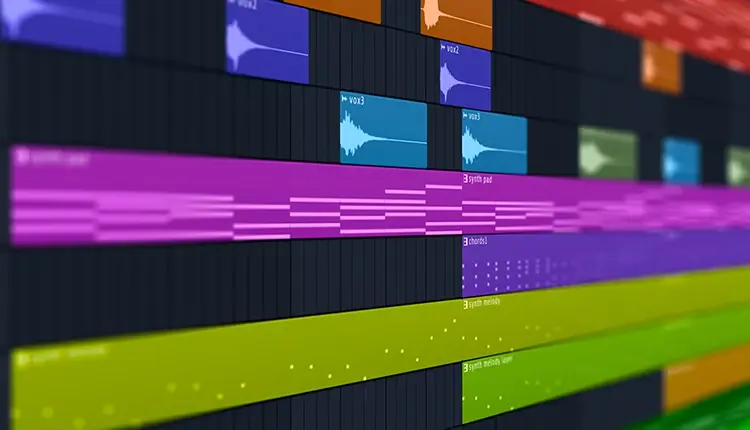
Essential Gear for Modern Music ProductionEmbarking on the music production journey requires more than just passion. It demands a toolkit that can transform your creative visions into auditory reality. Key to this process is a modern music production setup that includes:
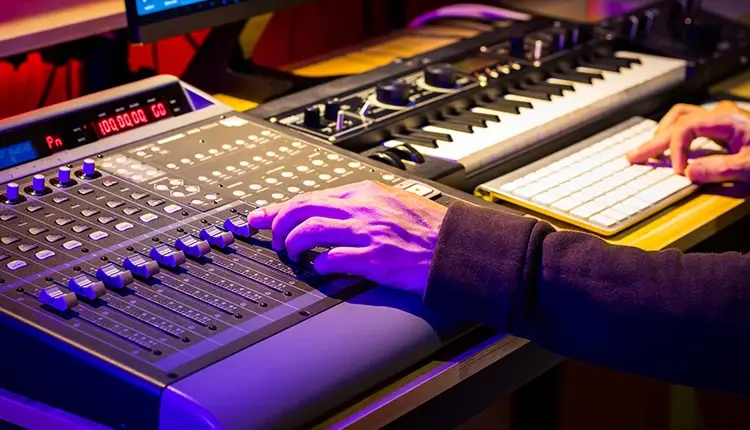
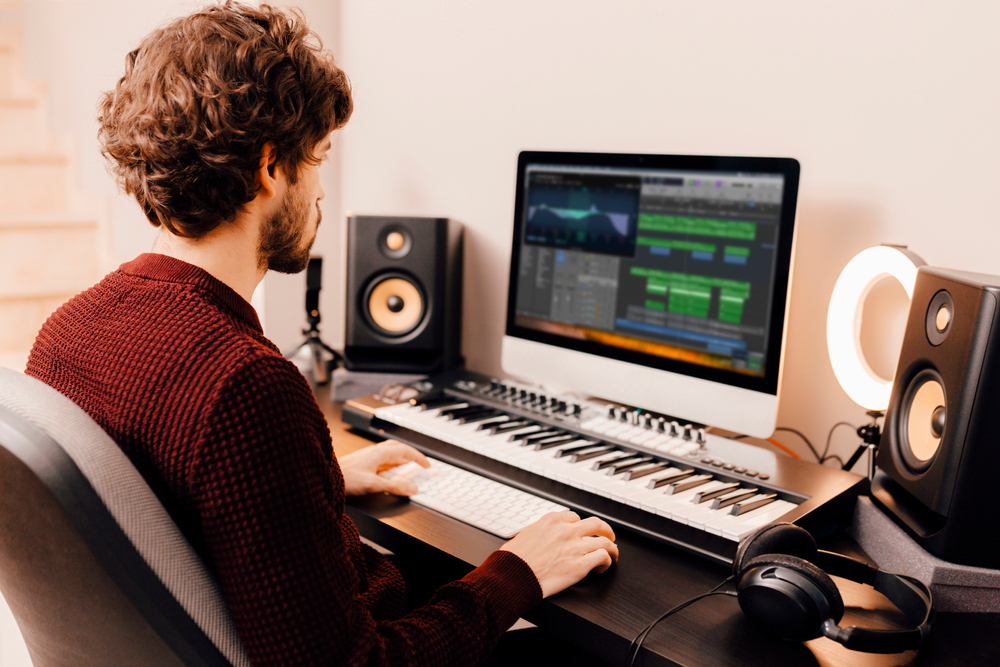
  • A Digital Audio Workstation (DAW)
  • An audio interface
  • Studio monitors
  • Headphones
  • MIDI controllers

This gear is the bedrock upon which you will build your sound empire, from the first note to the final master.

Choosing Your Digital Audio Workstation (DAW)

The heartbeat of your home studio is your DAW. This music production software is your canvas for composing, recording, and mixing tracks. There’s a galaxy of DAWs out there, from FL Studio’s beat-centric platform to Logic Pro’s comprehensive suite for recording and production.

As a newcomer, dipping your toes into the waters of different DAWs via free trials can help you find the one that resonates with your workflow and musical style.

Building Your Home Studio Setup

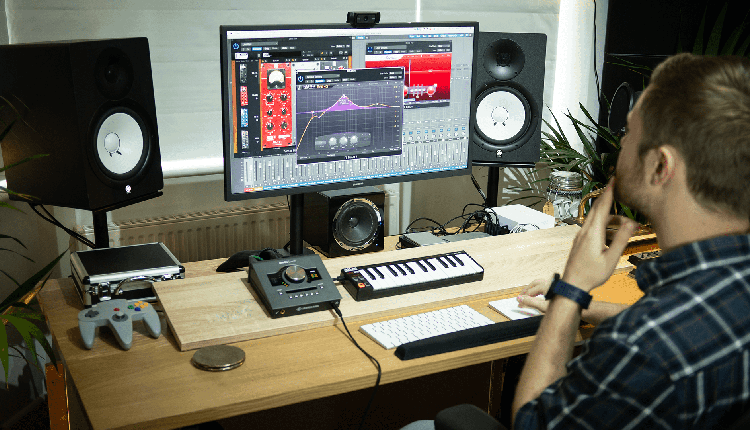
Your home studio is where magic happens. It’s where you capture your musical ideas and polish them into finished tracks. A basic setup includes:

  • A reliable computer
  • DAW 
  • MIDI controller
  • Audio interface
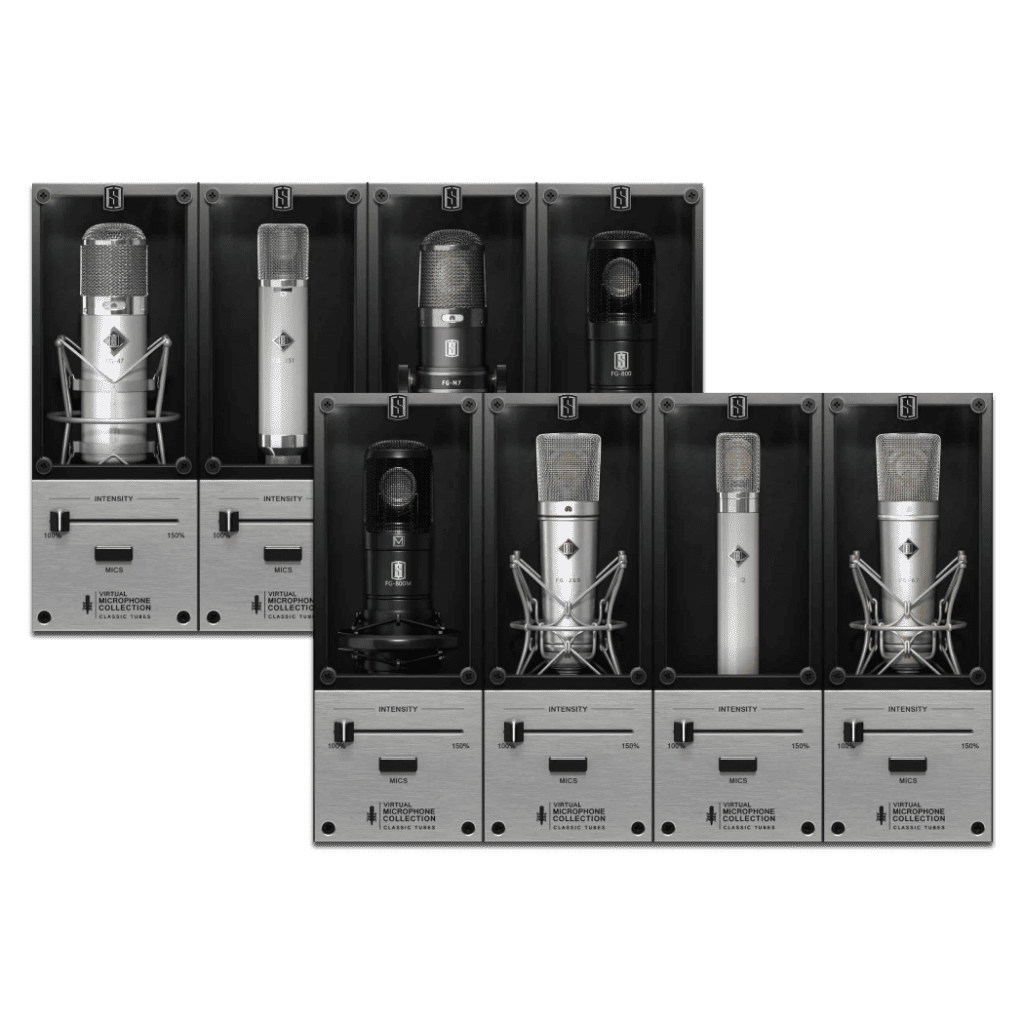
  • A trusty microphone (like the Slate Digital ML-1)

Make sure you don’t overlook the acoustics of your recording space, either—acoustic paneling can quickly transform an echoey room into a pristine audio environment.

Selecting Virtual Instruments & Plugins

In the digital age, virtual instruments and plugins are your sonic paintbrushes, allowing you to splash your music with textures and rhythms that were once unimaginable. For those who love to experiment with beats and live performance, a grid controller like the Novation Launchpad can be a game-changer. A wavetable synthesizer like ANA 2, with its user-friendly interface and vast library, can be a cornerstone for your sound design, offering a plethora of presets to inspire your next hit.

Remember, sound hunting is not just a hobby; it’s an essential part of music production that gives you the building blocks for new musical ideas. And when it comes to shaping these sounds, tools like samplers are invaluable for crafting unique audio textures that set your tracks apart.

Crafting Your First Track: A Step-by-Step Guide

Now that you’re equipped with the tools of the trade, it’s time to embark on crafting your very first track. The process includes pre-production composition and song arrangement, followed by the recording and editing phase, and culminates in mixing and mastering.

A tentative song structure can act as a blueprint, guiding your creativity and simplifying the recording process. As you navigate through these stages, remember that each step is a learning experience, paving the way for your growth as a music producer.

Songwriting Essentials

Songwriting is the soul of your track; it’s where you breathe life into melodies and harmonies. By understanding music theory, you can craft melodies that linger in the mind, using scales and strong note choices to create tunes that resonate with listeners. Some tips for creating melodies that feel both fresh and familiar:

  • Use the pentatonic scale, with its universal appeal, as a great starting point.
  • Experiment with different note choices and intervals to create unique melodies.
  • Pay attention to the rhythm and phrasing of your melodies to make them memorable.
  • Don’t be afraid to break the rules and try something unexpected.

By following these tips, you can create melodies that captivate your audience and make your songs stand out when you record music.

Structure your melodies with clear beginnings, climaxes, and ends, and use stepwise motion to keep them simple yet memorable. And let’s not forget the backbone of your song: chord progressions. They set the emotional tone and are essential for supporting your melodies throughout the track.

Recording Techniques

When it’s time to finallly capture your compositions, the right recording techniques are paramount. An audio interface is your gateway to digital clarity, translating the nuances of your performance into a language your computer understands. Whether you’re recording vocals or an electric guitar, the intimacy and authenticity of your own recordings bring a unique character to your music.

While you might feel daunted by the technicalities, rest assured that with a bit of guidance, you can overcome any obstacles presented by recording space and microphone setup. Throughout this phase, rely on studio headphones for their flat frequency response, ensuring you’re hearing the truth of your music.

Mixing Mastery

Mixing is where you refine your track into a cohesive whole, balancing levels and textures to achieve a polished sound. Begin by pulling your faders down to create headroom for the mixing process, about -6db. Over time, your ears will learn to naturally discern the subtleties of balance and texture, which are crucial to achieving a polished, well-balanced mix.

Employ equalizers, compressors, and reverbs to shape your sound—these are the sculpting tools of a music producer. Don’t hesitate to use signal analyzers for precise equalization, ensuring that each element of your track harmonizes with the mix. Remember, a good understanding of mixing is what separates a rough mix from a professional one.

From Mixing to Mastering

Mastering, performed by a mastering engineer, is the final polish on your musical gem, ensuring that it shines with clarity and brilliance across all playback systems. This stage is about:

  • Elevating your track’s quality
  • Optimizing its loudness
  • Ensuring it adheres to industry standards
  • Getting it ready for the ears of the world.

It’s a meticulous process that not only enhances the audio but also checks for any inconsistencies, ensuring that your single or album maintains a consistent high-quality sound.

Releasing Music in the Digital Age

Welcome to the digital age, where your music can travel from your home studio to the farthest corners of the globe with the click of a button. To release your music, you’ll need to navigate the digital landscape with the help of music distributors who ensure your tracks are formatted correctly and loaded with the proper metadata for platforms like Spotify and Apple Music. These distributors offer a range of services tailored to different artist needs, including promotional tools and strategic advice, making them invaluable allies for independent artists looking to make their mark.

Utilize tools like SmartLink to give fans a one-stop link to your music, and platforms like Spotify for Artists to analyze and promote your work.

Continuing Your Production Journey

The music production journey doesn’t end with the release of your track—it’s a continuous path of growth and learning. Stay current with the latest trends and innovations by experimenting with new genres and tools. Embrace versatility and adaptability, expanding your opportunities in the music industry.

To stay up-to-date and relevant in the music industry, here are some key actions to take:

  • Seek out online courses, workshops, and read industry publications to keep your knowledge fresh.
  • Networking is essential; attend events, engage in online communities, and follow influencers to connect with industry professionals.
  • Be open to embracing new technologies and platforms as they emerge.

Transforming Your Passion into a Career

Transforming your passion for music production into a career is a journey of strategic moves and personal branding. Networking is the lifeline of the industry, and with the right connections, you can open doors that lead to collaboration and opportunity. Reach out to labels, publishers, and build a social media presence that showcases your unique style and skills. A strong brand identity and savvy marketing strategies, including email campaigns and social media, are essential for standing out in a crowded marketplace.

By consistently producing music and sharing your own music, you demonstrate your creative vision and carve out a niche for yourself in the music world, as you create music that resonates with your audience.

Summary

To wrap up, producing music is an odyssey filled with creativity, technical mastery, and personal growth. From crafting your first track to mastering and releasing it into the digital world, each step is a building block towards realizing your musical dreams. With the right tools, techniques, and tenacity, you can transform your passion for music into a resonant career that not only fulfills you artistically but also resonates with listeners across the globe. The stage is set, the studio awaits—it’s time to make your mark on the music industry.

Frequently Asked Questions

Find a DAW that offers an easy-to-understand interface and a smooth learning curve, along with extensive features to foster creative experimentation without causing you to feel swamped. Confirm that it is within your financial means and supports your operating system.

Certainly, it’s possible to integrate plugins from various providers into your DAW, provided that they adhere to a compatible plugin format such as VST or AU. Verifying their compatibility with your particular DAW is crucial.

Certainly, acquiring an audio interface is advisable if you’re aiming for enhanced sound quality and greater versatility during recording sessions with your DAW.

For those committed to music production, it’s a valuable component to add to your setup.

Support for MIDI is essential in a DAW because it provides enhanced control and versatility when creating and orchestrating music.

Beginning with free DAWs offers learners the opportunity to develop their skills without any financial stress. As one’s abilities evolve, it may prove advantageous to invest in a paid version that comes equipped with sophisticated functionalities.

Setting Up a Home Recording Studio on a Budget: Essential Tips for Quality Sound

setting up a home recording studio on a budget

Key Takeaways

  • You can create a quality home recording studio on a budget by choosing the right space, using DIY acoustic treatments, and prioritizing essential gear like a good computer, DAW, and microphones.
  • Invest in key equipment like a reliable computer and DAW, a quality microphone for your needs, an audio interface, and either headphones or studio monitors for mixing and mastering.
  • Keep costs manageable by starting with free or trial version software and plugins, focusing on optimizing your workflow, and strategically purchasing additional equipment as your budget allows.

Want to set up a home recording studio on a budget? In this article, we’ll show you how it’s not about how much you spend, but about making smart choices with what you have. You’ll get practical tips on selecting and optimizing space, picking essential equipment, and finding the right tech—all while keeping a tight rein on costs when setting up a home recording studio on a budget. Prepare to transform your home into a space where quality recordings don’t break the bank.

Choosing the Right Space for Your Home Studio

Choosing the Right Space for Your Home Studio
The journey to recording mastery begins with finding the perfect recording space. Think of it as setting the stage for your musical escapades. Whether you’re belting out power-packed vocals or capturing the intricate strums of an acoustic guitar, the space you choose can make or break your sound. It’s about striking a balance between convenience, acoustics, and isolation—transforming an ordinary room into a sonic sanctuary.

So, how do you pinpoint that sweet spot in your home where every beat resonates just right? Join us as we unveil the secrets.

Identifying the Best Room

Choosing the right room is like picking the perfect instrument—it sets the tone for everything else. You want a space that’s just right, not a cramped box room that chokes your creativity. Acoustic treatment may seem daunting, but even in tight quarters, it’s your ally for ensuring stellar sound.

And remember, your monitoring setup needs to fit like a glove; after all, you’re sculpting sounds that might one day fill arenas. Size does matter, but it’s what you do with it that counts.

DIY Acoustic Treatment

Now, don’t let the phrase ‘acoustic treatment’ send shivers down your spine. It’s not about breaking the bank; it’s about breaking the notion that good sound costs a fortune. With some ingenuity, everyday items like blankets and foam can be your best friends in the quest for crisp, clear sound.

From dampening harsh echoes to taming boisterous bass frequencies, your DIY efforts can transform a mundane room into a recording haven that even sound engineers would nod to.

The Core of Your Studio: Computer and DAW

At the heart of every home studio beats the mighty duo: a dependable computer and a digital audio workstation (DAW). This powerful pair is your trusty sidekick, capable of turning your musical visions into audible reality. Whether you’re chopping tracks or fine-tuning frequencies, your computer and DAW are indispensable allies in the art of audio production.

However, navigating the tech market can be overwhelming. Worry not, we’re here to guide you in finding the most cost-effective selections.

Selecting a Budget-Friendly Computer

In the digital orchestra of music production, your computer is the conductor. It’s got to keep all the tracks in line and the plugins in check without missing a beat. But before you shell out your savings, know this: a budget-friendly powerhouse with enough RAM to handle the heaviest of sessions and storage to archive your audio adventures is well within reach.

Whether you’re a Mac maestro or a PC prodigy, the right machine will keep your tunes spinning without spinning your wallet out of control.

Finding the Right DAW for Your Needs

Choosing a DAW is like finding the perfect rhythm—it’s got to match your style and flow. From the legendary Pro Tools to the futuristic Ableton Live, each DAW dances to its own beat, offering a symphony of features for every type of music maker.

But hey, if you’re just starting out, why not dip your toes in the water with a free DAW? Audacity and GarageBand can lay down a solid foundation without costing you a dime. And when you’re ready to level up, take advantage of those free trials to find your perfect production partner.  Here are some of the other well known DAWs that professionals use:

Essential Recording Equipment on a Budget

Equipped with your computer and DAW, you’re primed to delve into the realm of recording equipment. But before you’re swept away by visions of top-tier mics and interfaces, remember, great sound doesn’t require gold-plated gear. It’s about choosing the right tools for the job without draining your pockets.

With a keen eye and a bit of know-how, you can assemble an arsenal of budget-friendly equipment that will have you laying down tracks like a pro.

Microphone Selection for Different Instruments

When it comes to mics, it’s all about capturing the soul of your sound. Whether it’s the raw energy of a drum kit or the delicate overtones of an acoustic guitar, the right dynamic microphone can make all the difference. Dynamic mics like the Shure SM58 are workhorses, ready to tackle the loudest amps and the punchiest snares.

But when you need to catch every nuance of a vocal performance or the gentle strumming of strings, a condenser mic will be your faithful scribe, etching every detail into your recording. An even better option is a virtual microphone system like the Slate Digital ML-1 that give you everything you need.  And remember, placement is key—a mic angled just right can turn a good take into a great one.

Choosing an Affordable Audio Interface

Consider your audio interface as a mediator, seamlessly blending the organic essence of your music with your DAW’s digital accuracy. It’s the gatekeeper, ensuring that every note and nuance is captured in pristine clarity. But you don’t need a fortress of inputs and outputs for a home studio; a simple, sturdy interface with a couple of ports will serve you well, especially if you’re a solo act or a dynamic duo. In fact, there are various audio interfaces available in the market that cater to different needs and budgets.

Headphones vs. Studio Monitors

>Headphones vs. Studio Monitors
Now, let’s talk about the ears of your studio—headphones and studio monitors. Each serves a critical role in the quest for the perfect mix. Closed-back headphones are your best bet for keeping the outside world at bay while you’re in the zone. But when you’re ready to mix and master, nothing beats the truth-telling transparency of studio monitors.

They won’t sugarcoat your sound, giving you the real deal on every high, low, and everything in-between. Whether you’re tweaking a track or laying down a new one, knowing when to use which can make all the difference.

MIDI Controllers and Keyboards

As you construct your musical masterpiece, MIDI controllers and keyboards add vibrancy and depth to your sonic canvas. They’re not just keys and pads; they’re your direct line to the heart of your software instruments. With a MIDI controller by your side, you’ll sculpt sounds that breathe life into your tracks, making your music production process as expressive as it is efficient.

The Value of MIDI in a Home Studio

MIDI is the magic that makes the inanimate, animate. It’s the spark that ignites the engines of virtual instruments, turning your keystrokes into symphonies. With a MIDI controller, such as a midi keyboard, you can dial in the perfect drum beat, lay down a bass line that grooves, or weave intricate melodies with ease.

It’s about getting hands-on with your music—moving beyond mouse clicks to create something truly touch-inspired.

Cables, Stands, and Accessories

You’ve got the brain and the heart of your studio set up, now it’s time to consider the skeletal system—cables, stands, and accessories. Though they may appear insignificant, these elements form the structural support that ensures a fluid recording session.

From XLR cables that carry your voice to mic stands that hold your sound capture devices in place, these unsung heroes are vital for a stress-free recording experience.

Cable Management and Organization

Cable management is the zen of a studio setup. It’s about turning chaos into order, ensuring that every cable serves its purpose without becoming a tangled mess. Whether you’re routing cables or consolidating them with a snake, a well-organized studio is a productive studio.

Say goodbye to clutter and hello to a clean, streamlined workspace that lets your creativity flow uninterrupted.

Selecting Durable Mic Stands

Choosing a mic stand is like choosing a trusted friend—it needs to hold up under pressure and adapt to whatever situation you throw at it. A durable mic stand not only supports your microphone; it supports your artistic performance, ensuring that every note is captured just as you intended. It’s an investment in reliability that will pay off take after take, session after session.

Crafting Your First Studio Recordings

Entering the realm of recording music signifies a significant milestone for every music producer. It’s where you translate your ideas into tangible tracks that resonate with listeners. But before you hit that record button in the recording studio, there’s a symphony of preparation that needs to happen. From memorizing lyrics to recording vocals and setting levels, each step is a note in the melody of your recording process.

Let’s tune into the essentials for a smooth first take.

Setting Levels and Avoiding Distortion

Setting Levels and Avoiding Distortion
Setting levels is like seasoning a dish—it’s all about balance. Too much gain, and you’ll drown in distortion; too little, and your sound is lost in the void. The sweet spot lies in the green zone of your meters, where headroom is king and clarity reigns supreme.

It’s about capturing the full dynamic range of your performance without letting it spill over into a noisy mess.

Recording Techniques for Beginners

Now, let’s turn our attention to the craft of recording and editing audio. It’s not just about hitting record; it’s about understanding the dance between the microphone and the sound source. Rehearsal isn’t just practice; it’s a prelude to perfection, minimizing the number of takes and maximizing the quality of your recordings.

Remember, the studio is your playground, so play, experiment, and discover the techniques that resonate with your unique sound.

Software and Plugins to Enhance Your Music

In today’s digital era, software and plugins serve as the artist’s tools, enriching your tracks with depth and vibrancy beyond what was previously conceivable. Some essential tools for shaping your sound include:

  • Ethereal reverbs
  • Punchy compressors
  • Dynamic EQs
  • Virtual instruments
  • Synthesizers
  • Drum machines

These tools, including electric guitar amps, empower you to shape your sound with precision and creativity.

But with so many options, where do you start without splurging? Let’s explore how to elevate your music with software that strikes a chord with your wallet and your artistic vision.

Utilizing Free and Trial Version Plugins

Who says you can’t add professional polish on a shoestring budget? With an array of free and trial plugins at your fingertips, you can sprinkle your recordings with industry-standard quality without the premium price tag. Some of these plugins include:

  • Frequency analyzers
  • Compressors
  • EQ plugins
  • Reverb plugins
  • Delay plugins

These gems can help you achieve that radio-ready sound.

So dive into the treasure trove of freebies and trials—the perfect plugin for your masterpiece might just be a download away.

Investing in Versatile Software Instruments

Investing in Versatile Software Instruments
Stepping up your game with a comprehensive suite of software instruments can be a game-changer for your music production. Imagine having an orchestra at your fingertips or a vintage synth collection in your digital rack—all without the hefty price tag of physical gear. These software instruments unlock worlds of sound, giving you the flexibility to compose across genres and elevate your tracks to professional standards.

It’s an investment that amplifies your musical range and versatility.

Optimizing Your Workflow: Tips and Tricks

Every seasoned artist understands that the formula for a masterpiece involves more than just talent; an efficient workflow is key. The smoother the process, the faster you can bring your musical ideas to life. It’s about clearing the clutter, setting goals, and knowing your tools like the back of your hand.

These aren’t just tips; they’re the stepping stones to a seamless creative process that lets you focus on what truly matters: making music that moves the soul.

Budget Considerations: What You Can Expect to Spend

Establishing a home studio signifies a commitment to your musical passion, which doesn’t necessarily mean emptying your savings. A basic home studio setup can be surprisingly affordable, with costs ranging from $500 to $1,500—a small price to pay for the ability to produce music on your terms. But if you’re dreaming of a more advanced sanctuary of sound, your budget might stretch upwards of $3,000 or more, depending on how deep you want to delve into the world of audio fidelity.

Prioritizing Your Purchases

When it comes to outfitting your studio, strategy is key. Start with the essentials:

  • A reliable computer and DAW are the backbone of your setup.
  • Invest in quality studio monitors for accurate sound reproduction—a must for mixing.
  • Choose microphones that suit your immediate recording needs.
  • Don’t forget to factor in acoustic treatment to ensure your recordings are crystal clear.

Remember, how you allocate your budget should reflect your unique musical journey and the soundscapes you aspire to create.

Navigating Common Challenges for New Music Producers

Initiating your journey in music production is thrilling, though it comes with its fair share of obstacles. Whether you’re facing creative blocks or struggling to finish tracks, it’s all part of the growth process. Embrace these challenges as opportunities to explore different production techniques and to push the boundaries of your creativity.

Remember, limitations can be the mother of innovation, leading to breakthroughs that set your music apart from the crowd.

Summary

From the echoes of your first home-recorded notes to the satisfaction of a polished final mix, setting up a home recording studio is a journey of creativity and discovery. We’ve explored everything from picking the perfect room to optimizing your workflow, diving into the nuts and bolts of building a studio that resonates with your artistic vision. So take these tips, mix them with your passion, and start crafting soundscapes that tell your unique story. Your home studio is more than a collection of gear—it’s a canvas for your musical dreams.

Frequently Asked Questions

You’ll need a computer with at least 1TB storage, 8GB RAM, a 4-core processor, and an SSD for optimal music production. So, aim for these specs for a smooth home studio setup!

Yes, you can use a budget microphone for professional-sounding recordings, as brands like Shure offer affordable options that still deliver professional results. So go ahead and give it a try!

No, you don’t need an audio interface with many inputs for your home studio. A simple audio interface with 2 inputs should be enough if you’re recording solo or only capturing a few sources at a time.

You can improve your home studio’s acoustics without spending much by using everyday materials like blankets, towels, or foam for DIY acoustic treatment, which can effectively minimize reflections and enhance sound quality.

Yes, investing in MIDI controllers and keyboards for your home studio is worth it, especially if you work with virtual instruments. They provide a tactile and intuitive way to compose and arrange music.

Choosing the Right DAW for Your Studio: Expert Tips and Best Practices

Key Takeaways

  • The best DAW for you depends on your personal workflow, musical genre, and preferences, rather than just choosing the most advanced or popular option.
  • Consider key factors like operating system compatibility, budget, and user interface when selecting a DAW to ensure it complements your creative process.
  • Explore both paid and free DAWs, like Logic Pro X and Tracktion T7, to find one that fits your needs and enhances your studio setup with additional equipment like audio interfaces and MIDI controllers.

Selecting the right Digital Audio Workstation (DAW) is essential to setting yourself up for a successful music-making journey. The market offers a wide array of DAWs, so how do you determine which one is right for you?

In this article, we’ll walk you through the most important factors to consider when choosing a DAW to get started with.

Choosing the Right DAW for Your Studio: Expert Tips and Best Picks

As you embark on your music production journey, you shouldn’t worry about sophisticated speaker set up and acoustic treatments right away. Rather, the centerpoint of your focus should be on selecting the best digital audio workstation (DAW) for your workflow. 

A DAW serves as an electronic hub for artists, offering a comprehensive platform to:

  • Create,
  • Arrange,
  • Mix, and
  • Master audio files with precision and creative flair.

Still, one might ponder over which DAW software stands out as the optimal choice. While recommendations may sway towards the most renowned or cutting-edge tools in music production software, selecting an ideal DAW boils down to what best suits your creative processes, musical style preference and personal inclinations. The key lies in exploring each DAW (be it FL Studio or Logic Pro X) and uncovering their unique features until you discover one that resonates perfectly with you.

In short: don’t just pick a DAW because it’s popular or riddled with a list of extra tools you’ll never use. Instead, aim for a DAW that harmonizes effortlessly with how you craft sounds and enhances every stage of your creative workflow.

Introduction

As you stand at the crossroads of music production, ready to dive into the realm of digital audio workstations, the sheer number of choices can be overwhelming. Do you go for a complete daw with every tool imaginable, or start with a free daw to dip your toes into the waters of audio editing? It’s not just about picking a software; it’s about crafting a space where your musical ideas can flourish. The right DAW can transform your production from a jumbled assortment of tracks into a harmonious symphony that captivates listeners.

But how do you navigate this maze of options? How do you know which features are must-haves and which are just nice-to-haves? Fear not, for this article will be your compass, guiding you through the essential components of a DAW. From the nuances of the user interface to the complexities of music composition, we’ll ensure you’re equipped with all the knowledge you need to make an informed decision.

So tighten your seatbelts and prepare for a deep dive into the world of DAWs, where your music composition dreams are just a click away.

Understanding Digital Audio Workstations (DAWs)

A digital audio workstation isn’t just a piece of software. It transforms your computer into a full-blown recording studio. This powerful tool allows you to:

  • Capture the essence of live instruments
  • Alter and refine MIDI compositions
  • Create rich textures using virtual instruments
  • Blend and perfect your tracks with mixing and mastering features
  • Trim, splice, and shape your musical creations
  • Incorporate effects and expand functionality with plugins

This music production software is the canvas that every artist needs to start developing their latest masterpiece. It serves as the foundation for electronic music producers on their quest to churn out dance floor anthems or provides singer-songwriters pursuing authentic acoustic vibes all they need — all within this versatile playground.

The core framework common among most digital audio workstations consists of a timeline-based workspace where imagination meets technology across multiple tracks. Picture it as an expansive canvas where harmonious union occurs amongst audio and midi editing processes, blending each element seamlessly toward crafting auditory artistry. With the ideal D&D at hand, even a rough melody concept can evolve into broadcast-ready material, no traditional recording studio required! These programs grant you freedom—enabling creation from virtually anywhere—the confines of one’s abode or amidst sandy shores become spaces ripe for musical exploration.

Factors to Consider When Choosing a DAW 

Selecting the perfect digital audio workstation isn’t just about choosing the most powerful or the most expensive one. It’s about finding the DAW that clicks with your unique style of music production. Imagine trying to fit a square peg in a round hole—that’s what using the wrong DAW feels like. But how do you find your perfect match in a sea of digital audio workstations? By considering a few critical factors that will dictate not just how you work, but how well you work.
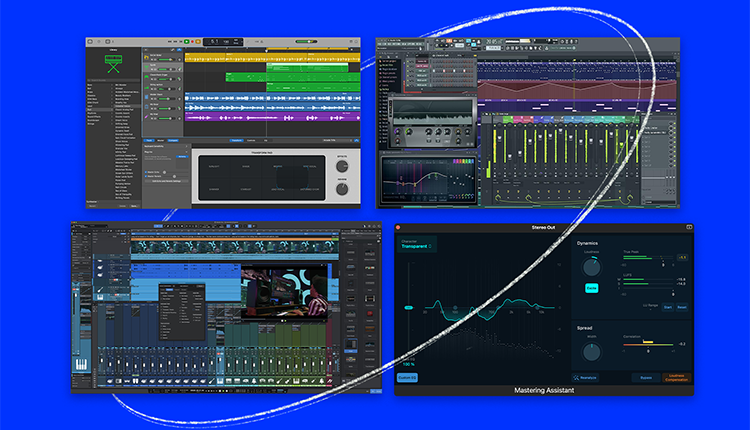
These factors range from the technical—like operating system compatibility and your computer’s capabilities—to the practical aspects of budget and the user interface. Think of it as building your dream home; you need a solid foundation, a budget to match your vision, and a layout that flows with your daily routine. The same goes for choosing a DAW—it’s about building a space where your creativity isn’t just welcomed, it’s unleashed.

So let’s delve into these deciding factors and pave the way for your audio editor of choice, one that will resonate with your creative workflow and lead you to produce music that echoes your artistic vision.

Operating System Compatibility

First things first, you need to make sure you select a DAW that sits comfortably within the environment of your computer. Just as one carefully chooses a house to ensure it stands on solid ground, so must you confirm that your DAW aligns with the operating system you use. While some software like Logic Pro X is exclusively available for macOS users, others such as Reaper cater to both Mac and PC enthusiasts alike. This pivotal decision can greatly affect which tools will be at your disposal for crafting music.

The synergy between an operating system and creative software is far from inconsequential. It guarantees that wherever creativity strikes, regardless of location or equipment used (whether collaborating across different platforms or working solo), no technical obstacle disrupts the flow of artistic expression. Thus, before committing to any particular feature-rich DAW like Logic Pro X or its counterparts, affirming compatibility with your existing setup is imperative.

Ultimately, successful partnerships are built upon harmonious connections – this holds true in relationships as well as only ensuring smooth interactions between yourself and the chosen engine driving all aspects of logic pro x production endeavors – your beloved DAW – vital.Successful musical creations.

Budget and Pricing Tiers

Affordability is just as important as feature set. Various price levels exist within the realm of digital audio workstations, and how much you’re willing to spend will greatly influence your choice. Ranging from complimentary daws that provide a glimpse into music production to comprehensive, complete daw systems requiring substantial financial commitment – options are available to suit diverse budgets.

Nevertheless, the best DAW for your needs does not have to be synonymous with steep costs. It should encompass all necessary tools while maintaining fiscal responsibility. It may be tempting to jump right for the top-of-the-line option(s), but more often than not, beginner and mid-tier packages are perfectly sufficient for first-time users. You should also take advantage of trial periods offered by these platforms.

Workflow and User Interface

Your main interaction with your music occurs through the user interface of a DAW—it’s akin to being both the pilot’s cockpit and command center, crucial for steering your creative journey. Not all DAWs are fashioned alike. Some offer an experience similar to navigating a spacecraft’s dashboard—take Ableton Live as an example—while others like Studio One present a more straightforward setup. Your mission is to locate that one DFW whose workflow clicks perfectly with yours—one that naturally fits into your process, empowering rather than obstructing your creativity.

Ponder on this: does a neat and orderly workspace appeal to you or do you flourish amidst spontaneous and adaptable surroundings? The design of your chosen DAW should mirror these inclinations. It ought to be akin to an extension of how you think musically, where the user interface seamlessly integrates into your habits. Devote time for experimentation with diverse workflows. Trust in instinctive choices leading up to what feels most accommodating.

Ultimately, when inspiration strikes vividly, it becomes imperative that nothing hinders its course – especially not by grappling with an incompatible interface hindering harmony between tools and creative expression.

Key Features of Top DAWs

Diving into the ocean of DAWs, you’ll notice certain features that shine like lighthouses, guiding you through the fog of options. Each DAW boasts its unique strengths, including:

  • Virtual instruments that breathe life into your MIDI tracks
  • Audio editing tools that polish your recordings
  • Audio plugins that add color to your sonic palette

These are the software instruments that elevate DAWs from mere software to entire recording studios, offering limitless creative potential.

However, it’s not just about having a wide array of features; it’s about having the right tools for your music production needs. Whether it’s the robust MIDI editing capabilities of Cubase or the real-time performance prowess of Ableton Live, each DAW has its spotlight features that cater to different genres and production styles. So, as you compare the best daws on the market, keep an eye out for those key features that align with your goals as a musician and producer. It’s these features that will help you craft your music with precision, creativity, and ease. Some key features to consider include:

  • MIDI editing capabilities
  • Real-time performance features
  • Compatibility with your preferred plugins and instruments
  • Workflow and user interface
  • Mixing and mastering tools
  • Collaboration and sharing options

By considering these features, you can find the DAW that best suits your needs and helps you create the music you envision.

Audio Recording and Editing Capabilities

At the core of any digital audio workstation is its capacity for both recording and manipulating audio. Capturing a moving vocal performance or assembling complex guitar layers hinges on your ability to adeptly record and modify sounds. DAWs such as Pro Tools are lauded for their robust audio editing tools, equipped with a wide array of features that serve even the most detailed-oriented musicians.

The journey doesn’t stop at simply recording tracks. Modern DAWs offer an expansive playground for sonic alterations where you can:

  • Chop
  • Rearrange
  • Extend
  • Alter pitch

To fulfill your creative vision. These functionalities enable you to sculpt your audio tracks into ideal forms, guaranteeing each tone and subtle detail is in its rightful place. It’s this degree of mastery over sound that has the power to elevate a solid track into something exceptional – it’s also a critical element to weigh when selecting your digital audio workstation.

MIDI Editing and Virtual Instruments

MIDI editing serves as the digital chiseling process for music, providing a platform where virtual instruments are animated through your touch. When harnessed with a capable DAW, you’re able to:

  • Construct complex musical elements such as melodies and rhythms without needing physical instruments
  • Tweak and reshape MIDI data for distinctive performances brimming with expression
  • Employ MIDI controllers to interactively play and navigate virtual instruments
  • Utilize quantization features on MIDI recordings to amend timing inaccuracies and enhance tightness in your music
  • Stack an assortment of MIDI tracks for developing textured, intricate musical compositions

This type of technological sorcery is fueled by Virtual Studio Technology (VST), elevating DAWs into essential assets for both electronic music producers and composers.

Delving in depth. In the realm of virtual instruments, these tools act as the hues you apply onto your digital composition canvas. Whether it’s full-bodied string ensembles or assertive drum machines that pique interest, there exists an immense diversity of timbres at one’s command. Programs like Ableton Live supply a plethora of these synthetic sounds, offering avenues to venture into previously uncharted auditory spaces while enlarging creative potential. Thus, whether orchestrating grand symphonies or piecing together hip-hop grooves, mastery over both midi tracks through meticulous editing processes coupled with rich libraries found within programs equipped with this technology provide countless opportunities within compositional craftwork.

Plugin Support and Integration

An essential component of any digital audio workstation’s ecosystem is the inclusion of audio plugins. These essential tools are akin to condiments that enhance your audio tracks, offering a transformative ability to elevate an ordinary mix into a vibrant auditory landscape. Through the incorporation of plugin support, you gain access to a vast array of features including utility resources, virtual instruments and an assortment of audio effects that amplify the capabilities within your DAW.

The focus shouldn’t be solely on having numerous options. Rather it’s critical to prioritize quality and compatibility with popular formats such as VST and AU for harnessing true creative power. Integrating high-caliber plugins like those from Slate Digital could spell out the difference between a basic home recording and polished professional work. When selecting among various DAWs, deliberate over their respective plugin ecosystems carefully—opt for one that not only fulfills but also enhances your artistic objectives through seamless integration and robust support mechanisms enabling full realization of your acoustic creations.

Comparing Popular DAWs for Your Studio 

Having established the basics, we’re now ready to focus on some of the leading digital audio workstations (DAWs) in the music production realm. Each DAW is akin to a luxury vehicle, boasting distinct features and subtleties that appeal to varying types of musicians and producers. Key players include:
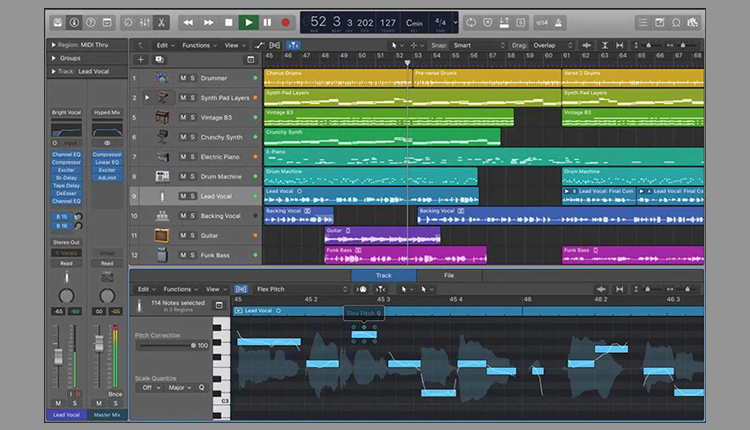
  • Logic Pro X
  • FL Studio
  • Pro Tools
  • Cubase
  • Ableton Live

Each platform has its distinguishing characteristics worth exploring in detail.

For those who are engaged in producing electronic music and require a DAW capable of managing live sets, or recording engineers demanding impeccable sound quality, there exists a tailored solution within these options. With offerings ranging from Logic Pro’s polished user experience to FL Studio’s formidable capabilities for crafting beats, every one of these top-tier DAWs brings something unique to the table when it comes to branded methods for creating music. When drawing comparisons among these titans of industry, take into consideration your own creative techniques as well as essential functionalities you expect from your workflow toolbox.

Logic Pro X 

For those deeply ingrained in the Apple ecosystem, Logic Pro X may be your digital audio workstation of choice. This robust platform excels with its flawless compatibility with Apple devices and boasts a vast array of virtual instruments and effects within its libraries. Priced at $199.99, it serves as an accessible yet professional-grade DAW that caters equally to novices making the leap from GarageBand as well as expert producers in search of sophisticated functions.
Despite its strengths, some users note certain shortcomings within Logic Pro X’s audio editing capabilities and sometimes find the workflow less intuitive compared to other competing DAWs like Studio One. Being limited to macOS leaves Windows aficionados needing alternative solutions for their music production needs. Still, for members of the Apple fraternity seeking a thorough and integrated music creation experience, Logic Pro remains a formidable contender in this space.

FL Studio 

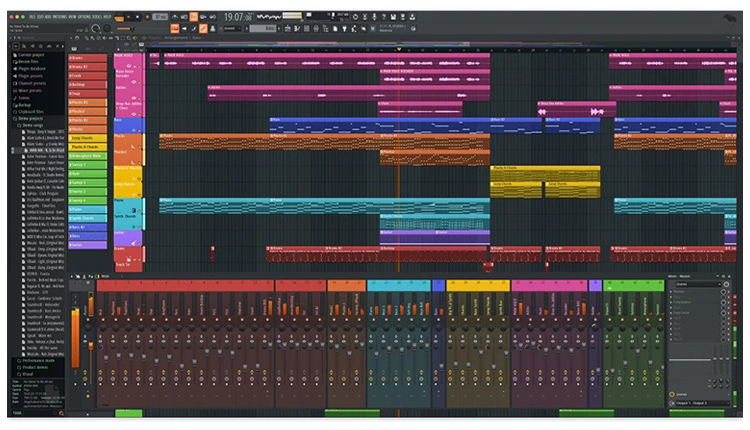
FL Studio, once known as “FruityLoops,” has come a long way from its origins as a MIDI drum machine. Today, it stands tall as a favorite among hip-hop producers and electronic musicians thanks to its intuitive beat-making tools and a modular environment that encourages creativity. With a history that stretches back to 1998, FL Studio has evolved into a full-fledged DAW that’s not only beginner-friendly but also packs enough punch for the pros.
This DAW is particularly appealing for pattern-based musicians who might find its features conducive to their workflow. Some of the key features of FL Studio include:

  • Step sequencer
  • Loop arrangements
  • Mixer
  • Sequencer
  • Array of VSTs

These features have undergone significant improvements, bringing FL Studio on par with “serious” DAWs. Despite some perceptions that its workflow is less suited for complex arrangements, FL Studio’s strong online community and a wealth of resources make it an attractive option for producers looking to make their own music in the hip hop or electronic genres.

Pro Tools 

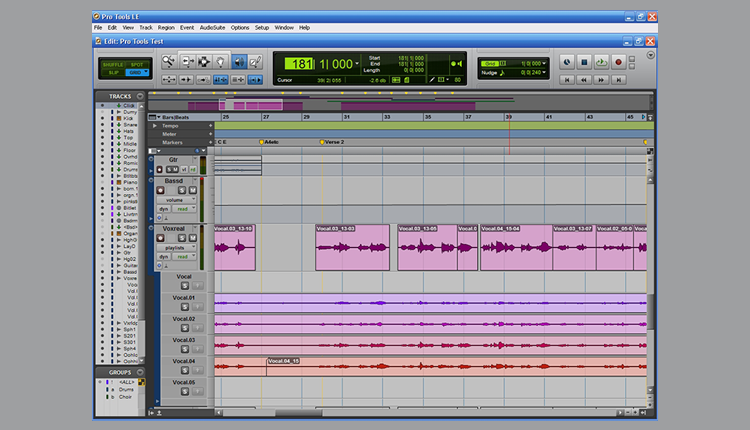
Pro Tools is widely regarded as the core element of music production in many top-tier recording studios worldwide. Renowned for its outstanding audio processing and comprehensive support for plugins, mastering Pro Tool’s intricacies is like becoming fluent in a universal language of the industry that allows seamless collaboration and offers portability of skills among various studios and projects.
Although there exists a complimentary version of Pro Tools, it may not be sufficient for more complex demands associated with professional audio editing and production tasks. If you prioritize recording live instruments within your work and desire a Digital Audio Workstation (DAW) recognized throughout the music production landscape, then Pro Tools stands out as an ideal option. It provides all necessary tools required to achieve high-quality sound output worthy of professional standards.

Cubase 

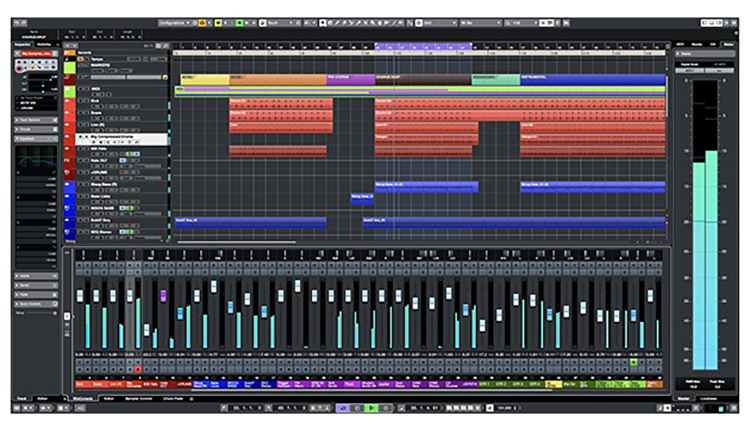
Cubase, developed by Steinberg, is a stalwart in the DAW landscape, boasting a reputation for powerful MIDI capabilities and a comprehensive virtual instrument library. Its arrangement view offers a familiar layout for those used to traditional linear DAWs, but with an extensive set of features that cater to detailed audio editing and plugin use. For musicians and producers who revel in MIDI composition and require a strong set of built-in tools, Cubase is a solid choice.
However, some users may find Cubase’s interface to be cluttered, which could impact workflow efficiency. Despite this, Cubase’s integration with MIDI hardware and powerful audio manipulation tools make it a standout option for those who prioritize these aspects in their music production. With Cubase, you gain access to a DAW that’s versatile across genres and rich in functionality, allowing you to finesse your music to the highest standards.

Ableton Live 

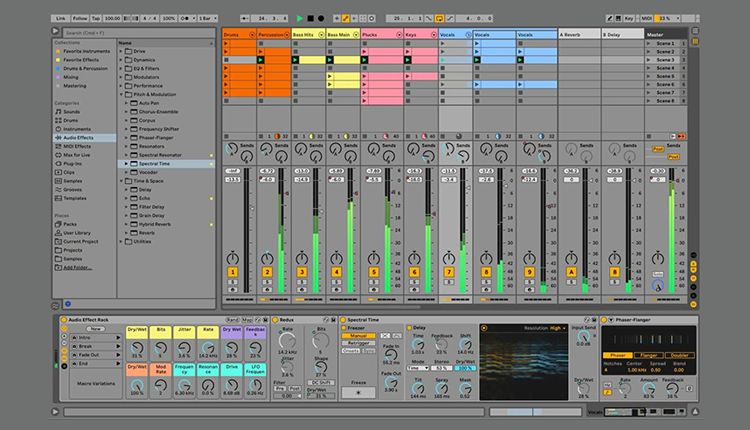
Ableton Live has become a hallmark of performance within the electronic music realm. Renowned for its innovative interface and capabilities to manipulate sounds in real time, it stands as the preferred software for electronic artists eager to inject energy and fluidity into their performances. Although it may initially present a steep learning curve, once grasped by users, Ableton’s distinctive approach to crafting music becomes invaluable — providing a composition workflow that is considered second-to-none.

Key highlights of Ableton Live include:

  • The Session View offering an instinctual space conducive to on-the-fly arranging and clip improvisation
  • A comprehensive selection of embedded instruments and effects
  • Robust support for various MIDI controllers

With these robust features at one’s disposal, Ableton Live emerges as an essential fixture not just in live venues where artists shine, but also serves as a powerful resource in both studio settings and onstage acts.

Free DAWs to Get You Started

For those just beginning their music production journey or operating on a tight budget, there are several free DAWs that offer a surprising amount of functionality. These platforms provide a great opportunity to get your feet wet without financial commitment, allowing you to explore the basics of recording, composing, and mixing. Tracktion T7 and GarageBand are two such DAWs that stand out for their user-friendly interfaces and robust feature sets, making them ideal for novices.

While these free DAWs may not offer all the advanced features of their paid counterparts, they are more than capable of getting you started on the path to creating music. With options like Tracktion T7 providing unlimited audio and MIDI tracks, and GarageBand offering a suite of samples and virtual instruments, these DAWs are proof that you don’t need to invest a fortune to begin crafting your own music. They serve as stepping stones, giving you the foundational tools to develop your skills before you consider upgrading to a more complete DAW.

Tracktion T7

Available at no cost, Tracktion T7 is a robust DAW boasting an array of powerful features for users who are budget-conscious. It accommodates unlimited MIDI and audio tracks, which allows ample room for experimentation and project expansion in your music production endeavors. The interface of Tracktion T7 favors ease-of-use with its single-screen design that streamlines the workflow within the music creation process.

Though it may not have some high-end functionalities present in costly DAWs, Tracktion T8 delivers on all vital fronts including extensive tools for editing audio as well as compatibility with various file types. Its most significant constraint lies in limited support for external plugins. The native instruments and effects provided should more than meet the needs of those just venturing into the realm of music production.

GarageBand

For macOS users diving into music production, GarageBand stands as an easily accessible starting point. Its user-friendly interface and simple editing capabilities allow novices to dive into creating music without delay. The software comes packed with a substantial selection of samples, virtual instruments, and presets that are perfect for those passionate about MIDI.

Even though it’s designed for simplicity, GarageBand doesn’t skimp on functionality necessary for crafting tunes. It includes fundamental features needed to tweak audio files such as loop creation and timing adjustments. For newcomers seeking a straightforward initiation into DAW software, this program acts as the ideal precursor before venturing into more sophisticated production environments like Apple Logic Pro.

Enhancing Your Studio Setup

After you’ve selected your DAW, the subsequent step is to upgrade your studio environment to maximize the potential of your chosen software. This entails evaluating components such as computer specs, audio interfaces, and additional equipment, which are all pivotal in the realm of music production. An intelligently assembled studio setup enhances not just how you work, but also elevates the sound quality produced by your recordings.

Consider viewing your studio configuration as a physical enhancement of what’s possible with your DAW. Every piece should serve to augment and bolster what you can achieve within that digital domain. From selecting premium monitoring headphones to ensuring robust power supplies, each element plays an integral role in shaping the final output of music production. Committing resources into high-quality gear pays dividends by granting you enhanced ability to precisely capture and refine sounds, delivering unmistakable clarity and accuracy in audio results.

Audio Interfaces and Compatibility

The audio interface acts as a critical intermediary between your analog gear and digital recording domain, significantly influencing the caliber and versatility of your recorded sound. It affects how many tracks you can lay down at once, the fidelity of those recordings through sound resolution, and also what outputs are at your disposal. Choosing an audio system is essential to opt for one that aligns well with your DAW while providing all necessary inputs/outputs in order to accommodate all your equipment.

Investing in an appropriate audio interface helps tackle latency challenges, which keeps the timing between recording input and playback output tight. It plays a key role in preserving synchronization throughout tracking sessions. Ensuring it meshes well with DAW leads to fewer complications during recording processes. When considering upgrades for our studio rig, prioritize selecting an aduio rig that doesn’t only address immediate requirements but also offers flexibility for later advances.

MIDI Controllers and External Gear

MIDI controllers act as the bridge for your musical expression, enabling direct manipulation of virtual instruments and settings within your DAW. They provide a physical connection to your music creation process, enhancing both intuition and involvement. Whether you are orchestrating with a MIDI keyboard or fine-tuning synth parameters using a control surface, these tools can greatly optimize your production flow.

Integrating external equipment such as synthesizers and drum machines can enrich the layers and individuality of what you produce. By bringing these devices into your assembly, you diversify the range of sounds at hand while inviting novel avenues for inventive exploration. Adequate USB organization along with confirming that everything meshes well with your DAW is crucial in fostering an efficient workspace without unnecessary complications.

Summary

In wrapping up our journey through the world of digital audio workstations, it’s crucial to keep in mind that the most suitable DAW for you is one that aligns perfectly with your music creation process and artistic sensibilities. Be it a robust platform teeming with features like Logic Pro X or an intuitive and gratis option such as GarageBand. The prime consideration should be selecting a DAW that enhances your ability to craft music creatively.

Ultimately, your chosen DAW transcends being mere software—it becomes a collaborative companion on your path to artistry, shaping and defining the auditory essence of your work. Allocate time for exploration and trials until you discover the Daw version which truly acts as a natural extension of yourself musically speaking. With an ideal arrangement complemented by creative zest, there’s no limit to what you can achieve within music production—so embark on this quest fervently!

Frequently Asked Questions

Find a DAW that offers an easy-to-understand interface and a smooth learning curve, along with extensive features to foster creative experimentation without causing you to feel swamped. Confirm that it is within your financial means and supports your operating system.

Certainly, it’s possible to integrate plugins from various providers into your DAW, provided that they adhere to a compatible plugin format such as VST or AU. Verifying their compatibility with your particular DAW is crucial.

Certainly, acquiring an audio interface is advisable if you’re aiming for enhanced sound quality and greater versatility during recording sessions with your DAW.

For those committed to music production, it’s a valuable component to add to your setup.

Support for MIDI is essential in a DAW because it provides enhanced control and versatility when creating and orchestrating music.

Beginning with free DAWs offers learners the opportunity to develop their skills without any financial stress. As one’s abilities evolve, it may prove advantageous to invest in a paid version that comes equipped with sophisticated functionalities.

An Interview with Jesse Ray Ernster

Armed with a killer ear and a love for all things music, JESSE RAY ERNSTER’s journey began in the heart of Minnesota. Born into a musical family, the Grammy winner started honing his craft early, starting in local studios before branching into his own engineering exploits.  

Since then, he has exploded onto the scene, working with everyone from indie darlings to chart-topping pop sensations, securing several platinum records and major accolades in the process. Overflowing with Midwest charm and even more talent, Jesse Ray Ernster has quickly established himself as a go-to guru for shaping your songs to perfection. 


SLATE DIGITAL: Okay, first things first. For those who don’t know: who is Jesse Ray? 

JESSE RAY ERNSTER: Well, I am a 32-year-old musician, record mixer, music lover, and California outdoors enthusiast. I come from the cold Midwest. I was born in Canada but raised primarily in Minnesota. My folks were musical, so this was the world that I came up in. It’s been a lifetime of music and working on the craft. It’s what I obsess about. It’s the only thing I can think about and the only thing I want to be doing at any point throughout the day, on any given day. 

SD: I was reading an interview that you did where you talked about renting a cabin straight out of high school that you used to record your friends and bring people in, and that the vibe in that space was just really kind of unique. Can you talk a little bit more about that process and that whole experience? 

JRE: I would love to! Nobody ever asks about that.  

I called it Echo Cabin. It was a 900-square-foot one-story cabin with two bedrooms and a basement that had a laundry room and a brick garage. The upstairs was an all-pine interior, so the walls and the ceiling were pine and then the floors were made of oak and this was part of the deal that I would get to move in and rent. 

My buddy was the landlord. I told him I’d rip out all the old rotten carpet and refinish the flooring. I wanted to turn it into a vibey recording house, so I did all that work in exchange for a good deal on rent, specifically $400.00 a month on this unbelievable lakefront property. Right out the window was Buffalo Lake. I could walk out the back door down the steps and I’d be right at the water. It was amazing. 

The view of the lake from Echo Cabin.

It was such a valuable experience. I was terrible at making records; this was literally my first place after I left my dad’s studio. I’d been getting my feet wet on his antiquated Pro Tools set up, so I was eager to rebel against that and do everything the opposite way. 

I got different monitors, my trusty NS10’s. I used a different DAW and pivoted to Logic Pro 9. I was trying to forge my own path and figure it out. I had a drum kit in there that was mic’d up at all times, some guitar amps, a vocal mic and a little vocal booth I’d set up. I also had mics down the stairwell to pick up the ambience of the space. 

That place was incredible, because it‘s where I got to learn how to engineer. I was working with a lot of country bands and some rock bands, and even a lot of college acapella projects. That was a gig I got pretty good at, so I kept getting calls. 

SD: What are the core differences between an acapella mix session and a Burna Boy mix session? Are there any significant adjustments you need to make between the two? 

JRE: You’d be surprised how similar they are! But one thing that was so specific about those sessions was this: let’s say you have 12 people in the acapella group, and we’re usually quad-tracking every single part. That’s about 50 vocal tracks just to make up the body of the core supporting vocal. Then there’s always a lead in the middle, and then there’s the percussive tracks, just so many stacks of vocals. 

When I attacked those stacks with compression, even applying just a DB of gain reduction, I found that it was a nightmare for noise and hiss. At first, I thought it was just the room we were recording in or the way we were recording. But when we eventually ended up going to a professional room that had a proper vocal setup, we ran into the same issue. That taught me early on that compression isn’t going to achieve the vocal leveling effect I’m looking for. I have to go through and level those vocals out with manual automation and ignore compressors. They can quickly do more harm than good. 

SD: You strike me as a person who is very appreciative of history. The history of music in Minneapolis and across Minnesota is so rich and deep, it feels like it gets lost in comparison to the more widely renowned histories of Detroit or Memphis. What was it like for you as a developing musician growing up in that environment? 

JRE: Well, obviously, that song “Funky Town” was written about Minneapolis. When you think about the history of funk and the role Prince played, it was all really influential. My favorite way to connect with that history was to go down to Bunker’s [Music Bar & Grill] on a Sunday or Monday night and listen to the house band Doctor Mambo’s Combo, which was Michael Bland and Sonny T, just the most unbelievable group of musicians that would play. It was really inspiring.  

More recently, another Minneapolis guy Cory Wong has gone on to completely dominate the universe. And another dude, Jeff Braun, this great country mixer who does, like, everything now. He grew up like 15 minutes from where I grew up. We both grew up doing this and being interested in music, but it took until we both ended up living in Nashville for us to finally be like ‘Hey, we’re from the same city!’ 

SD: Something else I learned that stood out to me while I was prepping for our conversation was that you’ve ditched the traditional mixing desk for a more on-the-go sort of workflow. Is that still the case?

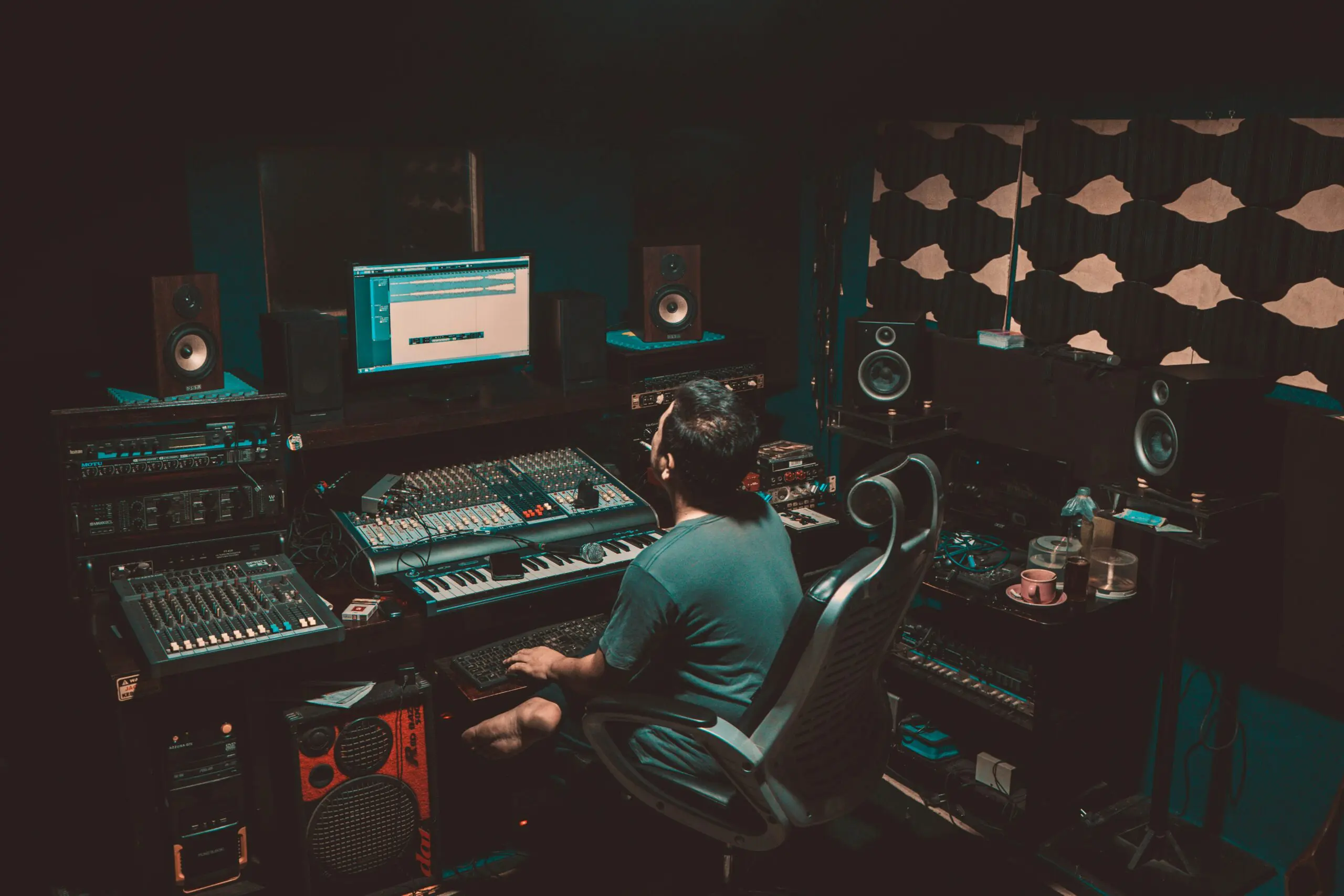
JRE: Yep. I went through a phase of needing to have a spaceship desk and needing to validate my worth as an engineer in the form of having a rack full of gear and equipment, which is funny because now, I don’t think that there’s a correlation there at all. And frankly, when I got rid of the spaceship desk and all the stuff that was sitting between me and the speakers, it ended up sorting out the acoustics and alleviating a lot of the sonic issues I’d been struggling with forever. 

Jesse Ray working in his custom mixing studio environment, surrounded by his trusty NS10 monitors.

I think it’s really empowering to promote using limited gear or budget gear to get pro results. That’s the main message I want to send to anyone doing this: you can do this without breaking the bank or putting yourself into an uncomfortable financial position. I’m speaking from experience because I do not come from a place of financial prosperity. I had to save up every single penny to buy the things that I have. 

You can do the job with some NS10s and mixing in the box with great plugins. Just keep it simple and worry about getting the room right, getting the right monitors, etc. 

SD: How did the Burna Boy connection come about? 

JRE: We were connected through my manager right around the time that my manager Matthew signed Burna to Atlantic. I reached out to him and his team and said, ’Hey, I would love to meet with you and talk about you and your company Bad Habit managing me.’ We got together, and they were like, ’Yep, this seems like a great fit. Now let’s see if you can execute.’ The very first thing that they put me on was the first Burna Boy EP that we did and that went great.  

So then right after that, they put me on the full album project, which was the “African Giant” album, which was the very first full-length label album I had ever mixed. I’m very grateful to have worked on this album that became significant for the culture and has become a widely celebrated record in many parts of the world. 

SD: What does your workflow with Burna look like these days? 

JRE: He has an engineer, Otis, who does all the recording and takes care of all the sessions. Then when it’s ready for mix, they send me that stuff and then I mix it. I’ve never recorded Burna, I’ve only ever been the mixer, but there was a stage between “African Giant” and “Twice as Tall” where they didn’t even have a recording engineer. Somebody would record him, and they would send me blank vocals.  

We built the whole “Twice as Tall” album over the pandemic over Zoom over Audiomovers. Burna was over there, I was over here, and we built the sounds for every single song, trying new things and getting creative. We got to produce his vocal sound from the ground up on that album, so the fact that it won a Grammy is awesome. 


I think that the way you achieve [a] Zen state over time is by repeatedly facing that fear and learning, ‘I’m OK, I’m safe.’ …You just keep going. You just gotta focus on the things that matter. 


SD: With an artist like Burna or Doja for example, or any project with major label expectations attached, do you feel any added pressure when you’re working on a major label project, or do you feel the same pressure regardless of the, for lack of a better word, ‘stature’ of the artist?  

JRE: Really good question. Early on I would get very psyched out when the stakes were high. If it were label or a big artist, or there was a big opportunity or a spec mix like a test mix to try out, you know I would get psyched out and I would overthink it, and the results are almost always worse in that situation. 

I’ve gotten to a point now where I’m really getting comfortable with my monitoring and with my workflow and I think I’m starting to get results that I’m pleased with. So now when I get a project, whether it’s big or small, I’m generally just diving in and tackling the problems and approaching it and just trying to have a really good time doing it.  

Ultimately, if I can keep my equilibrium and keep overall pressures low, then things go well: when I don’t overthink it, I can just have a good time. It’s almost like the fear of messing up an opportunity can influence me to head in the wrong direction.

SD: How do you achieve that calm and stay focused on the moment? 

JRE: I think that the way you achieve that Zen state over time is by repeatedly facing that fear and learning, ‘I’m OK, I’m safe.’ And it’s true. I’m not running through the jungle being hunted or fighting for my life; I am just working on music. That’s all it is. And the worst of the worst of the worst consequence is that maybe you’re not the right fit for the gig and you don’t get the gig. And like, yes, that would be terrible. But guess what: I have lost so many gigs. 

I talk about this a lot. I’ve lost huge gigs that could have put me on a better path than I’m on. And that could be really upsetting, but it’s just not my style to dwell on those alternate timelines or those potentials. You just have to focus on the things that you can change, and remember that there’s always gonna be opportunities. There’s always more. You just keep going. You just gotta focus on the things that matter. 

SD: So since this is a Slate Digital interview, I have to ask: are there any SD standbys that have existed in your workflow?

JRE: Yeah! I have Transient Shaper in my template. I’m using that on drums, but also as a de-esser on vocals as well. And a new favorite of mine has been Heatwave. It’s just beautiful. 

SD: Can you talk a little bit about your Transient Shaper de-essing technique? I don’t know that anybody’s ever talked about using it that way. 

JRE: So I’ll use the Focus feature to target the upper quadrants of the frequency range. I’ll listen for those transients that cut through and turn them down, and sometimes I’ll turn the warmth up to add some extra overtones and density to T’s. 

I’ll also sometimes pick the exact same focus range in the Sustain section and turn that dial down too. A lot of the time with ‘S’ sounds, the issue is that they get sloshy. Being able to focus on where the sibilance is and turn both the transient and sustain down produces an effect that really helps. 

SD: Is there anybody you haven’t gotten to work with yet that you’d like to do some more stuff with? 

JRE: Oh yeah, 100%. I really want to work and collaborate with Stewart Copeland on something. Even if it’s just like a session, like getting him to track on something, or maybe we make some piece of software together, I don’t know. I just really, really want to connect with Stewart Copeland.

As far as more modern pop-leaning stuff, there’s Dua Lipa, but that’s my buddy Gudwin’s gig. Or Ice Spice! But that’s my buddy Teezio’s gig. 

SD: He’s having a real moment right now, isn’t he? Teezio’s been getting a lot of attention. 

JRE: Can you put this in the interview? He has worked for this. He has earned it. He deserves it. 

SD: It’s in.  

JRE: Teezy goes crazy. 

SD: I guess we can leave off with your standard end-of-interview question: What’s next on your calendar? Anything cool we preview or highlight?  

JRE: Yeah, I just worked on the mix for a new G-Eazy record called “Femme Fatale” that’s pretty rad. Otherwise, I’m just going to keep my head down, keep making music, and try to stay out of trouble this year. You folks do the same. 

 SD: Thank you, Jesse! We will. 

Listen to Jesse Ray Ernster’s work below:  


Home Recording: Master the Basics and Best Practices

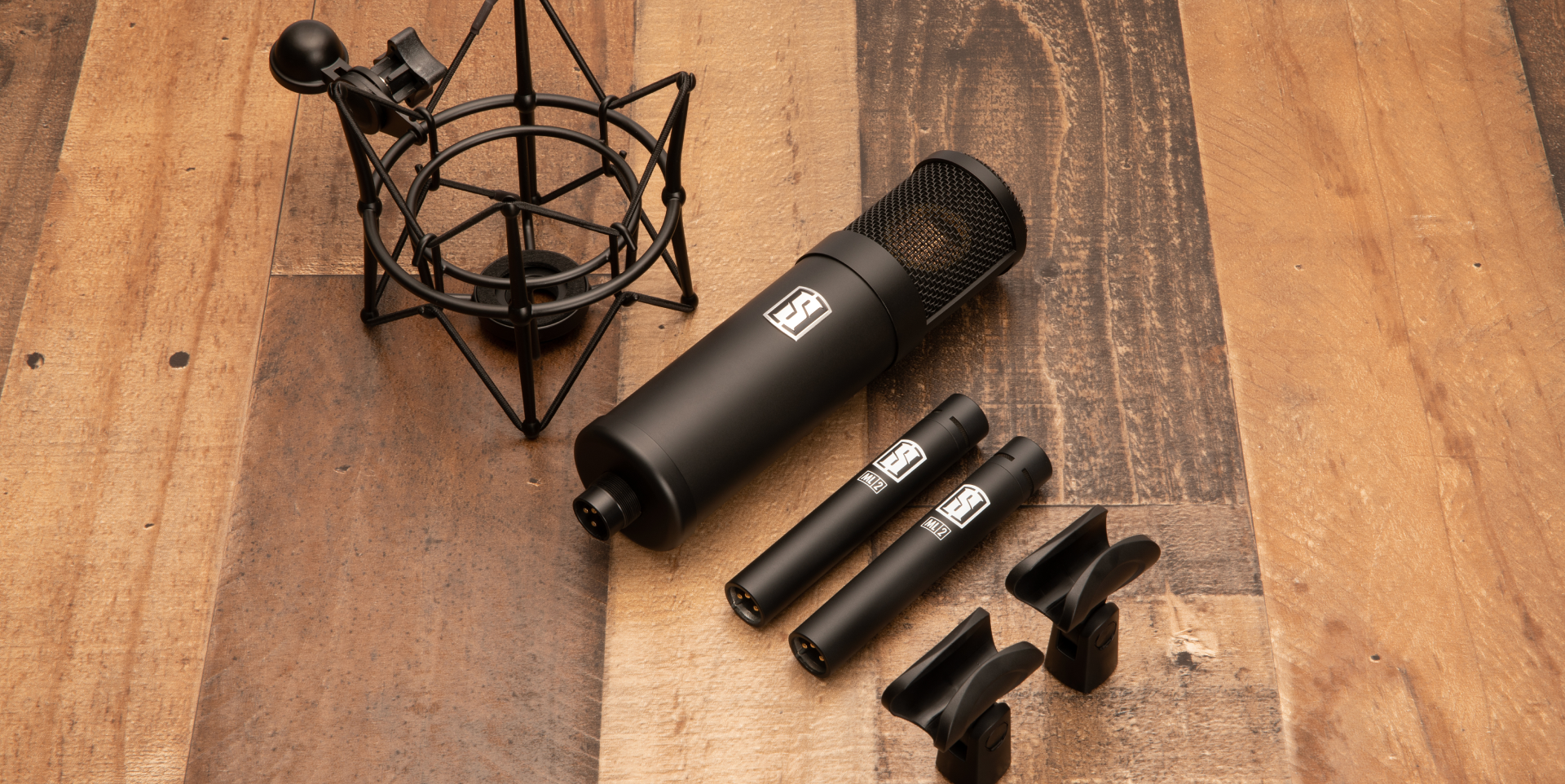
The Slate Digital ML-1 and ML-2 microphones set against a hardwood floor backdrop.

In the realm of home recording, achieving professional-quality results doesn’t always require expensive gear or a state-of-the-art studio. 

With the right techniques and practices, you can capture stunning audio recordings that rival those produced in top-tier facilities. Whether you’re setting up a home studio, have limited resources, or are totally new to recording, understanding best recording practices is essential for success. 

Getting Started

In this guide, we’ll explore some of the best recording practices tailored specifically for home studio enthusiasts.

Creating an optimal recording environment doesn’t necessarily mean constructing a soundproofed studio from scratch. Instead, focus on minimizing external noise and controlling reflections within your existing space:

Choose the Right Room

Select a room with minimal background noise and ambient distractions. A bedroom, basement, or even a closet can serve as a suitable recording space with a few adjustments.

Reduce Reflections

Hang blankets, curtains, or acoustic panels on the walls to absorb reflections and minimize reverberation. This simple step can significantly improve the clarity and fidelity of your recordings.

Isolate External Noise 

Close windows and doors to block out external sounds, and consider investing in a good pair of headphones for critical listening and monitoring.

Position Your Microphone Correctly

Proper microphone placement is crucial for capturing clean, balanced recordings with minimal unwanted artifacts. Follow these guidelines for optimal microphone placement:

Maintain Consistency 

Keep the distance and angle between the microphone and the sound source consistent throughout your recording session to ensure uniformity across tracks.

Experiment with Placement 

Don’t be afraid to experiment with microphone placement to find the sweet spot for each instrument or vocalist. Small adjustments can make a significant difference in the overall sound quality.

Mind the Room 

Pay attention to the room’s acoustics and adjust microphone placement accordingly. Position microphones away from walls and corners to minimize reflections and achieve a more natural sound.

Use Proper Gain Staging

Gain staging is essential for ensuring a proper signal-to-noise ratio and avoiding distorted recordings. Follow these steps to achieve optimal gain staging:

Set Input Levels 

Adjust the input gain on your audio interface or mixer so that the loudest parts of your signal peak just below 0 dBFS. Make sure to Avoid clipping, as this can result in irreversible distortion.

Monitor Levels 

Keep an eye on your levels throughout the recording process to ensure they remain consistent and within an appropriate range. Use your recording software’s metering tools to monitor signal levels in real-time.

Avoid Overloading 

If your signal is consistently clipping or distorting, reduce the input gain and adjust your recording levels accordingly. It’s better to record at a lower level and boost the volume later in the mixing process than to risk clipping during recording.

Pay Attention to Room Acoustics

Even in a home studio environment, room acoustics play a significant role in the quality of your recordings. Here are some tips for optimizing room acoustics on a budget:

DIY Acoustic Treatment 

Consider building your own acoustic panels using affordable materials like fiberglass insulation, wooden frames, and fabric. There are plenty of online resources and tutorials available to guide you through the process.

Strategic Furniture Placement 

Arrange furniture and other objects in your recording space to help break up reflections and diffuse sound waves. Bookshelves, sofas, and curtains can all contribute to a more acoustically balanced environment.

Experiment with Mic Placement 

Use microphone placement to your advantage by positioning microphones to minimize room reflections and capture a more direct sound from the source.

Embrace the Power of Editing

Even the most meticulously recorded audio can benefit from a bit of post-production editing. Here are some basic editing techniques to enhance your recordings:

Trimming and Cutting 

Remove any unwanted noise, clicks, or pops from your recordings by trimming the audio waveform using your recording software’s editing tools.

Equalization (EQ) 

Use EQ to shape the tonal balance of your recordings, emphasizing desired frequencies and cutting out unwanted resonances or harshness.

Compression 

Apply gentle compression to smooth out the dynamics of your recordings and ensure a more consistent volume level.

Reverb and Effects 

Experiment with reverb, delay, and other effects to add depth and dimension to your recordings. Just be sure to use them sparingly and tastefully to avoid overwhelming the mix.

Invest in Quality Equipment Wisely

While you can certainly achieve great results with budget-friendly gear, investing in high-quality equipment will make a significant difference in the long run. Here are some essential pieces of equipment worth investing in:

Microphones 

Invest in versatile, high-quality microphones that can handle a variety of recording tasks. Look for mics with transparent sound reproduction and durable construction.

Audio Interface 

Choose an audio interface with low-latency performance, high-quality preamps, and ample input/output options to accommodate your recording needs.

Monitors and Headphones

Invest in a pair of studio monitors or headphones with accurate frequency response and comfortable fit for critical listening and monitoring.

Room Treatment 

Allocate some budget for acoustic treatment materials to improve the sound quality of your recording space and minimize unwanted reflections.

Setting up a home studio on a budget doesn’t mean compromising on quality. 

Conclusion

By following these best recording practices and techniques, you can achieve professional-grade results without breaking the bank. Focus on optimizing your recording environment, mastering proper microphone placement and gain staging, and embracing the power of post-production editing to enhance your recordings. As long as you prioritize the right things, you’ll be making pro-level recordings in no time.

Finding the perfect studio microphone

A musician recording with the Slate Digital ML-1 modeling microphone.

Whether you’re a musician, a podcaster, a streamer, or a content creator, choosing the right studio microphone is crucial for capturing high-quality audio regardless of recording space, especially if you’re trying not to break the bank. 

In this short guide, we’ll explore the different types of studio microphones available, essential points to consider when buying, and what to prioritize when working with a limited budget.

Understanding Studio Microphone Types

Before diving into specific features and considerations, let’s first understand the basic types of studio microphones:

Condenser Microphones

Known for their sensitivity and ability to capture detailed sound, condenser microphones are common in studio settings. They require phantom power to operate, which comes from audio interfaces or mixing consoles.

Dynamic Microphones

Dynamic microphones are rugged and versatile, making them ideal for recording loud sound sources like drums and electric guitars. They don’t require phantom power and are less sensitive than condenser microphones.

USB Microphones

These microphones have built-in analog-to-digital converters and connect directly to your computer via USB. While convenient for beginners and those with limited space, most may not offer the same level of audio quality as traditional studio microphones.

What to Look For

When shopping for a studio microphone, here are some essential things to keep in mind:

Versatility 

Look for a microphone that can handle a variety of recording tasks. Versatile microphones can save you money in the long run by eliminating the need to purchase multiple microphones for different purposes.

Durability

Whenever possible, make sure to examine a microphone’s build quality before you buy to ensure it’s sturdy and well-made. Pay close attention to the details: you’ll want to learn what materials were used in its construction, and it’s always good practice to get a sense of the microphone’s overall feel in your hand before bringing it back to the studio.

Frequency Response 

A microphone’s frequency response determines how accurately it reproduces different frequencies.
A flat frequency response is ideal for accurately capturing natural sound. Microphones with tailored frequency responses, meanwhile, are better suited for specific applications, like recording vocals or particular instruments.

Polar Patterns

When buying a microphone, you should also think about its polar pattern. This refers to a microphone’s sensitivity to sound from different directions. 

Here are the three most common polar patterns you’ll encounter in a recording environment:

A graphic featuring the three most common polar patterns found in audio recording: cardioid, figure-8, and omnidirectional.

Credit: Shure Inc.
  • Cardioid microphones are most commonly used in studio settings, as they only capture sound from sources placed directly in front of them.
  • Figure-8 microphones pick up sound sources from the front and back, which makes them great for duets or interviews with minimal bleed.
  • Omnidirectional microphones capture sound equally from all directions. This makes them ideal for capturing ambient sounds or group recordings. 

Sensitivity and SPL 

Check the microphone’s sensitivity and maximum sound pressure level (SPL) capacity before you buy it. Higher-sensitivity microphones are great for detailed captures of quieter sounds. Conversely, microphones with high SPL thresholds can handle louder sounds without distortion.

Compatibility

Finally, ensure the microphone you’re considering is compatible with your existing recording equipment. Check the connection type (XLR or USB) and ensure it will work with your current audio interface, mixer, and computer.

Our Favorite Studio Microphones

While there are many affordable studio microphones on the market, the Slate Digital ML-1 microphone and Virtual Microphone System offer exceptional value and versatility for the price.

The ML-1 Modeling Microphone

The ML-1 is a high-quality condenser microphone that delivers professional-grade sound reproduction at an affordable price point. Its flat frequency response and cardioid polar pattern make it perfect for a wide range of recording applications, from vocals and acoustic instruments to drums and guitar amps.

The Virtual Microphone System (VMS)

The VMS software complements the ML-1 microphone by emulating the characteristics of classic microphones and preamps. With a selection of meticulously modeled microphone and preamp combinations, the VMS allows you to achieve the sound of vintage studio equipment without the need for a large budget or extensive gear collection.

By combining the Slate Digital ML-1 microphone with the Virtual Microphone System, you can access a diverse palette of sonic possibilities without breaking the bank. Whether you’re recording vocals, instruments, or podcasts, the ML-1 and VMS provide professional-quality results that rival much more expensive studio setups.

Conclusion

Choosing the right studio microphone for your home studio doesn’t have to be a stressful or super-expensive process. Stay mindful of your budget and specific recording needs, and you’ll find an affordable professional microphone that delivers professional-grade audio without sacrificing quality. 

With the right microphone in your arsenal, you’ll be well-equipped to unleash your creativity and produce amazing recordings regardless of your studio space.

The Exciting Universe of Online Mastering

An engineer sitting at his workstation in a recording studio. Photo courtesy of Jesman Fabio via Unsplash

The concept of ‘online mastering’ doesn’t have to be scary.

The process of music-making is extensive. From the writing to the arranging to pre- and post-production, the road to a finished piece of music is a long one.

And fittingly, awaiting your arrival at the end of said journey is the most feared, mysterious step: mastering.

Understanding Mastering

Mastering is the art of refining and enhancing certain sonic characteristics of a song to ensure a universally high-quality listening experience.

Traditionally, mastering is done by professional engineers in professional studios. However, with the rapid development and democratization of professional-grade music production software, the mastering process has become more accessible than ever.

Through online mastering platforms, artists of all experience and financial levels can give their songs the professional polish they deserve. In this quick guide, we’ll look into the world of online mastering, exploring its benefits, drawbacks, and everything in between.

What is audio mastering?

Mastering is the last stage in the music production process before distribution. Its primary goals include enhancing clarity, optimizing volume levels, and ensuring consistency across tracks within an album.

The process typically begins with careful listening and analysis of the mixed tracks. The mastering engineer evaluates aspects such as tonal balance, dynamics, stereo imaging, and overall cohesion to identify any areas that may require adjustment.

Main mastering objectives

One of the primary objectives of mastering is to achieve optimal loudness and dynamic range. This involves using tools like compressors, limiters, and equalizers (‘EQs’) to balance the mix while preserving the original sound.

Another essential aspect of mastering is ensuring compatibility across various playback systems. This includes addressing issues such as frequency balance, stereo width, and phase coherence to ensure that the music translates accurately across different devices and environments.

In addition to technical adjustments, mastering also involves creative decision-making to enhance the emotional impact and sonic character of the music. This may include adding effects like reverb or delay, fine-tuning the stereo image, or making EQ adjustments to highlight certain elements of the mix.

The Shift to Online Mastering

In recent years, there has been a notable shift towards online mastering services. This shift is the result of several factors, particularly recent advancements in the capabilities and accessibility of digital music technology.

Online mastering platforms, like our VIRTU Assisted Mastering platform, allow musicians to upload and process their tracks remotely without the need for expensive studio sessions.

Additionally, online mastering services offer a level of convenience that traditional studios cannot match. Musicians can collaborate with mastering engineers from anywhere in the world, saving time and money on travel expenses.

The Pros & Cons of Online Mastering

While online mastering offers many advantages, it’s essential to weigh the pros and cons before diving in.

Pros

On the positive side, these services are often more affordable than traditional studio sessions, making the mastering process accessible to independent artists and small-budget productions. The availability of online music-sharing tools also makes it easier for projects to get done quicker.

Cons

However, using an exclusively online mastering solution isn’t without its drawbacks. Without an unbiased ear listening to your music, you might not be getting the most reliable results. You may also find you struggle with significant quality differences from platform to platform. However, most artists find that despite its flaws, online mastering is an effective, accessible way to give their mixes that professional touch.

Tips for a Successful Mastering Session

For musicians looking to take their first step into mastering their music, here are some things to consider:

Firstly, it’s essential to prepare your audio files properly before submitting them for mastering. This means making sure your mix is balanced and that there’s no audible peaking in your final mix (unless it’s intentional).

A clear sense of artistic direction is also crucial throughout the process. Even in the early stages of sketching out your track, having a sense of where you’d like to take it can help inform stylistic decisions down the road. With VIRTU, for example, you retain control of deeper creative decisions, like tweaking your overall EQ curve or spreading your mix a little wider.

Finally, don’t be afraid to experiment and try new things. Making music is all about taking creative risks and learning from them.

Conclusion

Online mastering is a convenient and accessible solution for musicians looking to elevate the quality of their recordings.

Whether you’re an independent artist or a seasoned professional, there are a host of online mastering platforms that provide a range of options to suit your various needs and budget. By understanding the basics of the mastering process and exploring the various online mastering options available, you can unlock your music’s true potential.

SD-PE1: Passive Power, Classic Character

Slate Digital is thrilled to introduce SD-PE1, our brand-new passive EQ plugin.

A welcome addition to the Virtual Mix Rack ecosystem, SD-PE1 is based on one of the most coveted and beloved passive EQ units ever made. SD-PE1 delivers all the signature tone and color that made the original hardware unit so beloved, with some extra features sprinkled to make it even more useful.

Play

At a Glance:

  • Passive EQ plugin
  • Digitally modeled off legendary outboard unit 
  • Additional frequencies for deeper processing 
  • Stepped and incremental frequency selection 
  • Toggle traditional tube-stage saturation on/off 
  • Perfect for drums, bass, vocals, and mix bus 

The original passive EQ that inspired SD-PE1 first appeared in the late 1950s. Immediately beloved for their notably warm quality, the earliest units were all made by hand by the company’s founders. This strict attention to detail resulted in superior build quality that has led to many of these original units still working more than 60 years later. 

Built-In Vintage Warmth

Top-third view of SD-PE1 passive EQ plugin GUI showcasing the Tube Stage on/off switch.

On passive EQ units, the processed signal is output at a significantly lower volume than the input signal, requiring an additional clean boost step to hear the results of the processing. To remedy this issue, the original hardware also featured a built-in tube makeup gain stage that boosted the outgoing signal back to the desired level while adding an extra dose of saturation to it.

SD-PE1 captures all the iconic richness and tone of the original unit—with a twist. The plugin features the same tube stage, but as a switch that can be toggled on and off. This feature allows you to keep your crafted EQ curve without any additional coloration from the tube stage.

Unique EQ Curves

The original unit gained fame for its distinctive low-end boost and attenuation capabilities, especially in the sub and low-mid frequencies. Its renowned “kick trick” simultaneously boosts and attenuates the same frequency, creating a unique resonance that enhances clarity and depth without compromising warmth or punch.

This feature has established the EQ as a must-have in mastering studios, where it enhances recordings with weight and presence while preserving a natural, transparent sound. Ultimately, the SD-PE1’s EQ curves deliver a timeless and unmatched sonic character, cementing its status as the best passive equalizer plugin for achieving professional-grade audio results.

Further Frequency Selection

Middle-third angled view of the SD-PE1 passive EQ plugin GUI showcasing frequency selection knobs.

SD-PE1 also adds several additional frequencies that the original unit didn’t allow for. The high shelf control can now reach 3kHz on the low end and 30kHz on the high end. The high bell can now boost 1kHz and 2Khz, and the low shelf can affect 40Hz and 70Hz. These extra frequencies further enhance the sonic flexibility of the plugin without sacrificing the experience of using the original module. 

To take things a step further, where the original hardware’s frequency selection was stepped, SD-PE1 allows for both stepped and incremental frequency selection. This means you can use the plugin both exactly as the original hardware was intended and as your own unique custom passive EQ.  

Making the Plugin

In the video below, hear from our DSP team about how they built SD-PE1 and translated all the essential nuances of the original unit into this new plugin.

Play

Availability

SD-PE1 is available NOW in Virtual Mix Rack for All Access Pass and Complete Access subscribers. It is also available for purchase at $149 as a perpetual license. Learn more and try it today here.

Blog: Meet MetaPitch!

We are excited to share MetaPitch, a new vocal pitch-shifting plugin that’s versatile, efficient and easy to use. Tailored for monophonic sound sources such as voices or individual instruments, MetaPitch delivers essential controls for Pitch and Formant adjustments within an intuitive interface. 

Additional features like Widener, Drive, and Filter controls are seamlessly integrated with the Mix knob for nuanced audio shaping, and the specialized “Robotic” mode adds a Vocoder-type touch to the source signal. There’s also a Low Latency mode that ensures accurate, real-time response during live tracking and monitoring, and a convenient grouping feature that allows you to affect multiple instances of the plugin at once. 

MetaPitch lets you adjust the pitch of your source signal independently from the formant curve, opening up a wide array of avenues for sonic exploration. When affecting the harmonic series being sung or played while constraining the shape of the series to a fixed formant curve, the results sound more natural to our ears. Intentionally adjusting these things in a way our brains don’t anticipate can be a great source of special effects. 

MetaPitch is available now for All Access Pass and Complete Access subscribers. To learn more about the plugin and subscribe today, click here.

Slate Digital & Solid State Logic Announce ‘Complete Access’

Chessington, UK, Nov 20th, 2023 – Two of the biggest pro audio plug-in brands, Slate Digital and Solid State Logic, have joined forces with a limited-time offer with access to BOTH their subscriptions for the price of one – just $14.99 per month plus local tax.* Available on their new joint subscription platform, customers will be able to keep this ever-growing dual ‘complete access’ package worth over $12k, indefinitely with a continuously renewed subscription.

The new ‘complete access’ offering combines two premium subscription packages:

With over 60 of the most prestigious processing and creative instrument plug-ins, including the latest VIRTU assisted mastering platform, Slate Digital’s All Access Pass has led the way in pro audio subscription offerings. It also brings incredible content with thousands of royalty free audio samples and exclusive boutique packs with presets, and access to hundreds of professional tutorials from leading producers and educators.

The SSL Complete subscription brings 30+ legendary Solid State Logic modelled consoles, compressors, equalisers, reverbs and delays, as used on decades of the world’s biggest selling music recordings. And with the acquisition of Harrison Audio, it includes a range of updated plug-ins direct from the music hitmakers in Nashville, USA.

Slate Digital also announce today the release of the FREE Heatwave plug-in, plus the Strongroom™ London Expansion pack for their ML-1 modeling microphone. Heatwave is a free-to-all, simple-to-use transient-preserving saturator plug-in available from their website. Heatwave adds varying levels of saturation while preserving or accenting the original transients, effortlessly adding punch to drums, grit to keys, and a sharp edge to guitars.

The Strongroom™ London ML-1 Mic Expansion pack is available with an introductory offer price of just $99 and comes with five new exclusive mic models from the eclectic Strongroom™ microphone locker; the SD-414 EB, SD-414 BU, SD-4038, SD-47 FET, and SD-12 VR.

Solid State Logic will also announce on November 22nd the release of another much anticipated new plug-in to add to their subscription plan and ‘complete access’ package, as well as perpetually.

John Bastianelli, CEO of Slate Digital, comments “We have been running this amazing dual offer with our current loyal subscriber family and they are loving it, so we are really excited to make the ‘complete access’ package available to everyone. Slate Digital has always talked big when it comes to Black Friday offers, but now with our partners at Solid State Logic and the release of Heatwave and the Strongroom™ London ML-1 mic expansion pack, I think we just raised the bar with deals available to new and current customers.”

Nigel Beaumont, Managing Director of Solid State Logic, adds, “Being part of the same pro audio family, then bringing these astonishing processing and creative tools from the All Access Pass to our SSL subscribers for no additional cost was a no-brainer. With strong plug-in releases coming from both brands in the coming weeks and months, ‘complete access’ subscribers will get even more value from this amazing deal.”

The ‘Complete Access’ offer is only available to new subscribers from November 20th until November 28th, midnight PST. For more information, please head to https://slatedigital.com/complete-access/

* Price shown is for the Annual Paid Monthly subscription

About Solid State Logic

Solid State Logic is the world’s leading manufacturer of analogue and digital audio consoles and provider of creative tools for music, broadcast, live and audio production professionals. www.solidstatelogic.com

Press contact:

Martin Bennett – Audiotonix

Email: martin.bennett@audiotonix.com