Get a $ 99 coupon now! Learn More
Virtu Desktop available now Learn More
×
Language and Currency

Choose your language

Choose your Currency
All Posts By

Ho Son

Slate Digital and Solid State Logic: Where Innovation Meets Legacy

When you’re part of the Slate Digital community, you’re not just getting next-level audio tools—you’re connecting with a legacy of excellence through our partnerships with industry icons like Solid State Logic (SSL) and Harrison Audio. These aren’t just brands; they’re the legends that have defined the sound of music and film for generations.

Let’s shine the spotlight on SSL for a moment. This isn’t just another brand; it’s the brand. From shaping iconic albums and movie scores to redefining what’s possible in studios of all sizes, SSL has been at the forefront of audio innovation. Their technology is a cornerstone of music and film production, trusted by the best in the business—and by creative minds everywhere.

Here at Slate Digital, we’re not just fans—we’re family. We’re honored to share this connection and stand shoulder-to-shoulder with such a powerhouse. So, let’s dive into the incredible story of Solid State Logic, a brand that’s not just a leader in the industry but a creator of its very foundation.

Solid State Logic: Shaping the Sonic Landscape of Modern Music and Media

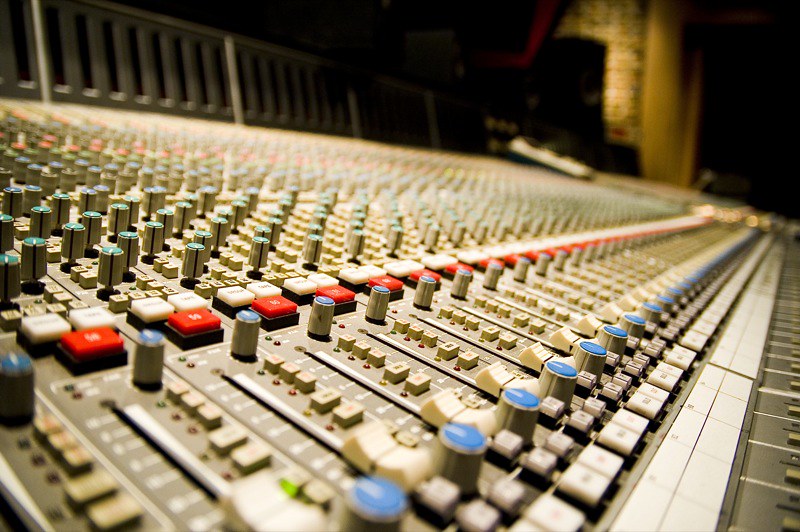
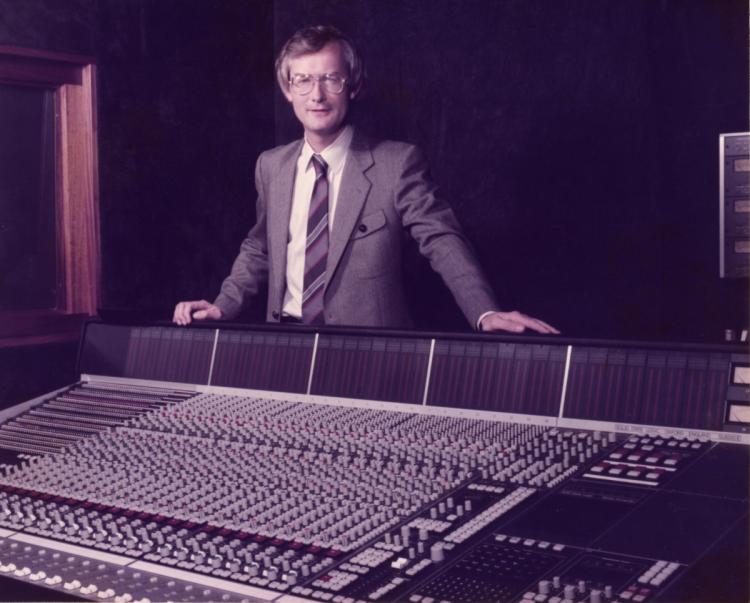
When it comes to defining moments in music, film, and broadcast history, Solid State Logic (SSL) has consistently been at the forefront. From iconic hit records to groundbreaking film soundtracks, SSL consoles have been the silent force driving the evolution of sound since the 1970s.

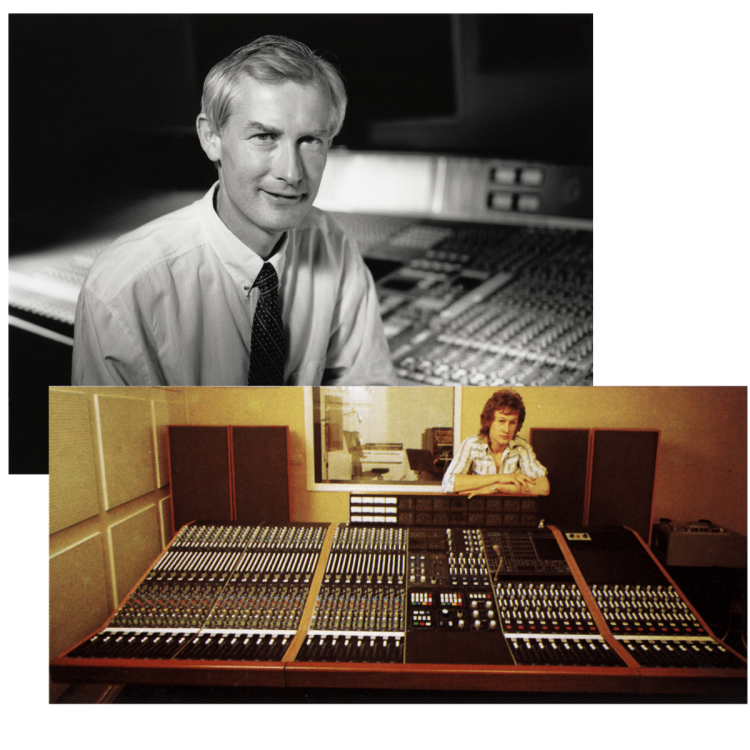
Founded by Colin Sanders in 1969, SSL redefined the very essence of audio engineering, leaving an indelible mark on countless artists, producers, and studios worldwide.

Humble Beginnings in a Village Studio

(Credit: Solid State Logic)

The story of Solid State Logic began in the rolling hills of Oxfordshire, England, where visionary engineer Colin Sanders had an idea that would change the course of audio production forever. Initially focused on creating solid-state switching systems for pipe organs, Sanders’ technical prowess led him to an unexpected pivot. 

As the owner of Acorn Studios, he found the era’s mixing consoles lacking in flexibility and control. Not one to settle for “good enough,” Sanders built his own. His first console, the SL 4000 A Series, debuted in 1975, introducing revolutionary features like in-line mixing and early automation. It also introduced the world to SSL’s now-legendary design philosophy: innovation that puts the engineer first.

A Game-Changer for the Industry

However, the real breakthrough came in 1979 with the SL 4000 E Series. It wasn’t just a console; it was a paradigm shift. With features like per-channel compressors and gates and its famous VCA-based bus compressor, the console became an indispensable tool for audio professionals like Trevor Horn and Steve Lillywhite who used SSL consoles to craft some of the most iconic recordings in history.

(Credit: Solid State Logic)

But the real star of the show was Total Recall. For the first time, engineers could save and reload all console settings with the push of a button. What seems standard today was groundbreaking in 1979, saving countless hours and bringing unparalleled efficiency to the creative process. Studios equipped with SSL desks quickly became the gold standard, with artists and producers flocking to work their magic on these sonic powerhouses.

The SSL Sound: Punch, Power, and Presence

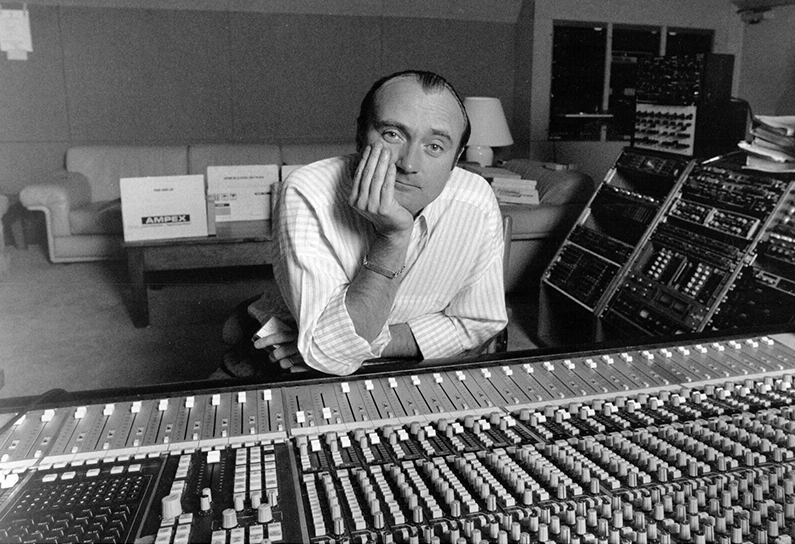
SSL consoles didn’t just make life easier — they made music sound better. Engineers found that pushing the SL 4000 E Series and later the 4000 G Series added punch and harmonic richness to their mixes. This sonic signature became synonymous with professional-grade music production, shaping the sounds of artists like Peter Gabriel, Madonna, and Phil Collins—and more recently, Daft Punk, Dr. Dre, and Jay-Z.

For many, the defining feature was the iconic stereo bus compressor, a tool capable of turning a good mix into a great one. With just a few tweaks, the compressor added cohesion and energy, giving tracks a radio-ready finish that jumped out of the speakers.

The Studios and Albums That Defined an Era

(Credit: Essex Recording Studios)

SSL consoles quickly became fixtures in the world’s most prestigious studios, including Abbey Road, The Power Station, and Townhouse Studios. These legendary spaces became the birthplace of countless hit records, with SSL consoles as the backbone of the production process.

From Prince’s Sign o’ the Times to Phil Collins’ Face Value and Peter Gabriel’s So, SSL consoles were integral to the creation of music that defined an era. Rock and metal legends like Rush (Moving Pictures), Metallica (Master of Puppets), and Rage Against the Machine (Rage Against the Machine) pushed their genres to new heights using SSL’s tools.

(Credit: Gearspace)

By the mid-1990s, Billboard magazine reported that 83% of number-one singles had been mixed on an SSL console, highlighting the brand’s unparalleled influence on the music industry. Even into the modern era, artists like Adele (21), My Chemical Romance (The Black Parade), and Muse (Showbiz) relied on SSL to deliver polished, powerful sounds.

The power of SSL consoles lies in their ability to bring artistic visions to life, and they became the go-to choice for producers like Trevor Horn, Steve Lillywhite, and Tom Lord-Alge. Horn’s work on The Lexicon of Love by ABC is an iconic example of how SSL consoles amplified the creativity of their users.

Broadening Horizons: Film and Broadcast

While SSL’s initial impact was felt in music studios, its influence soon extended to film and broadcast. In the 1980s, SSL introduced smaller consoles tailored for post-production and film scoring. Hollywood sound stages quickly adopted these consoles, recognizing their ability to deliver unmatched clarity and efficiency.

(Credit: Solid State Logic)

The 5000 F Series console brought automation and a level of fidelity that transformed Hollywood sound stages. SSL consoles powered blockbusters like Jurassic Park and The Matrix, where their ability to manage massive, multi-layered audio tracks proved invaluable. Meanwhile, their adoption in live broadcasts showcased their reliability and precision in high-pressure environments.

SuperAnalogue: A Leap in Analog Technology

As digital technology began to dominate the industry, SSL doubled down on analog innovation with its SuperAnalogue design. First introduced in the SL 9000 J Series in the 1990s, this technology utilized a capacitor-free signal path to achieve extraordinary clarity and detail. The result was an audio signal path that far exceeded the capabilities of even the most advanced digital converters, offering extremely low distortion and practically linear phase across the frequency spectrum.

(Credit: Electric Lady Studios)

SuperAnalogue technology set a new benchmark for audio fidelity, becoming a hallmark of SSL’s flagship products. It was this combination of analog warmth and pristine clarity that kept SSL consoles relevant in an era increasingly dominated by digital tools.

The Famous SSL Bus Compressor

(Credit: The Pro Audio)

A hallmark feature of SSL consoles has always been the bus compressor, first introduced in the SL 4000 B Series in 1976. Known for its ability to “glue” mixes together, the bus compressor became an essential tool for engineers and producers. Its simple controls and powerful sound made it the go-to choice for everything from subtle compression to bold, punchy mixes.

Over the years, SSL has adapted the bus compressor for a variety of formats, from rack-mounted units to DAW plug-ins. Its enduring popularity speaks to its unique ability to enhance mixes with the signature SSL sound.

Digital Innovation and Hybrid Solutions

In the early 2000s, SSL began integrating analog warmth with digital precision, ushering in a new era of hybrid audio systems. Products like the AWS and Duality consoles combined traditional analog features with advanced hardware DAW control, providing engineers with unprecedented flexibility. These consoles bridged the gap between analog and digital workflows, making them indispensable in modern studios.

SSL’s dedication to innovation extended to smaller studios and home producers. Compact products like the SiX desktop mixer and in 2020, the SSL 2 audio interface brought the company’s signature sound to a new generation of creators. These tools offered professional-quality audio at an accessible price, ensuring that SSL’s legacy would continue to inspire future talent.

SSL in the Modern Era

(Credit: Vintage King)

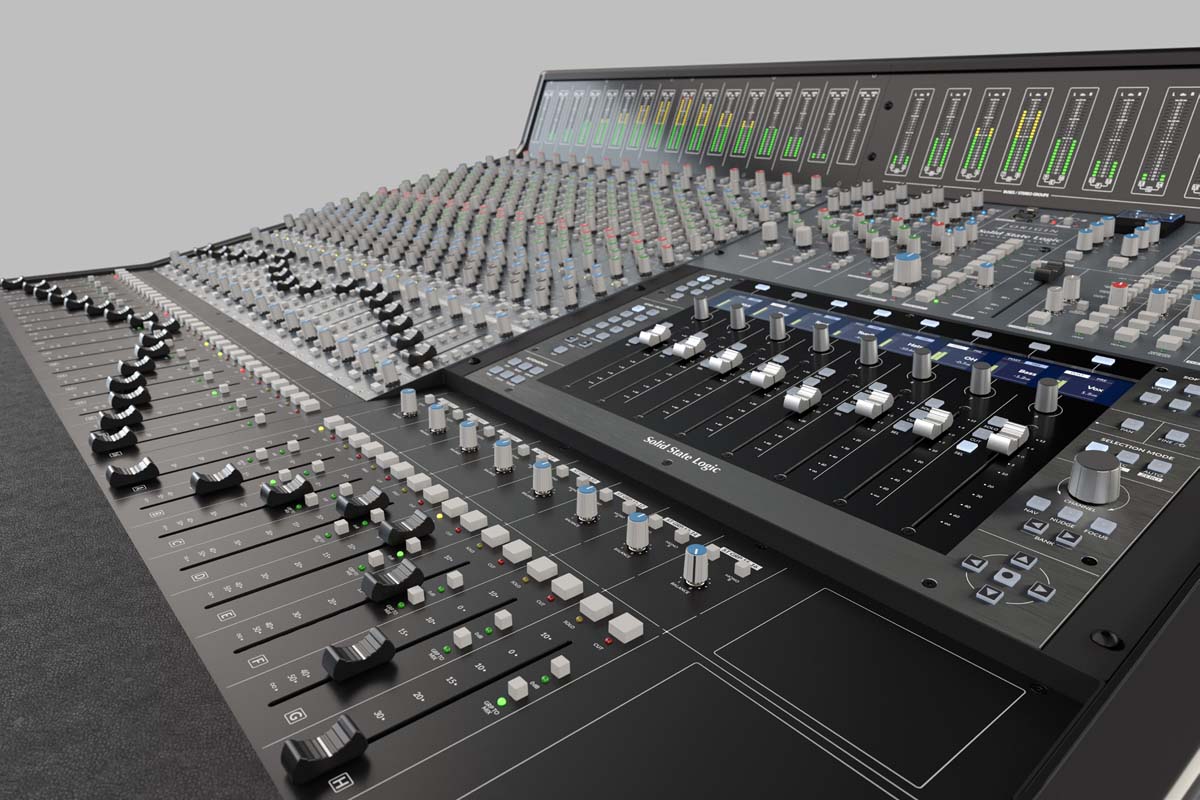
Today, SSL remains a leader in the audio industry, constantly evolving to meet the needs of modern creators. Their ORIGIN console, launched in 2019, is a testament to their ability to balance heritage with innovation. Borrowing elements from the classic 4000 Series, the ORIGIN combines classic SSL sound and workflow with modern ‘hybrid’ features, making it a popular choice for professional and project studios alike.

SSL has also embraced the digital revolution with its comprehensive range of premium plug-ins. These software tools bring the iconic SSL sound to DAWs, offering emulations of the company’s classic hardware. From EQs to compressors, the plug-ins provide the same quality and precision and workflow that made SSL famous.

Why SSL Endures

So, what keeps SSL at the top of its game after more than 50 years? It’s more than the technology—it’s the company’s unwavering commitment to the craft. Every product they release, whether it’s a flagship console or an entry-level audio interface, is built with the same philosophy: to empower creators.

The SSL ethos extends beyond gear. The company’s investment in education and partnerships with schools ensures that the next generation of engineers has access to the tools and knowledge needed to thrive.

As technology evolves, SSL’s commitment to innovation, quality, and artistry ensures that its legacy will continue to inspire generations of creators. From iconic albums to groundbreaking films, SSL has not just shaped the sound of an industry—it has shaped the soundtrack of our lives.

SSL’s full suite of plug-ins is available in partnership with Slate Digital as part of the Complete Access Bundle.

How to Use Dynamic EQ in Your Mix: Essential Techniques for a Pro Sound

How to Use Dynamic EQ in Your Mix

Key Takeaways

  • Dynamic EQ combines real-time frequency adjustments with dynamic control, allowing for precise management of specific resonances in a mix.
  • Unlike multiband compression, dynamic EQ enables both boosting and cutting of frequencies, providing a versatile solution for detailed audio control.
  • Effective use of dynamic EQ involves gentle filtering, careful gain adjustments, and regular mix checks to avoid common pitfalls like overly aggressive filtering.
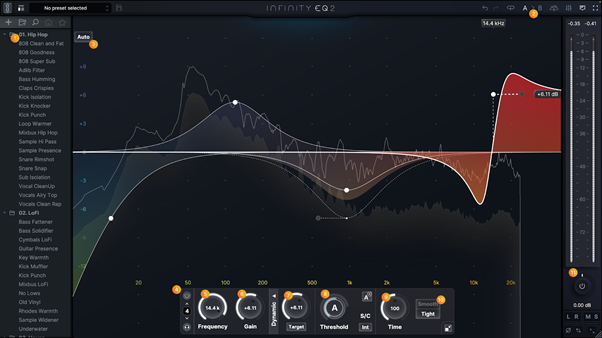
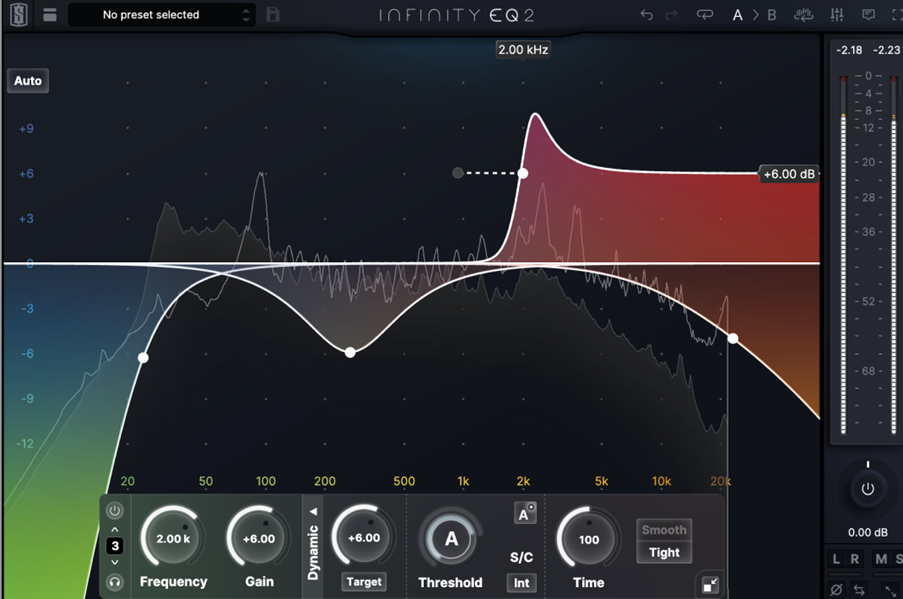
  • Slate Digital’s Infinity EQ2 takes dynamic EQ to the next level with dynamic filters, 3 new filter types and a major GUI update

Dynamic EQ is a game-changer in audio mixing, allowing you to make real-time frequency adjustments that respond to the signal’s amplitude. In this guide, you’ll learn how to use dynamic EQ in your mix to tackle issues like vocal resonances, boomy bass notes, and competing frequencies. By the end, you’ll be equipped with techniques to achieve a more balanced and professional sound.
What Is Dynamic EQ?

Dynamic EQ is a type of equalization that integrates the dynamic controls typical of compressors with the frequency-specific adjustments of traditional EQs. Unlike static EQ, which applies fixed adjustments regardless of the audio signal’s level, dynamic EQ changes its gain settings in real-time based on the amplitude of the input signal. This dynamic control allows for precise frequency management, ensuring that adjustments are made only when necessary.

Dynamic EQ comprises several key parameters, including:

  • Frequency: determines the specific part of the audio spectrum being targeted
  • Gain: adjusts the level of that frequency
  • Q: controls the bandwidth of the EQ band
  • Threshold: sets the level at which the dynamic adjustment kicks in

This combination of parameters enables dynamic EQ to provide targeted interventions, making it an invaluable tool for addressing specific resonances or imbalances in a mix.

The ability to adjust frequency gain based on the audio signal’s amplitude ensures that dynamic EQ can respond to changes in the audio in real-time. For example, a dynamic EQ can reduce harsh frequencies in a vocal performance only when they become prominent, without affecting the overall sound quality during quieter passages. This technique is often referred to as dynamic gain reduction.

This real-time responsiveness sets dynamic EQ apart from traditional EQ, offering a more nuanced and effective approach to frequency management.

How Does Dynamic EQ Work?

How Does Dynamic EQ Work?

Dynamic EQ operates by adjusting the gain of specific frequencies once the input signal surpasses a set threshold. This real-time adjustment allows dynamic EQ to respond to fluctuations in the audio signal, providing a level of control that static EQ cannot achieve. Unlike static EQ, which applies fixed adjustments regardless of the input signal’s level, dynamic EQ changes the frequency response dynamically as the signal levels fluctuate.

The dynamics of the incoming audio signal dictate how much the dynamic EQ affects the sound. When the signal level exceeds the threshold, the dynamic EQ engages, either boosting or cutting the targeted frequencies. This approach ensures that frequency adjustments are made only when necessary, preserving the natural character of the audio while addressing problematic frequencies.

By responding to the audio signal in real-time, dynamic EQ provides a more precise and effective solution for frequency management compared to static EQ.

Key Differences Between Dynamic EQ and Multiband Compression

While dynamic EQ and multiband compression both offer dynamic control over specific frequency ranges, their operational principles and applications differ significantly. Dynamic EQ provides precise adjustments to individual frequencies, making it ideal for addressing specific resonances or imbalances in a mix. In contrast, multiband compression manages broader frequency ranges, applying compression to entire bands rather than individual frequencies.

One of the key differences between dynamic EQ and multiband compression is their approach to gain adjustment. Dynamic EQ can both boost and attenuate frequencies, allowing for more nuanced control over the audio signal. Multiband compressors, on the other hand, primarily focus on attenuating frequencies, applying reduction based on a set threshold. This makes dynamic EQ more versatile for tasks requiring both boosting and cutting of frequencies.

Another important distinction is the potential for phase issues and artifacts. A multiband compressor can introduce phase shifting due to its crossover filters, which can affect audio fidelity even when compression is not actively engaged. In contrast, dynamic EQ avoids initial signal splitting and affects only the frequencies that exceed the set threshold, minimizing potential artifacts and preserving audio quality.

These differences highlight the unique advantages of dynamic EQ in achieving precise and transparent frequency management.

Practical Applications of Dynamic EQ in Mixing

Dynamic EQ offers a range of practical applications in mixing, making it an essential tool for achieving a balanced and professional sound. Its ability to provide targeted frequency adjustments only when necessary allows for more precise control compared to broader compression methods. Whether you’re dealing with vocal resonances, bass guitar frequencies, or acoustic instruments, dynamic EQ can address specific issues without compromising the overall mix.

Dynamic EQ can be used to tame vocal resonances, manage bass guitar frequencies, and enhance acoustic instruments. Each of these applications demonstrates the versatility and effectiveness of dynamic EQ in resolving common mixing challenges.

Incorporating dynamic EQ into your mixing workflow leads to a more polished and professional sound.

Taming Vocal Resonances

Dynamic EQ is particularly effective in managing vocal resonances without compromising the overall sound quality. Tracking and responding to specific vocal frequencies allows dynamic EQ to reduce harshness and sibilance only when they become problematic, preserving the natural character of the vocal performance. Properly setting the attack and release times for dynamic EQ can enhance clarity while minimizing unwanted frequency buildup.

The placement of dynamic EQ in the signal chain is crucial for its effectiveness. Typically, dynamic EQ should follow any compression to ensure that it targets the frequencies that are most prominent after compression. Selective attenuation of sibilance and harsh frequencies with dynamic EQ can improve the overall quality of vocal recordings, making them sit better in the mix.

Managing Bass Guitar Frequencies

Boomy bass notes are a common issue that can clutter a mix, making it difficult to achieve clarity and definition. Dynamic EQ can manage and control these problematic frequencies by addressing only the specific frequencies that interfere with the mix. This targeted approach allows for precise control over the bass guitar’s frequency spectrum, ensuring that it complements rather than competes with other elements in the mix.

In addition to controlling boomy notes, dynamic EQ can enhance bass detail by employing upward compression techniques aimed at specific frequency ranges. Dialing in the Q of each eq bands appropriately is essential for effectively managing specific notes in a bass track.

Addressing problem frequencies with dynamic EQ results in a more balanced and defined bass sound that enhances the overall mix.

Enhancing Acoustic Instruments

Dynamic EQ plays a crucial role in enhancing the sound quality of acoustic instruments by providing specific frequency control. By using settings with 1ms attack and 5ms release times, you can precisely target problematic frequencies without affecting the overall sound. This precise control is particularly beneficial for reducing excessive low-end buildup from drums, allowing for more punch in the midrange.

Applying a Baxandall high-shelf in dynamic EQ can add extra top-end sparkle to high-hats, improving their presence in a mix with acoustic instruments.

Overall, dynamic EQ enhances the blend of acoustic instruments within the mix, contributing to a professional and polished sound. Addressing specific frequency issues with dynamic EQ ensures each instrument maintains its clarity and definition.

Using Sidechain Input for Dynamic EQ

Using Sidechain Input for Dynamic EQ

Using sidechain input with dynamic EQ can significantly improve mix clarity by unmasking instruments that compete for the listener’s attention. When one instrument’s signal is used to control the EQ adjustments of another, it allows specific frequencies to be attenuated only when necessary. This technique is particularly useful for avoiding frequency masking issues and ensuring that each instrument maintains its presence in the mix.

For example, by sidechaining a dynamic EQ on the bass guitar to the kick drum, you can allow only the problematic frequency range of the bass to be attenuated when the kick strikes. This targeted approach ensures that the kick and bass do not compete for the same frequency space, resulting in a more defined and punchy low end. Dynamic EQ with sidechain input provides a versatile solution for managing interactions between different elements in a mix.

The process of using dynamic EQ with sidechain input can improve mix clarity by ensuring that competing frequencies do not overwhelm each other. Adjusting EQ settings based on another instrument’s signal achieves a more balanced and transparent mix. This technique is particularly useful in complex mixes where multiple instruments occupy similar frequency ranges.

Tips for Effective Use of Dynamic EQ

https://www.youtube.com/watch?v=po0IpcpL0_8&t=1s

Using dynamic EQ effectively requires an understanding of its capabilities and limitations. One important tip is to use gentler filter shapes, such as bell or shelf, to achieve subtle frequency adjustments. This approach ensures that the adjustments are transparent and do not overly color the sound. Additionally, reducing gain or offset by 25–50% after dialing in an EQ band can prevent overdoing dynamic EQ and ensure a balanced sound.

Another key tip is to understand that dynamic EQ blends equalization with dynamic processing, providing fine-tuned control over problematic frequencies during louder moments. Implementing these tips allows you to use dynamic EQ for precise and effective frequency management, enhancing the overall quality of your mixes.

Common Mistakes to Avoid with Dynamic EQ

One common mistake when using dynamic EQ is overly aggressive filtering, which can strip important frequencies and result in a lifeless sound. It’s important to use dynamic EQ judiciously and avoid excessive reliance on it instead of static EQ.

Another mistake is failing to check the entirety of the mix after making adjustments, which can lead to an unbalanced sound. Neglecting to utilize reference tracks can also result in a skewed perception of the mix when using dynamic EQ.

Overuse of dynamic EQ across all tracks can create a convoluted mix instead of a clear dynamic range. By being mindful of these common mistakes, you can ensure that your use of dynamic EQ enhances rather than detracts from your mix.

Summary

Dynamic EQ offers a powerful solution for precise frequency management in mixing. By combining traditional EQ parameters with dynamic controls, it allows for real-time adjustments that enhance the overall quality of your mix. Whether taming vocal resonances, managing bass frequencies, or enhancing acoustic instruments, dynamic EQ provides targeted interventions that preserve the natural character of the audio. With the right techniques and plugins, dynamic EQ can transform your mixes and help you achieve a professional sound.

Frequently Asked Questions

Dynamic EQ is an advanced equalization technique that dynamically adjusts gain based on audio signal levels, allowing for tailored sound enhancement that responds to the content’s dynamics. This provides more precise control over frequencies compared to static EQ

Dynamic EQ adapts in real time to signal changes, providing flexible adjustments, while static EQ applies set changes that do not vary with the audio signal. This makes dynamic EQ more effective for managing varying frequencies and maintaining balance in complex audio environments.

Dynamic EQ allows for targeted adjustments to specific frequencies, offering greater precision, whereas multiband compression works on wider frequency ranges for overall level control. This distinction makes dynamic EQ ideal for fine-tuning and multiband compression suitable for balancing mix dynamics.

Dynamic EQ effectively manages bass guitar frequencies by targeting and controlling specific problematic frequencies, allowing for enhanced clarity while minimizing muddiness in the mix.

For effective frequency management, consider using FabFilter Pro-Q 3, Waves F6, and iZotope Neutron 4, as they each provide unique features that enhance your mixing process.

What is Sidechaining? A Simple Guide to Better Mixes

What is Sidechaining

Key Takeaways

  • Sidechaining is a key audio production technique allowing one sound to control the volume of another, enhancing mix cohesiveness and clarity.
  • Sidechain compression creates space in a mix by adjusting the volume of certain tracks based on the levels of others, preventing elements from clashing.
  • Slate Digital’s Submerge Sidechain plugin simplifies the process of creating unique ducking and pumping effects, offering customizable controls and advanced features for enhanced sound shaping.

Sidechaining is a production technique where an effect on one audio track is controlled by another audio track. It’s commonly used to create space in mixes, enhance rhythm, and achieve pumping effects. This article will explain what is sidechaining, how it works, and show practical examples of its usage in music production.

Understanding Sidechaining

Understanding Sidechaining
Sidechaining is a production technique where an effect is activated by an audio track. The term ‘sidechain’ refers to ‘side signal chain,’ indicating a different input source for the compressor. This process allows one sound to control the volume of another sound, making it a powerful tool in music production.

Sidechain compression, in particular, is used to create space in a mix, unmask competing sounds, add groove, and create interesting effects for vocals. It enhances the relationship between kick and bass tracks, making the low end of the mix sound more cohesive. This technique helps different audio signals fit various instruments together and reduces muddiness through gain manipulation.

Commonly used in genres like dance music, house, and techno, sidechaining is pivotal in creating those characteristic pumping effects that define the rhythmic feel of these genres. But its applications go beyond just rhythm; it can highlight elements like vocals and kick drums, ensuring they are clear and prominent in the mix.

How Sidechain Compression Works

How Sidechain Compression Works

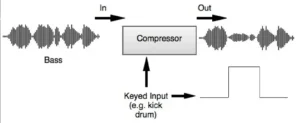
Sidechain compression works by adjusting a track’s volume based on another track’s levels. Essentially, a compressor modifies the output volume of one track depending on the input signal from another track. This technique is particularly useful in ensuring that certain elements of a mix do not overshadow others.

Understanding how sidechain compression operates involves grasping a few key concepts. The compressor, triggered by a sidechain input, reduces the volume of the target track, creating space in the mix. This process can be fine-tuned using various sidechain settings to achieve the desired effect.

The Role of Compressors

Compressors play a crucial role in audio production by managing the dynamic range to create impactful audio transformations. The sidechain input provides the compressor with the necessary signal to determine how much to reduce the volume of the audio.

Dynamic range in audio refers to the difference in volume levels between the quietest and loudest parts, measured in decibels (dB), which compressors help to control efficiently. By using sidechain compression, producers can make room for melodies and balance elements in the mix, ensuring keys sit well alongside kick and bass without overpowering the mix.

What is a Sidechain Input?

A sidechain input serves as a distinct key input that influences the main output of the compressor. This input signal determines how the compressor reacts and applies its effect.

The sidechain input allows one track to control the dynamics of another. For example, a kick drum can trigger compression on a bass track, ensuring that the bass ducks in volume every time the kick hits, creating a more defined low end.

Internal vs. External Sidechain Inputs

Internal sidechain filters can selectively ignore certain frequencies during compression, making them ideal for situations requiring precise control over specific frequency ranges. On the other hand, external sidechain inputs can utilize any audio signal to trigger compression, offering more versatile control over mixing elements.

The choice between internal and external sidechain inputs depends on the desired outcome in the mix. Internal sidechain filters are perfect for sculpting specific frequencies, while external sidechain inputs offer broader audio interactions, making them suitable for more creative applications.

Practical Applications of Sidechaining

Practical Applications of Sidechaining

Sidechain compression enables one sound to modulate the volume of another to create rhythmic patterns. This technique helps in making different elements in a mix support each other rather than clash. When used correctly, sidechain compression can enhance the cohesiveness of a mix by ensuring elements fit well together.

Sidechain compression can also be creatively employed to give vocals presence without overpowering other elements. Creating space in mixes allows one sound to breathe during the presence of another, adding dynamic contrasts within a mix.

Kick Drum and Bass

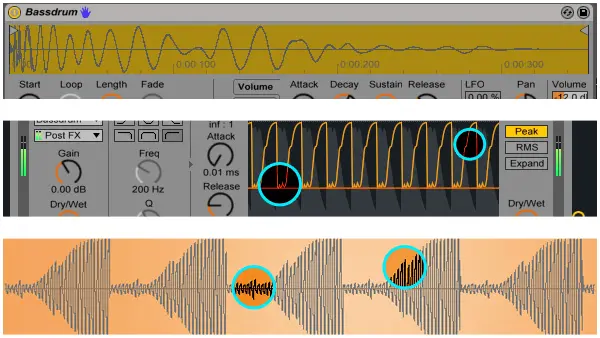
Sidechain compression is primarily used in electronic music to create space for the kick drum and enhance the energetic vibe of the mix. When the kick drum plays, it triggers a reduction in the volume of the bass track, allowing it to duck and preventing muddiness in the low end.

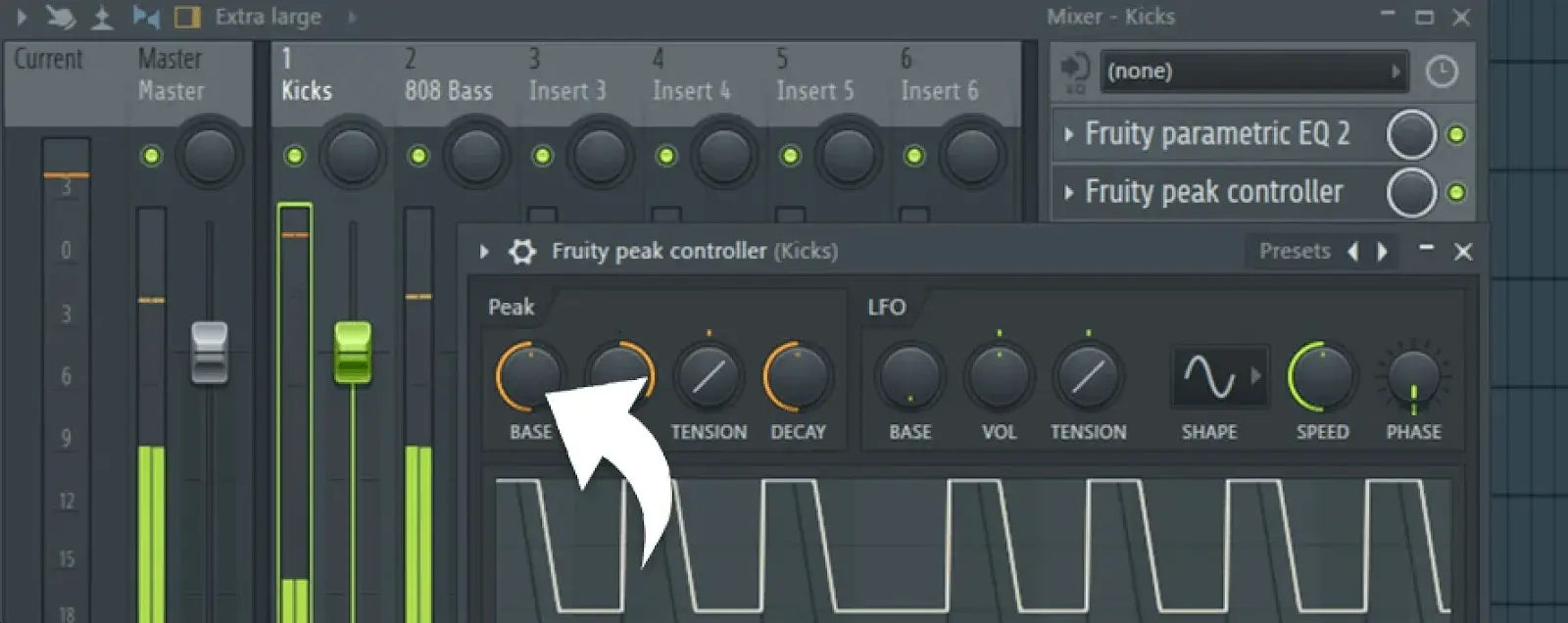
Setting up sidechain compression involves selecting the kick channel as input and adjusting the threshold, attack, and ratio for the bass track. However, challenges in sidechain compression include dealing with imperfect kick waveforms, which can cause inaccurate sidechain responses and effects.

Vocals

Sidechain compression ducks instruments to give more space and volume to vocals. This technique helps vocals cut through reverb and blend with other elements. By ducking backing tracks like guitars, sidechain compression increases the prominence of vocals.

Sidechaining reverb is a common technique in music production. This method removes the reverb from the mix whenever the dry vocal signal plays. This creates a cleaner vocal track by fading out the reverb, ensuring the vocal fits well in the mix.

Synths and Pads

Using sidechain compression on pads can enhance the rhythmic feel in genres like house and techno. By creatively applying sidechain compression, producers can create lush, evolving sound textures with pads and synths.

Producers can effectively utilize Submerge in various music genres to create unique sound profiles, making it an invaluable tool for music production.

Creative Uses of Sidechaining

Creative Uses of Sidechaining

Sidechain compression is frequently used for rhythmic enhancement in music production. The rhythmic quality often comes from a kick drum triggering compression on sustained sounds.

Sidechain compression can be creatively used to enhance loudness, transparency, and power; create vocal ducking; and improve rhythmic cohesion. Submerge is designed to facilitate creative ducking and pumping effects without the need for traditional compressor sidechain setups.

Pumping Effects

The pumping sound effect is often achieved in electronic music by linking the kick drum’s output to the compressor controlling the bass. This effect gives tracks an energetic and dynamic feel, making the music more engaging.

Rhythmic Variations

Sidechain compression can be creatively employed to emphasize specific rhythmic elements by using signals from percussion instruments. By employing sidechain techniques, producers can craft unique rhythmic patterns that enhance listener engagement.

Layered sidechaining involves applying multiple sidechain effects across various elements to create intricate rhythmic patterns, enhancing the overall dynamics of a track.

Atmospheric Textures

Layering multiple sidechain effects can create a more intricate and evolving sound once more textures. Using sidechain compression creatively allows for the development of unique sonic textures and atmospheres.

These layered effects can contribute to unique soundscapes, enhancing the overall listening experience. Musicians and producers can experiment with various combinations of sidechain effects to create depth and movement within their tracks. This mix sounds great.

Introducing Slate Digital’s Submerge

Introducing Slate Digital's Submerge

Designed to create innovative ducking and pumping effects, Slate Digital’s Submerge enhances control over sound shape and depth, offering a streamlined approach to achieving these effects.

What is Submerge?

Submerge is an advanced automatic sidechain plugin created by Slate Digital that facilitates unique ducking and pumping effects. It is compatible with PCs running Windows 10 or 11 and Macs running macOS 10.15 or later. Submerge requires an Intel or Apple silicon processor for Mac users and is authorized using PACE’s iLok system.

Submerge does not require a subscription, making it easily accessible for users.

Key Features of Submerge

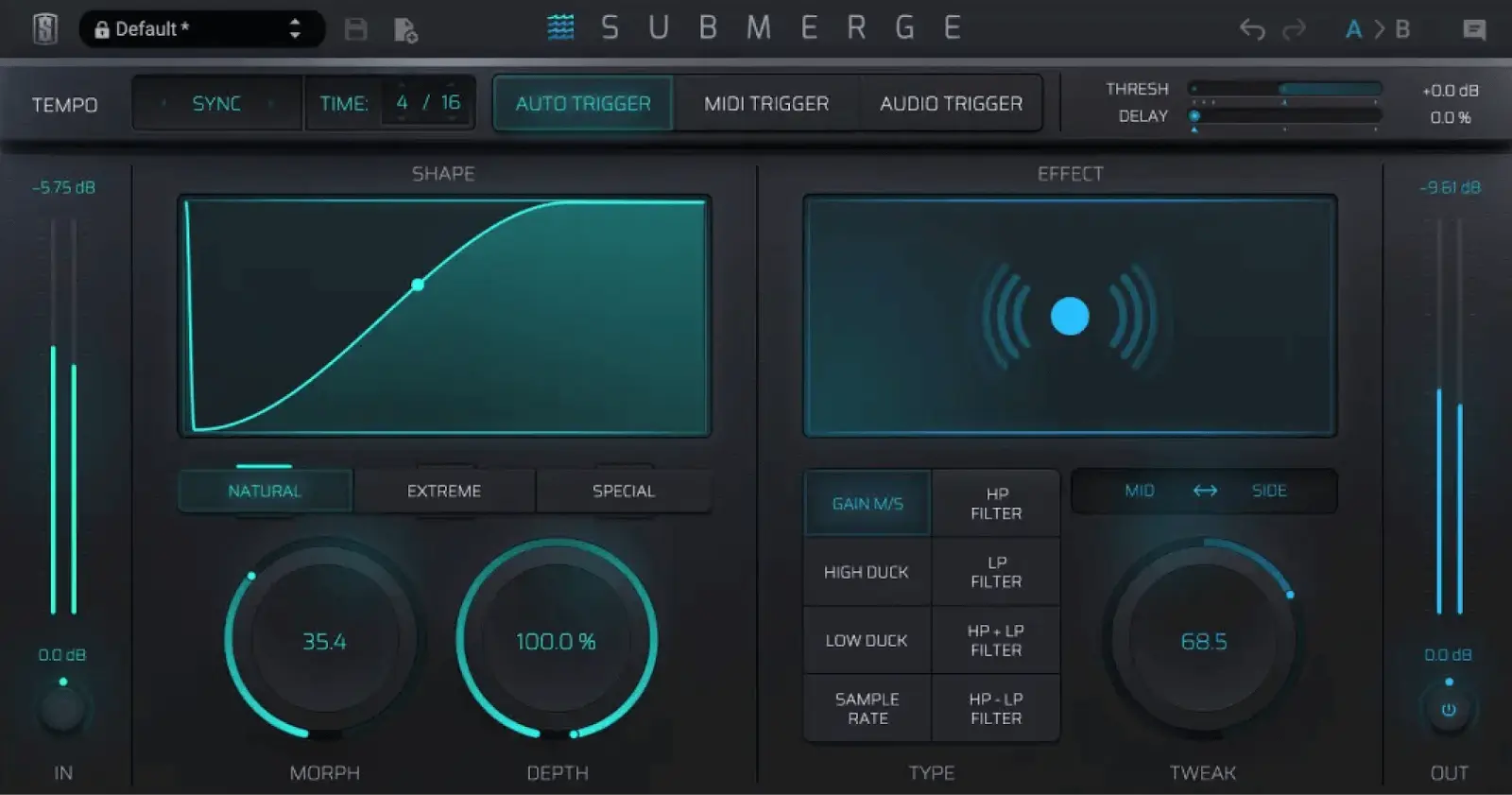
Submerge offers three different Trigger modes: auto sync, MIDI, and audio, enhancing flexibility in sound manipulation. Customizable control curves in Submerge allow for more precise adjustments to the ducking effect through Morph and Depth controls.

The plugin includes eight distinct onboard effects that expand its versatility, including High and Low Duck modes, Gain M/S option, and filtering options. Submerge is designed to enhance sound shaping and control, streamlining the process of achieving sidechain effects.

Benefits of Using Submerge

Submerge simplifies using a compressor’s side-chain input for creative ducking and pumping effects. Unlike traditional sidechain compression, Submerge provides more control over the shape and depth of the affected sound without the need to set up a compressor sidechain in a DAW.

With eight effect types, including high and low shelf EQs, high and low pass filters, and sample rate reduction, Submerge allows for versatile sound shaping.

How to Use Submerge in Your Mix

A variable threshold can enhance the responsiveness of sidechain effects. Reference tracks offer perspective and guidance, helping mix engineers compare their work to professionally mixed songs.

Setting Up Submerge

Use the threshold slider in Submerge to determine the activation level of the control curve. Adjust the speed slider in Submerge to modify the timing of the control curve’s response.

Select the appropriate trigger mode in Submerge to fit your mix style, considering options like auto sync, MIDI, or audio triggers. After setting up Submerge, play your kick and bass to ensure the sidechain effect is functioning as desired.

Fine-Tuning Your Sound

Submerge is an innovative automatic sidechain plugin that facilitates unique ducking and pumping effects without the complexity of traditional compressor setups. The Morph knob in Submerge modifies the release and hold time for control curves.

The Depth knob affects the intensity of the control curve on the selected effect, while the Tweak knob interacts with different effects to create unique sound alterations.

Real-World Examples

Submerge is Slate Digital’s automatic sidechain plugin designed to simplify the process of creative ducking and pumping effects. Key features of Submerge include three trigger modes (auto sync, MIDI, audio), customizable control curves, and onboard effects that enhance the user experience.

In kick drum and bass interactions, Submerge allows for cleaner low-end mixes by effectively ducking the bass track in response to kick hits. When applied to vocal tracks, Submerge can duck other elements, making the vocals stand out more prominently in the mix.

Submerge can also be utilized on synths and pads to create rhythmic dynamics and spatial effects within electronic dance music.

Advanced Sidechaining Techniques

Bass ducking is frequently used in music production to lower bass levels in response to kick drum hits. Submerge provides greater flexibility in sound design compared to traditional sidechain compression, allowing for more creative and complex audio effects.

The plugin’s customizable control curves enable a wide range of effects, from subtle to extreme, simplifying the process of achieving detailed and imaginative sound shaping with a reverb plugin. Let’s dive into some of these advanced techniques.

Multi-Band Sidechaining

Submerge includes sample rate reduction effects that can be used for frequency-selective ducking. Multi-band sidechaining allows for precise control of dynamics across different frequency ranges.

Frequency-selective ducking enables audio engineers to apply compression to specific frequency bands without affecting the entire signal, enhancing mix clarity by allowing different elements to coexist without masking each other in the frequency range of the frequency spectrum.

Parallel Compression

Parallel compression is a mixing technique used to enhance the sound and dynamic range of instruments without overwhelming the mix. It works by blending a heavily compressed version of a track with the original signal, allowing for greater control over dynamics while preserving the natural sound.

Combining sidechaining with parallel compression allows for dynamic control, ducking certain elements while still maintaining the presence of the original signal. This blend creates a powerful mixing tool that can add depth and punch to the mix, making it particularly beneficial in genres like electronic dance music and hip hop.

Layered Sidechaining

Layered sidechaining is the technique of applying multiple sidechain effects, allowing for greater depth and complexity in mixes. This technique can be utilized to duck different elements in a mix, such as vocals, drums, and synths, creating a more dynamic sound field.

Using different attack and release times on layered elements can create a vibrant sonic interaction that enhances the overall energy. Mastering layered sidechaining unlocks countless creative possibilities in music production, inviting experimentation and innovation.

Common Mistakes and How to Avoid Them

Using a compressor on poorly recorded tracks can amplify their flaws, making it crucial to ensure source quality before applying compression. Overcompressing or applying compression improperly to a busy track can lead to undesirable results, and using sidechain EQ can help target specific frequencies.

Improper attack and release settings can lead to muffled sounds or unwanted pumping effects, requiring careful adjustments for clarity. Setting the compressor’s ratio too high can result in distortion or a lack of dynamics in the mix, demanding a balanced approach to compression.

Employing a high-pass filter can mitigate low-frequency muddiness and resonances that cause erratic compressor behavior.

Summary

In summary, sidechaining is an indispensable technique for modern music production, providing a method to create space, enhance rhythmic elements, and add dynamic contrasts to your mixes. From understanding the basics of sidechain compression to exploring advanced techniques and creative applications, mastering this skill can transform your productions.

Slate Digital’s Submerge plugin simplifies the sidechaining process, offering innovative tools and effects that make achieving professional-sounding results easier than ever. By incorporating these techniques and tools into your workflow, you can create more impactful and polished mixes, setting your music apart from the rest. Ready to take your mixes to the next level? Dive into sidechaining and let your creativity shine.

Frequently Asked Questions

The purpose of Slate Digital’s Submerge is to streamline the use of side-chain inputs for compressors, enabling users to achieve creative ducking and pumping effects with enhanced control. This tool enhances your mixing capabilities by making these effects more accessible and manageable.


No, a subscription is not required to use Submerge. You can use the platform without any ongoing payment commitments.

The primary function of the Submerge plugin is to create unique ducking and pumping effects, drawing inspiration from the iconic sidechain compression used in EDM. This allows for dynamic sound manipulation and rhythmic enhancement in your music production.

Submerge features three trigger modes: auto sync, MIDI, and audio. This variety allows for flexible integration into different setups.

To use Submerge on Mac, the operating system requirements are macOS Catalina 10.15 or later, with macOS 11 or later recommended for optimal performance.

What Is Multiband Compression: A Quick Guide to Better Sound

Key Takeaways

  • Multiband compression splits audio into frequency bands, allowing for targeted and precise control over dynamics compared to standard compressors.
  • It’s versatile for various music production stages, enhancing elements like drum buses, vocals, and bass while improving overall sound quality during mixing and mastering.
  • Successful application requires understanding key parameters like threshold, ratio, attack, and release for each band, and careful monitoring to avoid common issues like over-compression and phase problems.
  • Software tools like Slate Digital’s MO-TT provide a great setup for multiband compression across your mix

Multiband compression is a technique used in audio production to apply different compression settings to separate frequency bands of an audio signal. Unlike standard compression, which affects the entire audio signal uniformly, what is multiband compression allows for targeted dynamic control, preserving the natural character of each frequency range. This guide explains how multiband compression works and explores its various applications in music production.

Understanding Multiband Compression

Understanding Multiband CompressionMultiband compression is a technique that offers more flexibility and precision than standard compressors by splitting the audio signal into multiple frequency bands and applying different compression settings to each band. This allows for specific control over the dynamics of different parts of the audio spectrum, which can significantly improve the quality of a track.
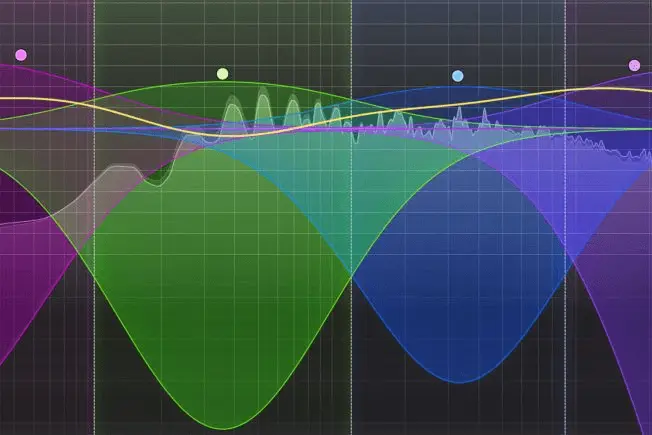
For many audio engineers, mastering multiband compression is crucial for shaping and controlling the sound effectively. New producers often find this technique daunting. Effective use of multiband compression requires a solid grasp of both the audio material and the compression tool.

Despite its complexity, multiband compression is indispensable in music production, especially in mixing and mastering. While it’s a niche tool, its applications are vast, significantly enhancing dynamic control and tonal balance.

Basics of Audio Compression

Understanding the basics of audio compression is crucial before exploring multiband compression. Compression refers to reducing the dynamic range of an audio source, which is the difference between the loudest and quietest levels of an audio signal. Compression allows audio engineers to make sounds louder by reducing loud levels and amplifying quiet levels, resulting in a balanced and consistent audio signal.

Standard compressors apply compression uniformly across the audio spectrum, which can sometimes result in a loss of detail in certain frequency ranges. This is where multiband compression excels, providing precise control by targeting specific frequency bands and allowing dynamic adjustments while maintaining the sound’s natural character.

Defining Multiband Compression

Multiband compression divides the audio signal into multiple frequency bands, applying different compression settings to each. This is achieved through the use of crossover frequencies, which split the audio into distinct bands for more focused processing.

Targeting specific frequency ranges, multiband compression offers greater control over a mix’s dynamics. For example, compressing low frequencies more aggressively while leaving high frequencies relatively untouched preserves the track’s brightness and clarity.

This level of precision is particularly useful in complex mixes where different elements occupy different parts of the frequency spectrum.

Why Use Multiband Compression?

One of the key advantages of multiband compression is its ability to combine the functions of an EQ and a compressor. Applying different compression settings to separate frequency bands allows for dynamic adjustments that respond to the audio signal’s fluctuations, unlike the static adjustments of an EQ.

This flexibility enables targeted adjustments to specific frequency ranges, resulting in a more natural sound and precise dynamic control. Whether you need to tame a boomy bass, reduce harshness in the mids, or add sparkle to the highs, multiband compression provides the tools to achieve these goals without affecting the overall balance of the track.

Applications of Multiband Compression in Music Production

Applications of Multiband Compression in Music ProductionMultiband compression is not just a mastering tool; it has found its way into various stages of music production, offering unique solutions for different challenges. Dividing the frequency spectrum into distinct bands enables specific treatment of each band, making multiband compression a versatile tool.
From enhancing drum buses to mixing vocals and tightening bass, the applications of multiband compression are vast. When used correctly, it can maintain balance in uneven audio recordings, replace or emphasize certain frequencies through sidechain compression, and even create unique sonic textures through experimentation.

Let’s explore some of these applications in detail.

Enhancing Drum Buses

Drum buses can benefit significantly from multiband compression, as it allows for independent control over the different frequency ranges of the drum sounds. For higher range sounds like cymbals and hats, fast attack settings, slower release times, and aggressive compression effectively manage their dynamics.

For midrange frequencies where the kick and snare sit, a slower attack allows the snare’s transient to punch through while still controlling overall dynamics. Multiband Compressors are highly recommended for this purpose, as they offer excellent control over drum bus dynamics.

Mixing Vocals

Vocals are another area where multiband compression shines. Controlling specific frequency bands helps shape and manage dynamic vocal performances without affecting the entire vocal track. For instance, boosting the vocal top end while compressing only the masked frequencies can enhance vocal loudness and clarity in a mix.

To manage sub-300Hz frequencies often problematic due to the proximity effect, multiband compression mitigates these issues without dulling the overall vocal sound. Using a ratio of 3:1, a short release time, and an attack time above 50ms, along with a gain reduction of around 6dB, are recommended settings for enhancing vocal frequencies.

Synth Groups and OTT Compression

Multiband compression on synth groups helps manage dynamic range and maintain clarity without overly compressing the entire signal. This is particularly useful in genres like electronic music, where synth stacks need to be bright and punchy without being overly harsh.

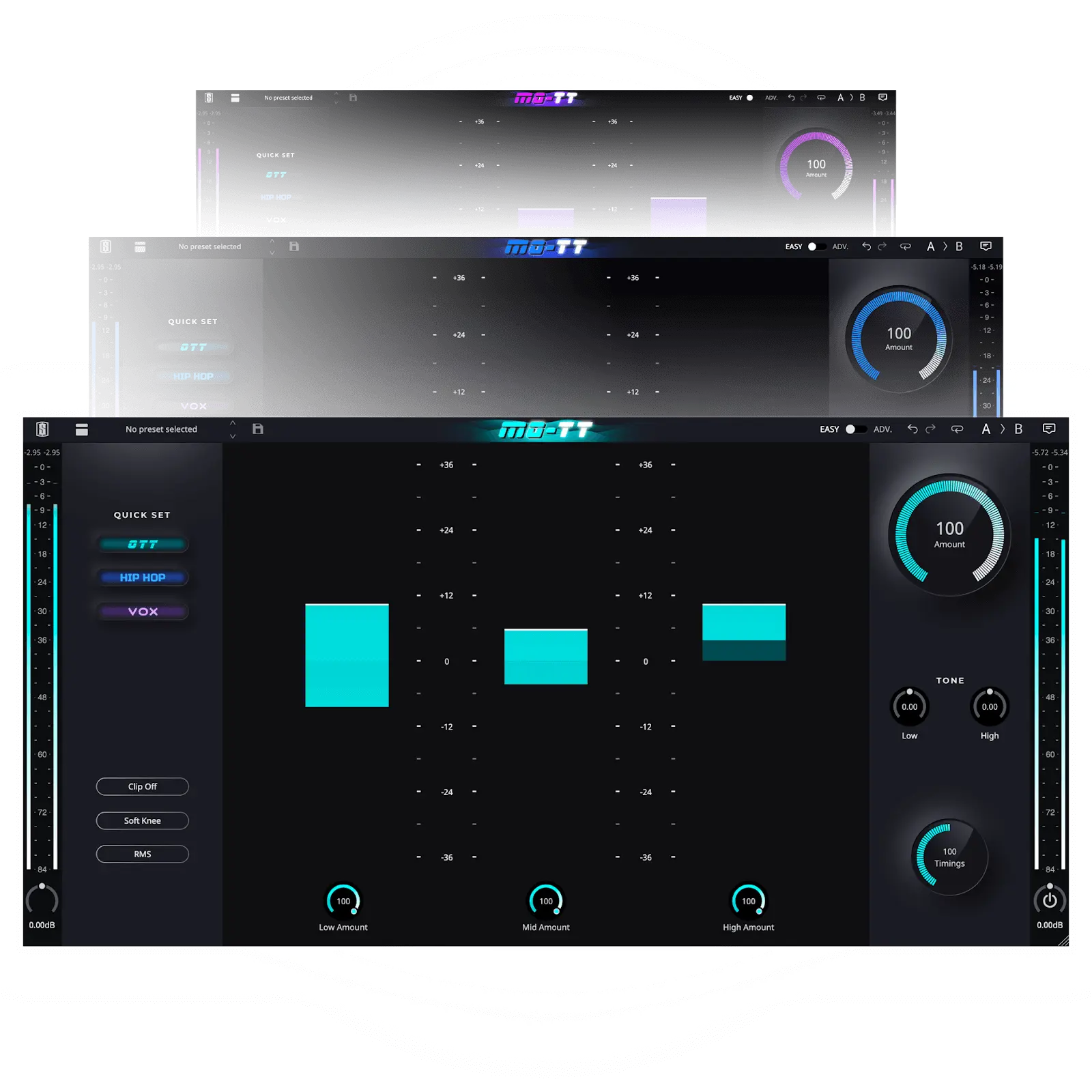
The OTT (Over The Top) compression sound, characterized by aggressive compression combined with a bright and punchy tonal quality, is often sought after in synth music. Tools like MO-TT allow users to achieve this classic sound along with additional modes tailored for genres like Hip-Hop and vocals.

Tightening Bass

In electronic music, managing the bass sounds is crucial, and multiband compression plays a vital role in tightening the relationship between the kick and bass. Effectively compressing the low frequencies reduces boominess and adds power to the kick and bass relationship, ensuring cohesive interaction.

When using a multiband compressor on the low-end, it’s essential to monitor attack and release times to maintain balance in the mix. A gain reduction of 6-10 dB is suggested for effectively compressing low-end frequencies.

Utilize multiband compression with parallel processing to blend the original and compressed signals, leading to a richer sound with added depth.

Mastering Techniques

During the mastering process, multiband compression can significantly enhance the clarity of mid-range frequencies, improving the overall sound quality of the track. It allows for precise control over specific frequency ranges, ensuring cohesion without the undesirable pumping effect.

Tools like MO-TT offer a multiband dynamics section that provides precise control over dynamics across multiple frequency ranges, making it an invaluable tool in the mastering process. Careful adjustment of compression settings and maintaining balance achieve a polished and professional final product.

Setting Up a Multiband Compressor

Setting Up a Multiband Compressor

Setting up a multiband compressor requires a clear strategy and an understanding of the desired outcome. The first step is to identify the problem and define what the fix should accomplish. Targeting specific spectral problems rather than broad dynamic shaping allows multiband compression to address issues like inconsistent bass levels or problematic frequency regions.

Each band in a multiband compressor should have unique settings, catering to specific frequency ranges for optimal performance. Experimentation after forming a strategy can help develop a sense of how multiband compression works in practice.

Let’s break down the process for both mixing and mastering.

For Mixing

In mixing, multiband compression is instrumental in controlling problematic frequency regions and achieving transparent sidechain compression. Setting different ratios for highs, mids, and lows achieves precise control over each frequency band. For instance, pushing the low end of the bass down when the kick hits can improve the low-end definition.

Using band-solo functionality allows you to hear which frequencies a band encompasses, making it easier to target specific issues. Adjusting release times can help maintain the natural decay characteristics of instruments, ensuring a balanced and cohesive mix.

For Mastering

In mastering, setting crossover frequencies correctly is crucial for smooth transitions and avoiding phase issues. Focus on the spectral problem and use the minimum number of bands required to achieve transparent results. This ensures that primary instruments aren’t split between bands, maintaining their integrity within the mix.

Understanding the nuances of compression parameters is essential for utilizing multiband compressors effectively in mastering. Setting the crossover point to ensure smooth transitions and avoid phase issues results in a polished and professional sound.

Key Parameters of Multiband Compressors

Key Parameters of Multiband CompressorsUnderstanding the key parameters of multiband compressors is essential for achieving the desired sound. These parameters allow you to shape sounds, modify their tonal quality, and manage transients effectively. By operating on specific frequency ranges rather than the entire audio signal, multiband compressors offer detailed control over the dynamic content of your mix.

Advanced features such as dynamic EQ and side-chain input can provide even more precise control. Dynamic EQ, for instance, allows for simultaneous equalization and compression, offering control over tonal adjustments based on the signal’s dynamics.

This section will break down the critical parameters and how to use them effectively.

Threshold and Ratio per Band

Setting the threshold and ratio for each frequency band is crucial for tailored dynamic control and greater tonal flexibility. Thresholds should be set individually for each band to achieve the desired dynamic control. For example, using a higher threshold in the high frequencies can help maintain clarity without affecting brightness, while a lower threshold in the bass frequencies can effectively control booming.

The ratio determines how much compression is applied once the signal exceeds the threshold. Setting the ratio per band ensures each part of the frequency spectrum receives appropriate dynamic treatment. This level of precision allows for more natural and balanced sound shaping.

Attack and Release Settings

Using slower attack times can help preserve the natural tone of vocals or acoustic guitar, while faster attack times are better suited for controlling harsh transients.

Innovative features like Ozone 9’s Adaptive release mode adjust the release time based on the incoming audio signal, providing improved responsiveness. Similarly, MO-TT’s Timing Styles offer different transient responses, allowing for a range of compression effects from smooth to aggressive.

Adjusting the Knee and Make-up Gain

The knee setting adjusts the compressor’s engagement. It determines whether the response is gradual or abrupt as the signal nears the threshold. A soft knee introduces compression gradually, resulting in a more transparent effect, which is ideal for vocals, bass, or mastering. A hard knee causes compression to start abruptly. This is often utilized for artistic effects or on drums.

Make-up gain is used to balance output levels after compression, ensuring the overall volume remains consistent. Adjusting the knee and make-up gain properly achieves optimal sound output and maintains desired dynamics and tonal balance in your mix.

Common Challenges and Solutions

While multiband compression is a powerful tool, it comes with its own set of challenges. Identifying specific problems before applying multiband compression is crucial to avoid over-processing and maintain a natural sound.

This section will address common challenges and provide practical solutions.

Avoiding Over-Compression

One of the most common issues is over-compression, which can lead to an unnatural sound and phase issues. It’s important to apply multiband compression with patience and restraint to avoid these pitfalls. Narrow-band compression targeting harsh regions is recommended for addressing harshness in vocals and guitars.

Traditional de-esser plugins may not effectively solve sibilance issues, as they can dull the overall recording instead. Instead, using multiband compression allows for more precise control over problematic frequencies without affecting the entire signal.

Managing Phase Issues

Phase issues can arise when using crossovers in multiband compressors, leading to a sound that doesn’t blend well. To avoid this, it’s crucial to choose crossover frequencies that don’t split a primary instrument in two.

Ensuring smooth transitions and finding a natural division between frequency bands can help prevent phase problems.

Balancing Complexity

Balancing complexity while using multiband compression involves maintaining clarity while compressing multiple frequency bands. Monitoring the dynamic range and making adjustments to compression settings accordingly can help avoid over-compression and maintain a well-balanced mix.

Creative Uses of Multiband Compression

Creative Uses of Multiband CompressionMultiband compression is not only useful for correcting issues but also for creative sound shaping. It allows for the creation of distinct sound textures that are not achievable with traditional compression methods. By altering tone and dynamics simultaneously, multiband compression can make sounds more squashed and fat, leading to unique sonic results.
Dynamic EQ Techniques

Dynamic EQ in multiband compression combines EQ and compression for precise tonal adjustments. This technique can address tonal inconsistencies, such as depopping at the low end of the spectrum.

A de-esser, for example, is a type of dynamic EQ designed for a specific frequency range to balance tonal inconsistencies.

Parallel Processing

Parallel processing in multiband compression involves mixing compressed and uncompressed audio, enhancing the depth and richness of the sound. Combining the two audio elements achieves a fuller and more dynamic sound that retains the original character of the audio material.

Sound Design Experiments

Experimentation with multiband compression can lead to innovative sound design. Adjusting various settings creates unique textures and dynamics, enhancing the overall quality and character of your audio projects.

This creative approach allows for the exploration of new sonic possibilities in music production.

Check Out Slate Digital’s MO-TT

Slate Digital MO-TT is a unique dynamics processor that enhances the famous OTT effect with more control and flexibility. It features Quick Set Modes that enable instant sound adjustments without compromising the preset, allowing users to emulate the exact sound of Ableton’s OTT preset or choose between Hip-Hop and Vox modes.

MO-TT also offers control over compression for each frequency band, adjustable crossover slope, and Timing Styles, providing users with a versatile tool for creative sound shaping. The resizable GUI and easy band settings adjustments make it a user-friendly choice for those working in various genres, including pop, rock, and R&B.

Summary

In conclusion, multiband compression is a powerful technique that offers unparalleled control over your sound. By dividing the audio signal into multiple frequency bands and applying different compression settings to each, you can achieve a level of precision and flexibility that standard compressors cannot match. Whether you are enhancing drum buses, mixing vocals, or mastering tracks, multiband compression provides the tools to create a polished and professional sound.

Understanding the key parameters and common challenges of multiband compressors is crucial for achieving the best results. By setting thresholds and ratios per band, adjusting attack and release settings, and balancing the knee and make-up gain, you can shape your sound effectively and avoid common issues like over-compression and phase problems.

Finally, exploring creative uses of multiband compression can lead to unique sonic textures and innovative sound design. By experimenting with dynamic EQ techniques, parallel processing, and sound design experiments, you can push the boundaries of what is possible in music production. Armed with this knowledge, you are now ready to utilize multiband compression to create better sound.

Frequently Asked Questions

Multiband compression is a way to split an audio signal into different frequency ranges and adjust the compression for each one separately. This lets you control the dynamics of each part of the sound more precisely, making your mix cleaner and more balanced.

Using multiband compression gives you the advantage of targeting specific frequency ranges, allowing for more precise control and a more natural sound in your mixes compared to standard compression. It’s a great way to enhance your audio quality!

Using multiband compression can really enhance your vocal mix by giving you control over specific frequency ranges, which boosts loudness and clarity while tackling issues like proximity effect. This way, your vocals remain vibrant without losing that overall sheen!

The key parameters of a multiband compressor are threshold, ratio, attack, release, knee settings, and make-up gain for each frequency band. These controls help you shape your sound precisely!

To steer clear of over-compression, be patient and use multiband compression sparingly while focusing on problematic frequencies. Always check that the overall sound stays natural and balanced.

VIRTU Assisted Mastering now available for public access!

Slate Digital is thrilled to announce that the VIRTU™ online mastering platform is now available for public access!  

VIRTU is Slate Digital’s online mastering service at was previously only available to All Access Pass members. With the help of curated Style profiles, a user-friendly interface, and a newly added Reference Track feature, VIRTU makes it easy for users of all experience levels to achieve a professional, polished sound.  

VIRTU’s step-by-step workflow is simple: just upload your mix (WAV files only), select the style profile that best fits your track, and pick your loudness target. You also have the option to adjust some more advanced controls, like the frequency balance, compression and stereo width of your master. You can even upload a reference track that VIRTU will use to further shape the EQ curve and loudness of your track. 

VIRTU™ online mastering is available both for All Access Pass and Complete Access subscription holders as well as for public use. Subscribers get three free mastering credits per month, with additional credits available for purchase at $2.99 each. Public access users receive two free mastering credits in their account at signup, with additional masters available for purchase at $4.99 each. 

For more information, please visit Slate Digital’s website: https://slatedigital.com/virtu/ 
To try it for yourself, head to https://virtu.slatedigital.com/

In Conversation with Kyle Brownlee (Interview)

If there’s a perfect representative for the term ‘jack of all trades,’ it’s Kyle Brownlee.

Brownlee is the drummer of the metalcore band Counterparts and founder of Soundblind Drums, his pandemic project turned legitimate business that captures all the depth and dimension of his devastatingly heavy drum kit. Oh, and he plays guitar too.

Since he started drumming as a child, Brownlee has found success as a recording artist, a songwriter, a plugin programmer, a sound designer, a YouTuber, and a Rock Band gamer. Somehow, he was able to find time in his busy schedule to talk to us about his past, his present, and what his future (hopefully) holds.

— 

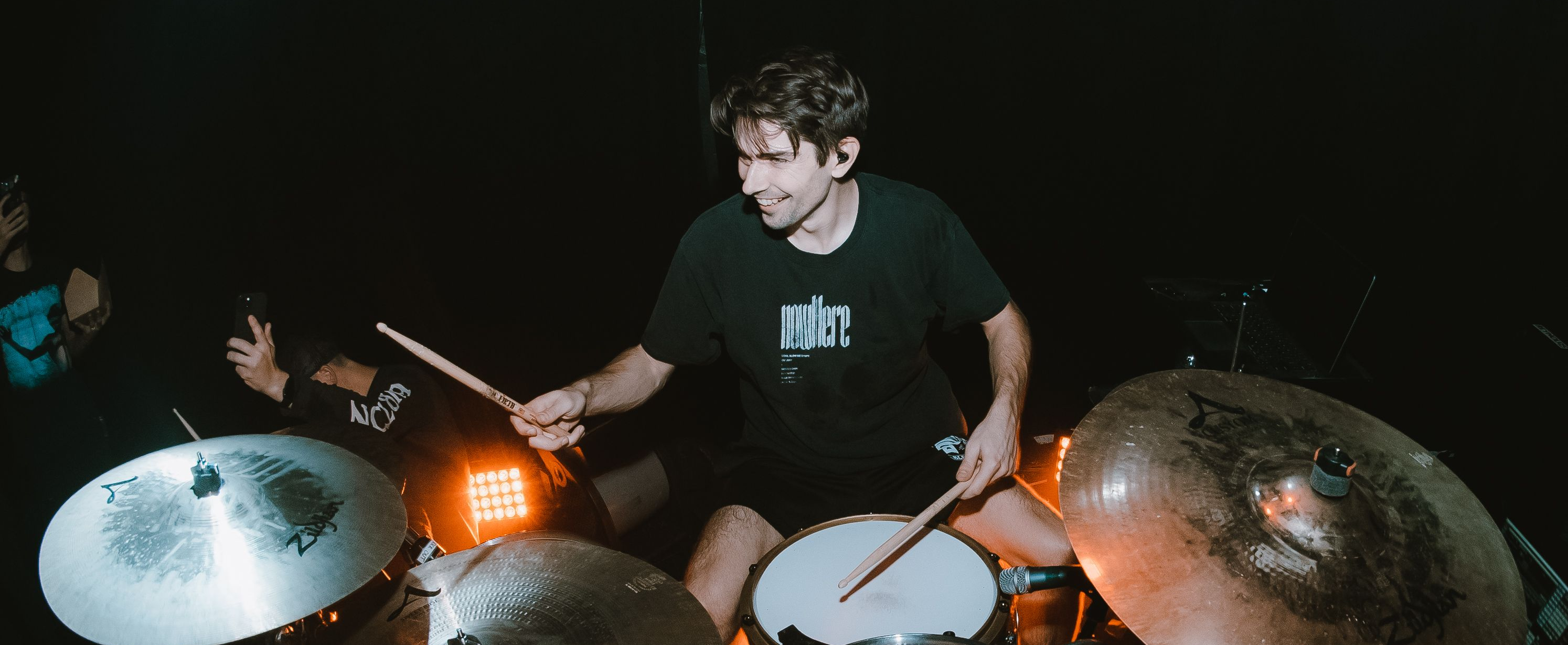
Kyle in action on the road.

Drew Van Buskirk: Let’s kick it off real easy. Tell us a little about yourself. Who is Kyle Brownlee? 

Kyle Brownlee: Oh I don’t know–I’m just a guy who plays drums in a screaming band and also makes little plugins and sample packs here and there.  

DVB: Take me back to the beginning: where did your musical journey start? 

KB: I think the breakthrough was my cousin, who was a drummer and instrumentalist. I came over to his house one day, saw his drum kit, and thought, “OK, that’s kind of sick. I want to do that.” 

DVB: Do you remember how many pieces the kit was? 

KB: He had a decently sized kit. I think it had three rack toms, maybe two floors, a bunch of cymbals, but what really sold me was the double-kick pedal. That blew my mind. 

DVB: Talk about formative memories. When did you join your first band? 

KB: I started my first band with my friend Billy in the 9th or 10th grade. It was called Majesty, named after a Black Dahlia Murder live DVD. We played for a few years and actually weren’t terrible! I’m still proud of that. 

DVB: Stealing the names of favorite albums or songs for your own band’s name felt like a rite of passage in high school, especially in the MySpace era.

How long after Majesty did Counterparts come into play?  

KB: So, there’s a running joke among fans: ‘Who hasn’t been in Counterparts?’ I first filled in for them in 2012 when they were looking for a drummer after their original drummer left. At that point, I was transitioning from doing video game stuff on YouTube to real drum content. I put a cover of one of their tracks on YouTube, and Kenny, their merch manager, saw it. They hit me up, and I filled in for their headline tour.  

DVB: When did you officially join the band? 

KB: I fully joined in 2016. So, it’s been eight years now, which is insane to think about.  

DVB: Time flies when you’re having fun! What Counterparts records can we hear you on? 

KB: I started with “You’re Not You Anymore” in 2017. I’ve been on three full lengths: “You’re Not You Anymore,” “Nothing Left to Love,” and “A Eulogy for Those Still Here,” plus all the EP and B-side stuff from those sessions. 

DVB: Even considering your previous experience with the group, what was the writing process like for you as a new member of a pretty well-established band? 

KB: It’s a mix. When I filled in in 2012, I had to learn the songs note for note because they were so intricate. Now, we do drums last when recording, so I have time to sit with the demos and adjust stuff. I have more creative freedom now to do something crazy and put my own spin on it 

DVB: Do you have any favorite records or tracks that you’ve worked on? 

KB: Some of the sleeper hits on “Nothing Left to Love” and “A Eulogy for Those Still Here” are really cool. ‘Sworn to Silence’ is a favorite where I kind of ripped off one of my favorite bands. [Editor’s Note: We didn’t ask Kyle to snitch on himself here. Whoever he ripped off is none of our business.] 

The current faces of Counterparts: Kyle, Brendan Murphy (vocals), Tyler Williams (bass), and Jesse Doreen (guitar)

DVB: You mentioned a moment ago that before your drum videos, you were making video game content. Could you elaborate on that? 

KB: Yeah, I played the game Rock Band as a professional gamer. It was legitimately my job when I was in high school. 

DVB: Wow, that’s incredible. How did that start and eventually transition into YouTube? 

KB: It all began when Rock Band came out. I remember playing it at a friend’s house, probably after skipping school that day just to try it out. I thought, “I can play drums; this is going to be easy and fun.” But I actually sucked at it initially. So, I bought the game and every day after school, I would grind it out until I got to the point where I was number one on the leaderboard. 

DVB: How did your experience with Rock Band videos translate to YouTube? 

KB: Back then, YouTube was still in its early stages, especially for rhythm games. My videos would get pushed up in the algorithm and gain a lot of traction. I used a small, crappy digital video camera and taught myself some basic editing software to add overlays. I was just in my basement playing Rock Band, and I realized that if I could do this for a video game, I could probably do it for real drums too, showing people that I wasn’t just a guy hitting a plastic kit. 

DVB: Was your audience receptive to that transition from Rock Band videos to real drum cam videos? 

KB: There was definitely a drop-off because some people were there for the specific type of content. That said, I still have fans who have followed me from those early days. Sometimes, at shows, people come up to me and recognize me by my old Xbox Gamertag. It’s cool to see that long-time support. 

DVB: What ultimately got you into production and eventually creating sample packs? 

KB: After going to the studio for the first time with my high school band, I thought I could figure it out. I struggled in front of Reaper for a long time, learning from YouTube. Eventually, I started making drum tracks by chopping up sections of songs. During the pandemic, with no shows or touring, I went to the studio, filmed drum playthroughs, and decided to sample my kit. It started as something for me to use when writing Counterparts songs but evolved into Soundblind. 

DVB: That’s a perfect segue: what is Soundblind? 

 KB: Soundblind is my project for creating drum sample packs. During the pandemic, I had a lot of time, so I went to the studio and sampled my kit. I didn’t have a mentor or guide, so I learned by doing, figuring out how sample packs work. It evolved from there, and now it’s something I’m really proud of. 

DVB: What was your approach when you first started creating these sample packs? 

KB: I kind of went in blind. (laughs) I knew what I wanted but had no idea how to achieve it. I spent a lot of time researching, watching YouTube tutorials, and trial and error. Eventually, I figured out how to get the sounds I wanted and started building my packs from there. 

DVB: What’s the response been like so far? 

KB: It’s been overwhelmingly positive. I think people appreciate the attention to detail and the effort I put into making them as high quality as possible. It’s been really rewarding to see other musicians using and enjoying something I created. 

DVB: Have you collaborated with any other artists or producers on your sample packs yet? 

KB: Not yet, but I’m definitely open to it. I think collaboration can bring new perspectives and ideas to the table, which is always a good thing. I’m excited to see where Soundblind goes in the future. 

 DVB: Since we’re getting into production-talk, I’d love to know how you use Slate Digital plugins in your day-to-day workflow. 

Kyle’s first step on every channel: Virtual Mix Rack and VCC Channel.

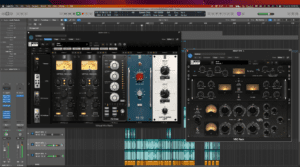
KB: Oh, absolutely. I use Slate Digital plugins extensively. My starting template for every track is built around Slate Digital’s Virtual Mix Rack (VMR) with the Virtual Console Collection (VCC).  

A big part, if not all, of my drum sound for live drum cams and studio work comes through Slate Digital stuff. Every single track’s baseline processing is VMR with VCC. I’m printing saturation through VCC immediately; that’s the first step I do for every track. 

I also stack two VCC instances on every channel, cranking the drive with the Brit 4K and Brit N consoles, just really hammering my tracks. And the Gates in VMR are untouchable—they’re the best gates you can use.  

The Custom Series EQ and FG-Stress are huge go-tos for me, too. The Custom Series EQ is incredibly effective and often overlooked, but it adds so much with minimal effort. The Virtual Buss Compressor (VBC) rack is on every shell bus; sometimes I’m not even running it as a compressor, I’m just using its analog recreation. Slate Digital plugins are literally all over my tracks, from the kick drum to the master bus. 

DVB: It sounds like you have a pretty firmly established and natural workflow, it’s very exciting to know that we’re such a big part of it. 

KB: Definitely. Even before the subscription model, I would buy every new plugin because they consistently provide the best sound quality. The new SD-PE1 is great, too, especially the low end, which really stands out compared to others I’ve used.  

Some of Kyle’s go-to guitar processing plugins.

DVB: Ok, I’ve kept you long enough—I think we should wrap up this lovely conversation with some words of wisdom. What advice would you give to aspiring drummers or musicians? 

KB: Just keep at it. It’s a long and often difficult journey, but if you’re passionate about it and willing to put in the work, it’s incredibly rewarding. Don’t be afraid to make mistakes and learn from them. And most importantly, have fun with it. Music is supposed to be enjoyable, so don’t lose sight of that. 

DVB: Any other parting words you’d like to share? 

KB: Just a big thank you to everyone who’s supported me and Counterparts over the years. It’s been an amazing journey, and I can’t wait to see what the future holds. And if you haven’t checked out Soundblind yet, give it a look. I think you’ll like what you hear. 

DVB: Thanks so much for your time, Kyle. It’s been great chatting with you. 

KB: Thanks, man. I appreciate it. 

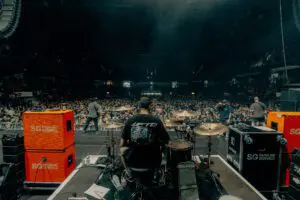
Counterparts on tour.

— 


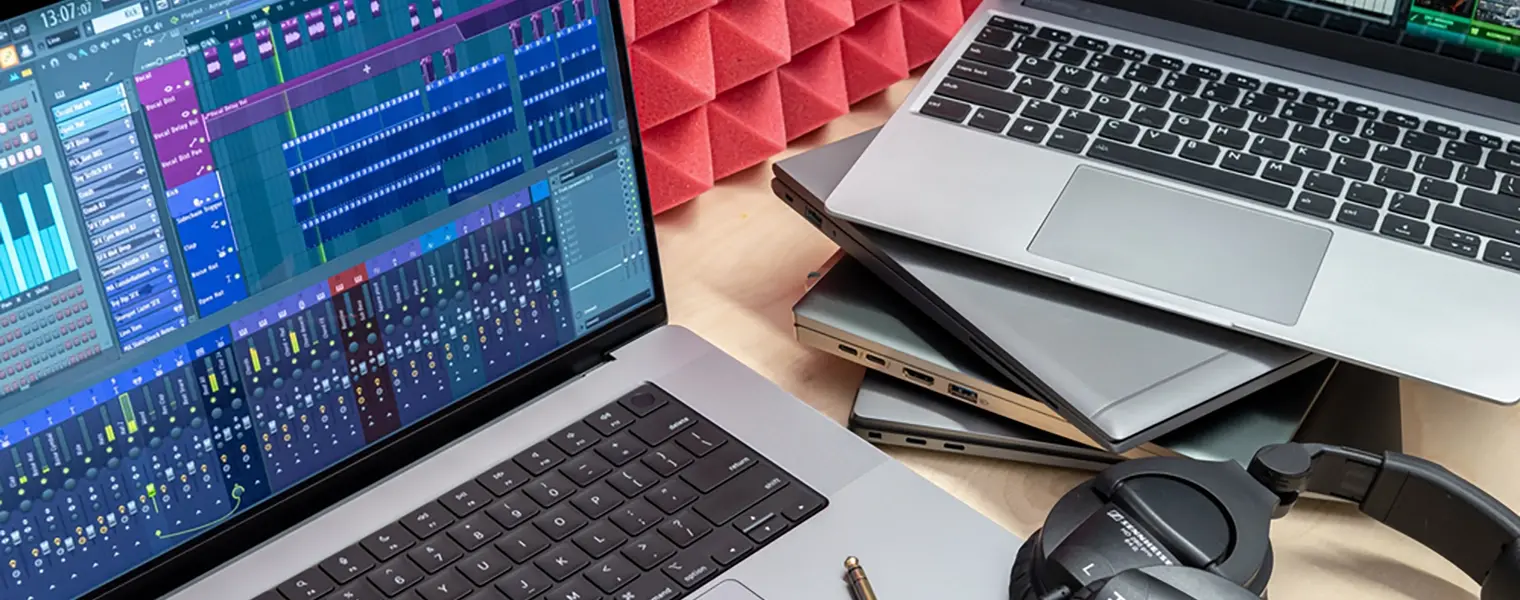
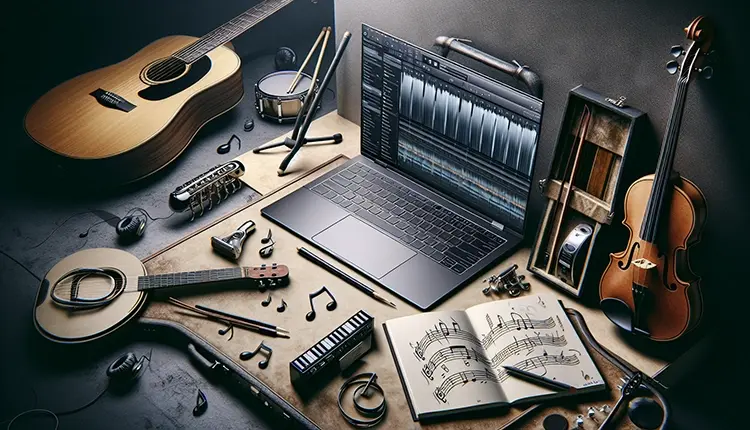
Best Laptop for Music Production: Our Top Pics

Top Picks for the Best Laptop for Music Production

Key Takeaways

  • The Apple MacBook Pro M3 16” and Dell XPS 17 (9730) are top choices for overall powerful and reliable music production laptops, catering to both macOS and Windows users.
  • Mid-range options like the Apple MacBook Air M3 and Lenovo Yoga 7i 16 (2023) offer a balance of performance and affordability, making them suitable for music producers on a budget.
  • Key features for an optimal music production laptop include a powerful processor (Intel Core i7/i9 or AMD Ryzen 7/9), at least 16GB of RAM, and SSD storage, along with considerations for screen size, battery life, and port availability.

Searching for the best laptop for music production? Look no further. In this article, we break down the top laptops based on performance, reliability, and budget to help you pick the perfect one for your music production needs.

Best Overall Laptops for Music Production

Best Overall Laptops for Music Production
When it comes to music production, the best overall laptops need to combine power, performance, and reliability. The Apple MacBook Pro M3 16” stands out as the best laptop for handling intensive music production tasks, ensuring you have the tools to create professional-quality music, while the Dell XPS 17 (9730) offers a robust Windows alternative.

Apple MacBook Pro M3 16″

The Apple MacBook Pro M3 16” is a dream come true for music producers. It offers:

  • Liquid Retina XDR display for stunning visuals
  • M3 chip for incredible performance
  • Ability to run multiple DAWs, virtual instruments, and plugins without a hitch

This makes it the best overall choice for a music production laptop.

However, you might wonder if you’re paying for graphical performance you don’t need. While the MacBook Pro M3 16” is indeed a powerful machine, its price tag reflects its capabilities. If you’re looking for the perfect laptop to handle any music production task you throw at it, this is the one to beat.

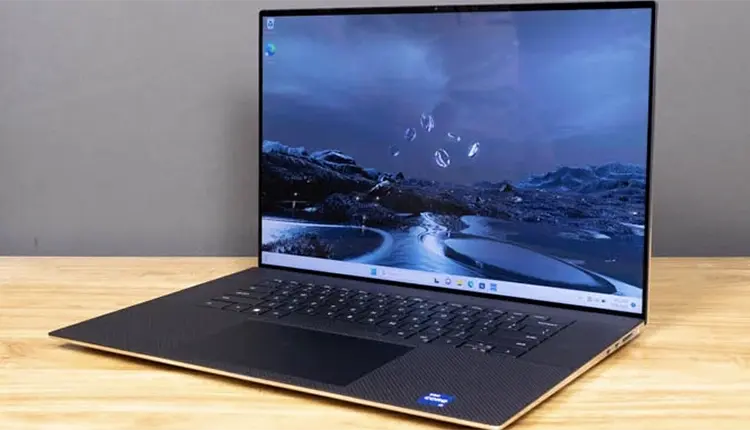
Dell XPS 17 (9730)

Dell XPS 17 (9730)
For Windows enthusiasts, the Dell XPS 17 (9730) is a top contender. Its features include:

  • 17-inch display, perfect for intricate mixing projects
  • Ability to monitor multiple tracks simultaneously without feeling cramped
  • Stellar performance, thanks to Intel’s 13th gen Raptor Lake-H series processors

These features make it an excellent choice for handling demanding workflows with ease.

Moreover, the Dell XPS 17 offers a significant screen real estate advantage, making it an excellent choice for music producers who prefer a larger screen. This laptop provides the power and flexibility needed for complex audio projects, making it one of the best laptops for music production on the Windows side.

Best Mid-Range Laptops for Music Production

Best Mid-Range Laptops for Music Production
If you’re looking for a balance between performance and affordability, mid-range Apple laptops are your best bet. The Apple MacBook Air M3 and Lenovo Yoga 7i 16 (2023) are standout choices in this category. These laptops offer significant power for music production tasks without breaking the bank, making them ideal for both aspiring and seasoned music producers.

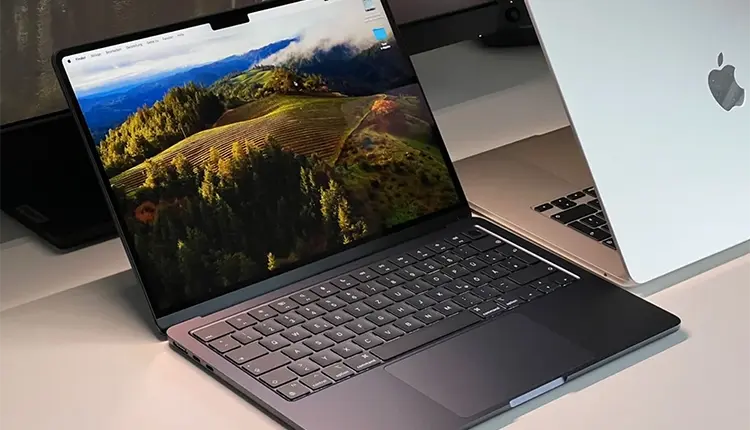
Apple MacBook Air M3

Apple MacBook Air M3
The Apple MacBook Air M3 is an excellent option for music production on the go. Its features include:

  • Lightweight and ultra-sleek design for easy portability
  • Fanless architecture for silent operation during recording sessions
  • 15-inch Retina display for ample screen real estate for managing your DAW and plugins effectively.

Despite being a more affordable option, the MacBook Air M3 doesn’t compromise on performance. It offers a robust experience for music producers who need a reliable laptop without the hefty price tag of a MacBook Pro. This makes it a fantastic choice for those who require a portable yet powerful music production laptop.

Lenovo Yoga 7i 16 (2023)

Lenovo Yoga 7i 16 (2023)
The Lenovo Yoga 7i 16 (2023) stands out as a versatile 2-in-1 laptop that caters to various music production needs. Its convertible design allows you to use it as a tablet, making it easy to view music sheets and other documents in different modes. This flexibility can be particularly beneficial for live performances or composing on the go.

Additionally, the Lenovo Yoga 7i 16 supports pen input and includes a stylus, which is especially useful for those who frequently use music notation software. Its large display provides plenty of screen real estate for viewing tracks and tools, making it a great mid-range option for music producers.

Best Budget Laptops for Music Production

Best Budget Laptops for Music Production
Navigating the budget segment can be challenging, but there are still great laptops that offer decent performance for music production.

The ASUS Vivobook 16 M1605 (2023) and Acer Swift X14 are two gaming laptops that provide solid functionality without breaking the bank.

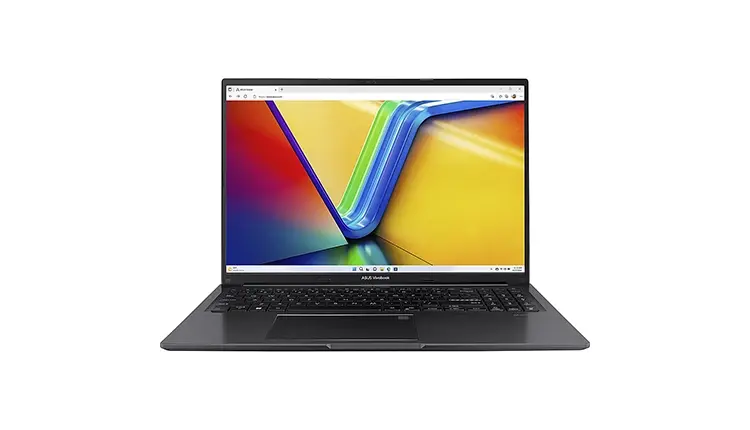
ASUS Vivobook 16 M1605 (2023)

ASUS Vivobook 16 M1605 (2023)
The ASUS Vivobook 16 M1605 (2023) is a commendable budget option for music production. It features an AMD Ryzen CPU, which delivers decent performance for handling various music production tasks. The laptop also includes a full-size keyboard with a Numpad and a large touchpad, enhancing usability.

However, there are some compromises to be aware of. The display brightness may be limited in sunny environments, and the USB-C port does not support video output. Despite these drawbacks, the Vivobook 16 offers good battery life of around eight hours, making it a reliable choice for music producers on a budget.

Acer Swift X14

Acer Swift X14
The Acer Swift X14 is another budget-friendly option that impresses with its portability and performance. Its slim design makes it a highly-portable, more compact laptop, ideal for music producers who need to work on the go. The powerful CPU ensures that it can handle demanding music production tasks without a hitch.

One of the standout features of the Acer Swift X14 is its OLED screen, which offers vibrant colors and crisp visuals. This is particularly beneficial for long, eye-straining sessions in DAWs like Ableton Live. Although the battery life may be limited, the Swift X14 remains a strong contender in the budget category.

Best Portable Laptops for Music Production

Best Portable Laptops for Music Production
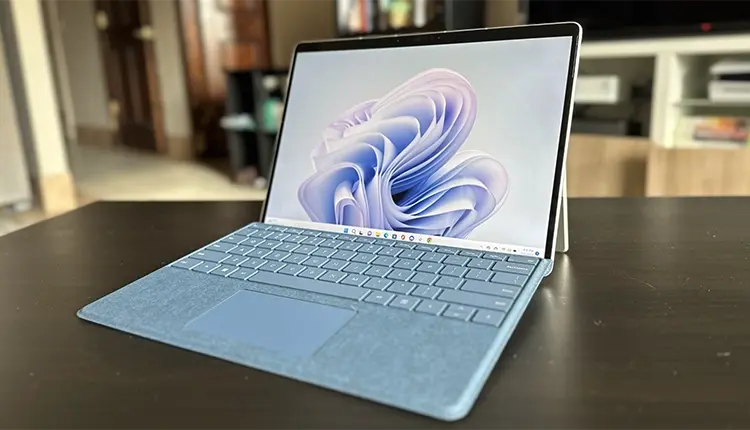
Portability is a crucial factor for music producers who often work on the move. The MacBook Air M3 and Microsoft Surface Pro 9 are two excellent choices that combine lightweight design with powerful performance, making them ideal for mobile music production.

MacBook Air M3

MacBook Air M3
The MacBook Air M3 is designed to offer significant power in a sleek and lightweight package. It boasts a performance uplift of 25% in Ableton Live and 30% in Logic compared to its predecessor, the M2 model. This makes it a fantastic choice for music production on the move, ensuring that you can work efficiently wherever you are.

With up to 18 hours of battery life, the MacBook Air M3 ensures you won’t run out of juice during long recording sessions or live performances. Its lightweight design and powerful performance make it an excellent portable option for music producers.

Microsoft Surface Pro 9

Microsoft Surface Pro 9
The Microsoft Surface Pro 9 is a versatile 2-in-1 laptop/tablet hybrid that is perfect for music production tasks. Weighing just 1.94 pounds, it is incredibly portable, making it easy to carry around for mobile production tasks. The ten-point multi-touch screen allows for easy adjustments without needing a mouse, adding to its convenience.

Equipped with a 12th gen i7 processor, 16GB RAM, and a 256GB SSD, the Surface Pro 9 offers the following features for music production:

  • High-performance processor
  • Sufficient RAM for multitasking
  • Fast and reliable storage
  • Flexibility to adapt to various production environments

These specifications make it a great option for music producers who need a powerful and versatile device.

Key Features to Look for in a Music Production Laptop

Key Features to Look for in a Music Production Laptop
When choosing a music production laptop, certain key features can make all the difference. A powerful processor, adequate RAM, and fast storage options like SSDs are essential to ensure smooth and efficient workflows. These features are crucial for handling multiple tracks, plugins, and demanding audio processing tasks.

Processor Power

A powerful processor is the heart of any music production laptop, providing the necessary processing power for handling complex audio tasks. An Intel Core i7 or i9, or AMD Ryzen 7 or 9 processor is ideal for managing resource-intensive tasks like real-time audio processing and multiple effect plugins without lag.

Quad-core processors or higher are recommended for music production, as they provide the necessary power to run multiple DAWs and virtual instruments simultaneously. Processor clock speeds, typically ranging from 2.4 to 4.2 GHz, also play a significant role in ensuring smooth performance.

RAM Requirements

RAM is another critical component for music production. At least 8GB of RAM is necessary, but 16GB is ideal for seamless performance. Having sufficient RAM ensures that your laptop can handle multiple tracks and virtual instruments without slowing down, which is essential for complex audio projects.

Insufficient RAM can lead to system crashes and slow performance, especially when working on large audio projects. Therefore, investing in a laptop with adequate RAM is crucial for a smooth and efficient music production experience.

Storage Options

When it comes to storage, solid-state drives (SSDs) are the gold standard for music production laptops. SSDs offer faster data access and improved performance compared to traditional hard drives, making them ideal for loading large sample libraries and project files quickly.

For serious music production, a laptop with at least 512GB of storage is recommended. However, a combination of a smaller SSD for the operating system and programs, along with a larger HDD for storage, can be a cost-effective solution. This setup ensures you have the speed for daily tasks and ample space for storing extensive audio files and projects.

Mac vs. Windows: Which is Better for Music Production?

Deciding between a Mac and a Windows laptop for music production often boils down to personal preference, budget, and software compatibility. Macs are favored by many professional studios for their stability and the seamless integration of hardware and software. MacBooks, particularly the MacBook Pro, are known for their high-quality build, excellent displays, and powerful performance, making them a popular choice among music producers.

On the other hand, Windows laptops offer more variety in terms of hardware and price points. Windows users can choose from a wide range of laptops, from budget-friendly options to high-end machines like the Dell XPS 17. Additionally, many music production software programs are compatible with both operating systems, so your choice may ultimately depend on your familiarity and comfort with either Mac OS or Windows.

Additional Considerations for Music Production Laptops

Beyond the core specifications, several additional factors can significantly impact your music production experience. Screen size and quality, battery life, and port availability are all crucial elements that should be considered when choosing a music production laptop.

Screen Size and Quality

A high-resolution display with good color accuracy is essential for clearly seeing the DAW interface and plugins. Screen size affects the visual workspace; larger screens are better for managing complex productions, while smaller screens are more portable. For example, the 15-inch MacBook Air M3 offers significant screen real estate, making it easier to manage music production software.

Music producers should look for at least a Full HD (FHD) screen to ease long editing sessions. The Lenovo Yoga 7i 16 (2023) includes a large 16-inch display, providing ample space for viewing tracks and tools.

The MacBook Pro 16” M3’s Liquid Retina XDR display offers vibrant colors and deep blacks, ideal for detailed work.

Battery Life

Battery life is a critical factor for those who plan to work on-the-go. For mobile setups, lightweight laptops with better battery life, such as the MacBook Air M3, are beneficial. The MacBook Pro 16” M3 offers up to 17 hours of video playback on a single charge, making it ideal for long recording sessions or live performances.

The Surface Pro 9’s battery life is around 8 hours during intensive tasks, which is sufficient for most production needs but less than the quoted 15.5 hours. Longer battery life benefits users who record or perform in various locations without easy access to power. Ensuring your laptop can last through your longest sessions without needing a charge is crucial for uninterrupted creativity.

Port Availability

Having multiple ports is essential for connecting various audio devices and instruments. Look for laptops that offer:

  • Multiple USB ports
  • Connectivity options to connect your audio interface, MIDI keyboards, and other peripherals
  • Ample ports, including at least two USB-C ports and an SD card reader, for connecting devices.

The MacBook Air M3 has limited port selection with only two USB-C/Thunderbolt 3 ports. While most laptops come with at least two USB ports, many users may require more, which can be supplemented with a USB hub. Ensuring your laptop can connect to all your necessary equipment without the need for excessive adapters is crucial for a streamlined setup.

Summary

Choosing the right laptop for music production involves balancing performance, portability, and budget. Whether you opt for the powerhouse Apple MacBook Pro M3 16”, the versatile Dell XPS 17, or a budget-friendly option like the ASUS Vivobook 16, each of these laptops can elevate your music production capabilities.

Remember to consider key features like processor power, RAM, and storage options, and don’t overlook additional factors like screen quality, battery life, and port availability. With the right laptop, your creativity can truly soar.

Frequently Asked Questions

The Apple MacBook Pro M3 16″ is considered the best overall laptop for music production due to its powerful performance and stunning display. It is a top choice for professionals in the music industry.

You should consider the Apple MacBook Air M3 and Lenovo Yoga 7i 16 (2023) for a good mid-range laptop for music production. They offer a balance of performance and affordability.

Yes, the ASUS Vivobook 16 M1605 and Acer Swift X14 are affordable laptops suitable for music production.

When choosing a music production laptop, it’s crucial to prioritize a powerful processor, sufficient RAM, and SSD storage to ensure fast data access.

The decision between a Mac and Windows laptop for music production depends on factors such as your budget, software preferences, and compatibility needs. Both platforms offer their own advantages.

7 Tips for Mixing Reverb to Polish Your Sound

Key Takeaways

  • Reverb is essential in mixing to create a sense of space and depth, and different types of reverb, such as hall, room, and plate, have unique characteristics tailored for specific elements in a track.
  • Properly balancing dry and wet signals and strategically using settings like decay time and pre-delay are critical for maintaining clarity, preventing muddiness, and achieving the desired depth and spatial perception in a mix.
  • Advanced reverb techniques, including the use of reverb sends, sidechain compression, and EQ and filters, can significantly enhance a professional mix by adding texture, maintaining clarity, and avoiding frequency buildup.

Achieving depth and character in your music relies heavily on one key element: reverb. But how do you use it effectively? In this guide, we’ll share essential tips for mixing reverb to help you craft a sound that’s professional and engaging. From understanding its role in depth perception to selecting the perfect reverb type for your track, each tip is geared towards elevating your mix.

Understanding Reverb and Its Role in Mixing

Understanding Reverb and Its Role in Mixing

Reverb is created when sound waves bounce off surfaces in a space, weakening as they continue to travel until they eventually dissipate. This effect creates a sense of space and depth in the sound. This natural phenomenon, known as natural reverb, has been harnessed in music for centuries, long before digital technology made it accessible to everyone. Historically, concert halls and auditoriums were designed to enhance these reflections, creating a rich and immersive listening experience with the natural reverb effect.

In the context of mixing music, reverb is essential for creating a sense of space and depth. It allows individual elements to sit within a mix more naturally, making the overall sound more cohesive and pleasing to the ear. Different types of reverb, such as digital, convolution, and mechanical, offer unique characteristics that can be tailored to fit the needs of any track.

Whether you’re using a digital reverb plugin or a mechanical plate reverb, understanding how these effects work and their historical significance can help you make informed decisions in your mixing process. With the right reverb settings, you can transform a flat recording into a lively, dynamic piece of music that resonates with listeners.

Strategically Applying Reverb for Depth Perception

Strategically Applying Reverb for Depth Perception
One of the most powerful uses of reverb in mixing is to create a sense of depth for the listener. By carefully adjusting reverb levels, you can manipulate how close or distant each sound source appears to the listener. This strategic use of reverb enhances the three-dimensional feel of your mix.

The Illusion of Distance

Reverb is a crucial tool in controlling the perceived distance of sound sources in a mix. By applying less reverb to a track, you can make the sound source feel closer to the listener, adding a sense of immediacy and intimacy. Conversely, increasing the reverb level can push the sound further back, adding an element of distance.

Using a low-pass filter on reverb can further enhance this illusion. By softening high frequencies, the reverb sound becomes more distant, helping to define the spatial depth of your mix. This technique can be particularly effective in creating a layered, immersive soundscape where each element has its own distinct place.

Balancing Dry and Wet Signals

Balancing dry and wet signals is crucial for maintaining clarity and depth in your mix. Too much reverb can muddy the sound, making it difficult to distinguish individual elements, while too little reverb can leave the mix sounding flat and lifeless. The mix knob on your reverb plugin allows you to blend these signals effectively, ensuring that the reverb complements rather than overwhelms the dry sound.

Using sends and returns can also provide greater control over the reverb levels. This setup allows you to:

  • Adjust the reverb signal independently of the dry signal
  • Fine-tune the balance and achieve a cohesive mix
  • Ensure that your mix retains its clarity while benefiting from the added depth of reverb

Properly balanced dry and wet signals are essential for a professional-sounding mix.

Choosing the Right Reverb Settings for Your Track

Choosing the Right Reverb Settings for Your Track
Selecting the right reverb settings is essential for complementing the elements of your track without causing muddiness. Parameters like decay time and pre-delay play critical roles in shaping the reverb sound to match the mood and genre of your music. For instance, a ‘blooming’ reverb effect that gradually increases can enhance the music without overwhelming it.

By considering the specific needs of your track and experimenting with different reverb settings, you can tailor the reverb to fit seamlessly within the mix. Whether you’re working on a fast-paced pop track or a slow, atmospheric piece, choosing the right settings will help you achieve the desired sonic character.

Tailoring Decay Time to Fit the Track

Tailoring the decay time to fit your track’s tempo is a key aspect of effective reverb mixing. Tempo-matching reverbs can enhance the groove and cohesion of the track by aligning the reverb’s rhythmic properties with the music. Setting the reverb time to a fraction or multiple of the track’s tempo, such as 1/4 or 1/2, can create a rhythmic reverb that blends seamlessly with the track.

For faster tracks with more elements, shorter decay times are often more effective as they prevent the mix from becoming cluttered. In contrast, slower, more sparse tracks can benefit from longer decay times, adding a sense of space and atmosphere. Automation can also be used to dynamically adjust decay times, providing sophisticated and responsive reverb application.

Pre-Delay for Precision

Pre-delay is another important parameter that can add precision to your reverb application. By delaying the onset of the reverb effect, you can prevent the initial sound from becoming blurred, maintaining clarity and definition. For vocals, pre-delay times between 20 to 80 milliseconds can help the dry vocal stand out before the reverb tail blooms.

Different instruments benefit from different pre-delay settings. Guitar tracks, for example, may benefit from longer pre-delay times, ranging from 40 to 100 milliseconds, to create a room-filling sensation. Drums, on the other hand, typically require shorter pre-delay times to preserve their punch and clarity. Adjusting pre-delay settings allows you to tailor the reverb effect to suit each element in your mix.

Harnessing the Power of Reverb Types

Strategically Applying Reverb for Depth Perception
Different reverb types offer unique sonic characteristics that can be harnessed to create the desired character and space in your mix. Hall reverb, with its elongated decay times, is particularly well-suited for adding depth to orchestral arrangements. Room and plate reverbs, on the other hand, can be more effective on vocal tracks, providing intimacy and warmth.

Spring reverb, known for its bright and vintage sound, is a classic choice for guitar tracks, adding a distinctive vibe that stands out in the mix. Understanding the unique qualities of each reverb type allows you to choose the right one for your track, enhancing its sonic character and spatial depth.

Room vs. Hall: Creating the Right Acoustic Space

Room and hall reverbs create distinct acoustic spaces, each with its own unique characteristics. Room reverb is designed to emulate the acoustics of smaller spaces, maintaining intimacy and immediacy in the mix. This type of reverb is ideal for tracks where a close, personal sound is desired.

Hall reverb, by contrast, replicates the expansive sound of large spaces, providing depth and grandeur. This type of reverb is particularly complementary to strings and pads, adding a sense of vastness and majesty to the mix. Understanding when to use each type of reverb can help you create the right acoustic space for your music.

Plate Reverb for Vintage Warmth

Plate reverb offers a unique sonic signature that can add vintage warmth to your mix. Known for its instant high echo density and frequency-dependent decay times, plate reverb provides a dense, warm sound that is particularly effective on lead vocal tracks. Using longer decay for bass frequencies and shorter for treble tones adds a distinctive texture that can enhance the overall warmth of the mix, making it an excellent choice for adding vocal reverb.

However, plate reverbs can sometimes sound metallic, requiring subsequent EQ adjustments to achieve a more organic-sounding effect. By carefully tweaking the reverb settings, you can harness the vintage character of plate reverb to add depth and warmth to your music.

Advanced Reverb Techniques for a Professional Mix

Advanced Reverb Techniques for a Professional Mix
For a truly professional mix, advanced reverb techniques (like using reverb sends and sidechain compression) can make a significant difference. A reverb send enables independent processing of the dry and wet signals, allowing for greater control and flexibility in the mix. This setup can help you fine-tune the reverb effect to fit seamlessly within the overall sound.

Sidechain compression is another powerful tool for maintaining clarity in a mix. By ducking the reverb effect in response to another sound, such as vocals or a kick drum, you can prevent it from overpowering other elements and keep the mix clean and defined. These advanced techniques can elevate your reverb mixing to a professional level.

Creative Use of Reverb Sends

Creative use of reverb sends can add unique textures and effects to your mix. For example, pitch-shifting effects, like octavized reverb on a send, can add presence to vocals and instruments. Distortion effects, such as bitcrushing or saturation, can also be applied to a reverb send to create a dramatically different character that can be further refined with EQ. Using a reverb send into your mix can help achieve these effects more efficiently, especially when using the same reverb settings across multiple tracks.

Automating reverb send parameters like the dry/wet mix or decay length can create dynamic changes that highlight important moments or transitions within a song. Employing rhythmic reverb splashes on specific beats enhances the groove and adds a dynamic reverb effect that integrates with the track’s rhythm. These techniques can help you create a more engaging and textured mix.

Dynamic Sidechain Compression for Clarity

Dynamic sidechain compression can be applied to reverb signals to maintain clarity and prevent them from overpowering other elements in the mix. By using sidechain techniques, you can manage the reverb effect so that it fills the spaces between phrases without interfering with the clarity of the instrumental sound.

By compressing the reverb tails, the quieter parts of the reverb become louder and more sustained, producing a pronounced reverb effect without muddiness. This technique ensures that the reverb enhances rather than detracts from the overall mix, providing a clean and professional sound.

Fine-Tuning Reverb with EQ and Filters

Fine-tuning reverb with EQ and filters is essential for maintaining clarity and avoiding muddiness in your mix. Equalizing reverb returns can prevent a buildup of murky frequencies, helping to keep the mix clean and well-defined. Balancing the wet and dry signals with EQ and compression can also avoid harshness and ensure that the reverb complements the overall sound.

Using techniques like the Abbey Road trick, which involves applying a high-pass filter at 600Hz before the reverb effect, can help manage low-end muddiness and retain a natural feeling. These fine-tuning techniques can make a significant difference in achieving a polished and professional mix.

Cutting Low Frequencies to Reduce Mud

Cutting low frequencies with a high-pass filter is a crucial step in reducing mud and maintaining clarity in your mix. Implementing a high-pass filter on the reverb return helps eliminate low-end rumble and prevents the mix from feeling weighed down. Cutting the low end around 100 Hz and below can greatly reduce unwanted low-frequency buildup, contributing to a cleaner mix.

Starting with a high-pass filter set at a low cutoff frequency, like 50 Hz, and gradually increasing it allows for fine-tuning the reverb effect to ensure a clean yet full reverb sound. This technique helps maintain the clarity and definition of your mix.

Sculpting High Frequencies for Natural Sound

Sculpting high frequencies with a low-pass filter can create a darker, warmer reverb sound that sits better in the mix without overwhelming the dry signal. Rolling off high frequencies in reverb can yield a sound that is less harsh and more natural, allowing the reverb to sit louder in the mix while maintaining clarity. This technique is particularly useful in preventing the reverb from clashing with the high-frequency content of the dry sound, ensuring that the direct sound remains prominent and clear.

By carefully adjusting the low-pass filter, you can achieve a balance where the reverb enhances the track without introducing unwanted high-frequency artifacts. This approach helps in creating a cohesive and polished final mix, where the reverb adds depth and warmth without overpowering the primary elements of the track.

Personalizing Reverb for Artistic Expression

Personalizing reverb for artistic expression involves experimenting with various reverb parameters and techniques to create unique sonic textures and enhance the distinctiveness of a mix. Genres such as jazz and folk often use natural-sounding reverbs to preserve the essence of live performance, creating an organic listening experience. In contrast, pop and electronic music frequently employ creative reverb techniques to maintain listener interest, such as selective reverb on drum hits or reverse reverb on progressions.

Implementing unconventional reverb settings can lead to original sonic textures that set your songs apart from the competition. Here are some techniques to try:

  • Bi-amplified reverb
  • Rhythmically splashed reverb
  • Bitcrushing applied to reverb
  • Saturation applied to reverb

By experimenting with these creative approaches, you can personalize your reverb use to reflect your artistic vision and enhance the overall impact of your music.

Experimentation Leads to Innovation

Experimenting with unconventional reverb settings and techniques can lead to innovative sound experiences and original sonic textures that reinforce the distinctiveness of a mix. Applying techniques like reverse reverb, where a sound is reversed, reverb is added, and then the sound is reversed back, can provide a haunting and unique texture. Similarly, freezing reverb tails to create sustained tones that can be resampled allows the creation of novel instruments composed solely of reverb reflections.

By pushing the boundaries of traditional reverb use, you can discover new ways to enhance your mixes and develop a signature sound. Encouraging experimentation not only leads to innovation but also helps you find unique solutions that can elevate your music and captivate your audience.

Enhance Your Mixes with Slate Digital’s Reverb Plugins

When it comes to mixing reverb, having the right tools at your disposal is crucial. Slate Digital offers a comprehensive range of reverb plugins designed to give you ultimate control over the space and depth of your mixes. Whether you need the natural acoustics of convolution reverb or the creative flexibility of algorithmic reverb, our plugins provide professional-grade results.

Our reverb plugins feature advanced settings such as pre-delay, modulation controls, and precise reverb tails that allow you to craft the perfect ambiance for your tracks. By integrating these plugins into your mixing workflow, you can add richness and dimension to vocals, drums, guitars, and more, ensuring each element sits perfectly in the mix.

Explore our collection of reverb plugins and discover how they can transform your mixing process. For more information and to find the perfect reverb plugin for your needs, visit our Reverb Plugins page.

Summary

In summary, properly mixing reverb requires a thorough understanding of its fundamental principles, strategically applying it for depth perception, choosing the right settings, harnessing different reverb types, employing advanced techniques, and fine-tuning with EQ and filters. Each of these steps contributes to creating a polished, professional sound that enhances the overall impact of your music.

Whether you’re aiming for a natural, live performance feel or a creatively processed sound, the tips and techniques outlined in this guide provide a solid foundation for effective reverb mixing. By experimenting and personalizing your approach, you can develop a unique sonic signature that sets your music apart. Embrace the power of reverb and transform your mixes into immersive, three-dimensional soundscapes.

Frequently Asked Questions

Reverb creates a sense of space and depth in a mix by simulating the reflections of sound waves, resulting in a natural and cohesive sound.

By adjusting reverb levels and balancing dry and wet signals, you can create a sense of depth perception in your mix, simulating various distances for sound sources and enhancing the overall three-dimensional environment.

Set the pre-delay time between 20 to 80 milliseconds to enhance vocal clarity in dense mixes.

To prevent reverb from muddying your mix, use EQ and filters to cut low frequencies and sculpt high frequencies. This can help maintain clarity in your mix.

Experiment with techniques like reverse reverb, rhythmic reverb splashes, and applying distortion effects to reverb sends to create unique sonic textures in your mix. These can enhance the distinctiveness of your sound.

Mastering Music Production for Beginners: Essential Steps and Tools

Mastering Music Production for Beginners

Key Takeaways

  • Understanding the essential stages of music production-songwriting, arranging, recording, mixing, and mastering-is crucial for producing quality tracks that resonate with audiences.
  • Investing in foundational music production equipment like a computer, DAW, audio interface, studio monitors, and microphones enhances the quality of your recordings and overall workflow.
  • Utilizing key production techniques such as layering sounds, using virtual instruments, and incorporating sampling and loops can greatly enrich your music, making it stand out in a competitive industry.

New to music production and unsure where to begin? This “music production for beginners” guide covers the essential steps and tools to start producing music today. Learn about the key stages of production, necessary equipment, and tips for setting up your home studio. Start your music production journey on confident footing.

Understanding Music Production

Music production, especially in the realm of modern music production, is the fascinating journey from a raw musical idea to a polished and ready-to-share track. It encompasses several stages, including:

  • Songwriting
  • Arranging
  • Recording
  • Mixing
  • Mastering

These stages are essential to produce music that resonates with audiences and stands out in the industry.

Each stage is a critical building block that contributes to the overall foundation of the final piece. A music producer is at the heart of this process, guiding the creative and technical aspects to bring an artist’s vision to life. From offering input during pre-production to managing budgets and providing a full creative vision, a music producer plays a pivotal role in the music production process.

Successful music producers often rely on their collaboration and communication skills. Working closely with recording engineers, mastering engineers, and other musicians, producers ensure that every element of the track aligns with the artist’s vision. Producers also need to demonstrate project management skills in order to meet deadlines and maintain the production process on track. These capabilities play a significant role in the successful completion of projects within the entertainment industry. Understanding music theory, having a solid grasp of digital audio workstations (DAWs), and mastering technical tools are also vital for achieving high-quality recordings and mixes.

Essential Music Production Equipment

Essential Music Production Equipment

You’ll need certain essential equipment to start your journey in music production. At the very least, you’ll need a computer, a Digital Audio Workstation (DAW), and a good pair of headphones. These tools are the foundation of your music production setup and will allow you to start producing music right away. As you advance, you might consider adding more specialized gear to enhance your workflow and improve the quality of your recordings.

Key pieces of equipment for setting up a home recording studio include:

  • An audio interface, which is crucial for connecting microphones and instruments to your computer
  • Studio monitors, which provide accurate sound reproduction for mixing and mastering
  • A dependable microphone, be it dynamic or condenser, for capturing high-quality vocals and instrument recordings

Gradually upgrading your gear as you improve will help you steadily achieve better sound quality and more professional results.

Computer Requirements

Your music production setup primarily revolves around your computer. It’s where you’ll develop your musical ideas, record tracks, and mix and master your music. While an average consumer system might suffice for basic production tasks, investing in a high-performance computer is recommended for more complex projects.

Here are some key specifications to look for in a music production computer:

  • At least 8GB of RAM (ideally 16GB)
  • A 4-core processor
  • An SSD for your primary drive
  • An HDD for secondary storage

These specifications will ensure smooth operation and provide a good balance between performance and cost.

When working with a DAW, the buffer size can impact your computer’s performance. A larger buffer size allows the DAW to handle audio more smoothly, while a smaller buffer size makes the computer work harder, which can be challenging during intensive recording sessions. Selecting the right computer specifications will help you avoid technical issues and focus on the creative aspects of music production.

Choosing Your Digital Audio Workstation (DAW)

A Digital Audio Workstation (DAW) serves as your creative playground where you create, record, edit, mix, and master your music. The selection of an appropriate DAW is vital as it influences your workflow and determines your overall productivity. Popular DAWs include:

Each offers their own unique features and capabilities. Some DAWs, like GarageBand and BandLab, are free and provide a great starting point for beginners.

When selecting a DAW, consider factors such as compatibility with your computer’s operating system, ease of use, and your budget. It’s also important to think about the style of music you want to produce, as some DAWs are better suited for certain genres. For example, Ableton Live is popular among electronic music and hip-hop producers, while Pro Tools is widely used in professional recording studios. Testing multiple DAWs before committing to one can help you find the best fit for your needs.

Soundtrap is an example of a web-based music studio platform that offers an all-in-one solution for music production. It includes pre-made loops and sounds, making it easy to start producing music without needing extensive prior knowledge. Whether you choose a free or paid DAW, finding one that suits your workflow and style is key to a successful music production journey.

Audio Interface Basics

An audio interface forms an integral part of your music production setup. It performs the following functions:

  • Converts analog sound to digital, allowing you to record music and instruments through microphones or line inputs.
  • Helps mitigate latency issues by providing dedicated audio drivers for professional-level audio work.
  • Ensures that your recordings are clear and free from delays.

The number of inputs and outputs you require should be a key consideration when selecting an audio interface. For beginners, a simple setup with one microphone and one instrument input might be sufficient. However, if you plan to record multiple instruments or a full band, you may need an interface with more inputs.

The Focusrite Scarlett 2i2 is a popular choice for beginners due to its reliability and ease of use.

Studio Monitors and Headphones

Producing high-quality music necessitates accurate sound monitoring. For this purpose, studio monitors and headphones are indispensable tools. Studio monitors provide an authentic representation of your track with a flat frequency response, ensuring that your music translates well across different playback systems. For most home studios, monitors with 5 or 6-inch drivers are sufficient.

Headphones, on the other hand, allow you to isolate details and identify subtle nuances in your tracks. Flat headphones are essential for accurate sound monitoring during production and mixing. The Beyerdynamic DT 770 Pro is a great option for beginners due to its high-quality sound and comfortable design.

Investing in good studio monitors and headphones will help you make better mixing decisions and achieve professional-sounding results.

Microphone Options

To capture high-quality recordings, selecting the right microphone is of paramount importance. Dynamic and condenser microphones are the two most popular types of microphones. Each type has unique characteristics and is suitable for different recording scenarios:

  • Condenser microphones, like the Slate Digital ML-1, are more sensitive and are commonly used for recording vocals and acoustic instruments. They require phantom power, which is usually provided by the audio interface. Beginners should aim to find a balance between quality and price, as it’s possible to get great recordings with reasonably priced microphones.
  • Dynamic microphones, such as the Slate Digital ML-2, are great for recording loud sound sources like electric guitars and drums. They are durable and can handle high sound pressure levels without distortion.

Having both a dynamic and a condenser microphone in your arsenal will give you the versatility to record a wide range of instruments and vocals.

Setting Up Your Home Studio

Setting Up Your Home Studio
Creating an effective home studio is the first step towards producing professional-quality music. The size of your studio should reflect how you plan to use it; larger spaces are needed for tracking drums or a full band, while smaller rooms can work for solo projects. When selecting a room, avoid low ceilings and square shapes, as they can cause sound issues such as reflections and frequency cancellations.

Clear playback and better mixing decisions demand proper acoustic treatment. Use materials like foam panels to minimize sound reflections and improve sound quality. Investing in basic room treatment will make a significant difference in how your music sounds. Additionally, ensure that your equipment is set up ergonomically to create a comfortable and efficient workspace.

The Music Production Process

The music production process is a multi-faceted journey that involves several stages:

  1. Songwriting is where creativity takes center stage, allowing you to craft melodies, harmonies, and rhythms that resonate with listeners.
  2. Arranging involves organizing the song parts and selecting instruments to create a cohesive structure.
  3. Tracking is the process of recording each instrument and vocal performance, often one track at a time.
  4. Editing refines these recordings, adjusting pitches and timings to ensure a seamless mix.
  5. Mixing combines all the recorded elements, balancing sound levels, and adding effects to create a polished track.
  6. Mastering adds the finishing touches, preparing your music for distribution and ensuring it sounds great on all playback systems.

Each step plays a critical role in shaping the final sound of your music.

Songwriting and Composition

Songwriting is where ideas become art. The process usually involves:

  • Brainstorming musical ideas
  • Experimenting with different melodies, harmonies, and rhythms
  • Creativity and experimentation
  • Considering the emotional impact you want to convey
  • How each element contributes to the overall feel of the song

A good song should have:

  • A melody and harmony that are catchy enough to stay in the listener’s head
  • A rhythm that makes the listener tap their foot
  • A chord progression that dictates the mood and tone of the song
  • An arrangement that organizes song parts and selects instruments to create a cohesive structure

Don’t be afraid to jam around and experiment with different key signatures until you find what works best.

Most popular songs follow a standard structure which typically includes:

  • Intro
  • Verse
  • Hook
  • Bridge
  • Outro

This structure helps create an engaging and memorable song for listeners. While the content of the full song is important, you will benefit from putting some extra effort into your hook and bridge.

The hook is considered the most important part of a song, as it’s the section that listeners remember the most. The bridge brings variety and helps maintain the listener’s interest by introducing a different harmonic structure and lyrics. By following these principles, you can create songs that captivate and resonate with your audience.

Recording Techniques

When producing professional-quality recordings, capturing high-quality takes is a essential. One of the first steps is finding the quietest space possible to minimize background noise, which can easily ruin a good take. Proper microphone setup is also crucial. Placing the microphone correctly and using pop filters can help reduce unwanted noise and ensure clean recordings.

During the recording phase, it’s important to focus on:

  • Capturing a superior live performance, even if you have access to editing tools
  • Recording multiple takes to capture unique variations that add character to the track
  • Remembering that the goal is to get the best possible performance from the artist, which will make the mixing and editing processes much smoother.

Editing Your Tracks

Editing is a critical phase in music production, where captured tracks are refined and prepared for mixing. This stage involves:

  • Adjusting pitches
  • Timing
  • Ensuring smooth transitions between different parts of the track
  • Eliminating any inconsistencies or noise that might have been captured during recording

The purpose of audio editing is to:

  • Polish the raw recordings
  • Make them sound cohesive
  • Refine each track to set the foundation for a seamless and professional mix
  • Enhance the overall quality of your music, making it more enjoyable for listeners.

Mixing Fundamentals

Mixing is the process of combining all the recorded elements into a stereo 2-track mix, ensuring clarity and balance among all components. The key elements of mixing include:

  • Balancing sound levels
  • Equalization (EQ)
  • Compression
  • Reverb

Balancing levels is crucial to ensure each instrument and vocal can be heard clearly without overpowering each other.

Using EQ helps shape the sound by:

  • reducing and highlighting specific frequencies
  • adding brightness to vocals with a high slope around 10kHz
  • removing unnecessary low frequencies from female vocals with a low cut below 100Hz

Compression controls the dynamics of the audio, ensuring a balanced and polished sound. Carefully adjusting the attack and release times in compression will help you achieve the desired effect in your mix.

Reverb adds space and depth to your mix, making it sound more natural and cohesive. Different reverb types and settings can be used to suit various elements of your mix. By mastering these fundamental techniques, you can create a mix where every component shines yet works cohesively as part of the bigger picture.

Mastering Your Music

Mastering is the final step in the music production process, aimed at adding the finishing touches and making the track sound as good as possible. This stage ensures your music is polished and ready for distribution, with the goal of bringing the track to the next level in clarity and brilliance. Mastering helps make a collection of songs sound coherent and sonically consistent as part of the same album.

For beginners, using an automated mastering service like VIRTU Assisted Mastering can be a good starting point to understand the process and benchmark your ears. Alternatively, hiring a mastering engineer can provide professional results and ensure your music translates well across different playback systems. Mastering is essential for achieving a final product that stands out in the competitive music industry.

Key Production Techniques

Key Production Techniques
Elevating your music to new heights can be achieved by mastering key production techniques. Techniques such as:

  • Sampling
  • Layering
  • Synthesis
  • Arrangement

are vital tools in a modern music producer’s arsenal. These techniques allow you to add depth, complexity, and unique elements to your tracks, making them stand out in a crowded market.

Quantization can adjust the timing of recorded notes or beats, fixing sloppy performances or creatively altering the rhythmic feel. However, overusing quantization can make the music sound robotic and soulless, so it’s important to use it judiciously.

Reverb is another essential tool that adds space and depth to recordings. It is often used on:

  • Vocals
  • Guitars
  • Snare drums
  • Strings

By mastering these techniques, you can enhance the quality and creativity of your music production.

Layering Sounds

Layering sounds involves combining multiple audio tracks to create a fuller, more interesting auditory experience for the listener. Effective sound can add depth and richness to your music, and requires careful selection and blending of different sonic elements to ensure they complement each other.

Layering can also help fill out the frequency spectrum, making your music sound more balanced and dynamic. Whether you’re adding subtle background elements or bold lead sounds, layering is a powerful tool for enhancing your music production.

Using Virtual Instruments

Virtual instruments offer a vast array of sounds without the need for physical hardware. These instruments can be integrated into your DAW, allowing you to access a wide range of sounds and effects at your fingertips. Virtual instruments can streamline the creative process, enabling you to:

  • Experiment with different sounds and ideas quickly
  • Easily switch between different instrument sounds
  • Customize and tweak sounds to fit your production
  • Access a wide variety of instruments and effects without the need for physical space or expensive equipment

By utilizing virtual instruments and music production software, you can enhance your music production and create unique and professional-sounding own music tracks with actual music.

Using virtual instruments can expand your sonic palette and allow you to incorporate diverse elements into your music. From realistic acoustic instruments to cutting-edge electronic sounds, virtual instruments provide endless possibilities for creativity. Incorporating these tools into your production workflow can help you achieve professional-sounding results without breaking the bank.

Sampling and Loops

Sampling involves taking a portion of a sound recording and reusing it in a different musical context, often leading to innovative and unique tracks. This technique has been used by many successful producers to create new music from existing recordings. Loops, on the other hand, are short sections of music that can be repeated seamlessly, providing a rhythmic or melodic foundation for a track.

Sampling and loops can add a distinctive character to your music and inspire new ideas. Notable producers like DJ Shadow, The Avalanches, DJ Premier, and Kanye West have built careers on creatively manipulating samples. By incorporating sampling and loops into your production workflow, you can create tracks that are both innovative and engaging.

Learning Resources and Communities

A plethora of online platforms are available for learning music production and honing your skills. Udemy offers a comprehensive course on Logic Pro X, which is suitable for Mac users and includes 40 hours of on-demand video. Coursera provides a Music Production Specialization by Berklee College of Music, covering topics such as music production technology and Pro Tools basics.

Practical Tips for Beginners

For beginner music producers, practical advice can have a significant impact. Applying the ‘less is more’ principle can help you avoid overcomplicating your tracks and maintain clarity and focus. Watching tutorials and seeking mentoring from experienced producers can provide practical insights and accelerate your learning process.

Here are some tips for success in music production:

  1. Listen to a wide range of music genres to fuel your creativity and prevent your productions from becoming repetitive.
  2. Collaborate with other producers to enhance your skills and have fulfilling and fun experiences.
  3. Remember that persistence and hard work are key to long-term success in music production, often outweighing natural talent.

Summary

Mastering the art of music production involves understanding the entire process, from songwriting to mastering, and having the right equipment and techniques at your disposal. By setting up a well-equipped home studio and continuously learning and experimenting, you can create professional-quality music that resonates with listeners. Remember, collaboration and communication are essential for bringing an artist’s vision to life.

As you embark on your music production journey, stay motivated and keep honing your skills. The world of music production is vast and full of opportunities. With persistence and creativity, you can achieve your musical goals and share your unique sound with the world. So, start producing and let your music speak!

Frequently Asked Questions

The role of a music producer is to oversee the entire music production process, guiding the creative and technical aspects to bring the artist’s vision to life. This includes overseeing everything from songwriting to mastering.

For beginner music producers, the essential pieces of equipment include a computer, Digital Audio Workstation (DAW), audio interface, studio monitors, headphones, and a microphone. These tools form the foundation of a music production setup.

Acoustic treatment is crucial for a home studio as it minimizes sound reflections and improves sound quality, leading to better mixing decisions and clear playback. It can make a significant difference in how your music sounds.

There are several popular DAWs for music production, such as Ableton Live, Pro Tools, Logic Pro, FL Studio, and GarageBand. It’s essential to select the one that best fits your workflow.

To improve your music production skills as a beginner, watch tutorials, seek mentoring, engage with online communities, experiment with different techniques, and collaborate with other producers. Listening to a wide range of music can also enhance your skills and creativity.

Beginner’s Blueprint: How to Produce Music with Easy Steps

Key Takeaways

  • Music production is a holistic process involving songwriting, arranging, recording, and technical skills, with the producer playing a key role in transforming musical ideas into polished tracks.
  • Aspiring music producers need essential gear like a Digital Audio Workstation (DAW), audio interface, studio monitors, and MIDI controllers to build a functional home studio and craft their music.
  • Releasing music today involves digital distribution, mastering tracks for uniform quality, and employing marketing and branding strategies to share the music with a global audience.

Ready to bring your musical dreams to life, but don’t know where to start? We’ve got you covered.

From choosing the right equipment and software to mastering your final track, this quick and helpful guide will walk you through the essential processes and gear to make your musical dreams come true. Expect tips for beginners and insights into the role of a music producer, all designed to help you start your music production journey with confidence.

Demystifying Music ProductionDelve into the heart of music production, where a single musical idea blossoms into a full-fledged song. It’s a journey through:

  • Songwriting
  • Composition
  • Sound design
  • Mixing
  • Mastering

The music production process is more than just piecing together notes and rhythms; it’s about understanding technical nuances and how a song can evolve with sub-ideas to strike a chord with listeners. The music producer is the architect of this creative and technical endeavor, weaving together concepts and sounds to sculpt the final musical piece.

The Role of a Music ProducerStep into the shoes of a successful music producer, a role that is as dynamic as it is crucial. The music producer is responsible for:

  • Bridging creative ideas with practical execution
  • Providing leadership and guidance to artists
  • Having a deep understanding of music and musical knowledge
  • Being proficient in recording and engineering
  • Managing the intricate details of contracts and project budgets

They are the maestros of the studio, ensuring that the vision for a project is brought to life.

With a hand in arranging compositions, supervising recording sessions, and proposing alterations to the music, they are pivotal in transforming a rough sketch into a masterpiece. Sometimes, they even step into the realm of songwriting, crafting melodies and lyrics that resonate with the soul.

Essential Gear for Modern Music ProductionEmbarking on the music production journey requires more than just passion. It demands a toolkit that can transform your creative visions into auditory reality. Key to this process is a modern music production setup that includes:

  • A Digital Audio Workstation (DAW)
  • An audio interface
  • Studio monitors
  • Headphones
  • MIDI controllers

This gear is the bedrock upon which you will build your sound empire, from the first note to the final master.

Choosing Your Digital Audio Workstation (DAW)

The heartbeat of your home studio is your DAW. This music production software is your canvas for composing, recording, and mixing tracks. There’s a galaxy of DAWs out there, from FL Studio’s beat-centric platform to Logic Pro’s comprehensive suite for recording and production.

As a newcomer, dipping your toes into the waters of different DAWs via free trials can help you find the one that resonates with your workflow and musical style.

Building Your Home Studio Setup

Your home studio is where magic happens. It’s where you capture your musical ideas and polish them into finished tracks. A basic setup includes:

  • A reliable computer
  • DAW 
  • MIDI controller
  • Audio interface
  • A trusty microphone (like the Slate Digital ML-1)

Make sure you don’t overlook the acoustics of your recording space, either—acoustic paneling can quickly transform an echoey room into a pristine audio environment.

Selecting Virtual Instruments & Plugins

In the digital age, virtual instruments and plugins are your sonic paintbrushes, allowing you to splash your music with textures and rhythms that were once unimaginable. For those who love to experiment with beats and live performance, a grid controller like the Novation Launchpad can be a game-changer. A wavetable synthesizer like ANA 2, with its user-friendly interface and vast library, can be a cornerstone for your sound design, offering a plethora of presets to inspire your next hit.

Remember, sound hunting is not just a hobby; it’s an essential part of music production that gives you the building blocks for new musical ideas. And when it comes to shaping these sounds, tools like samplers are invaluable for crafting unique audio textures that set your tracks apart.

Crafting Your First Track: A Step-by-Step Guide

Now that you’re equipped with the tools of the trade, it’s time to embark on crafting your very first track. The process includes pre-production composition and song arrangement, followed by the recording and editing phase, and culminates in mixing and mastering.

A tentative song structure can act as a blueprint, guiding your creativity and simplifying the recording process. As you navigate through these stages, remember that each step is a learning experience, paving the way for your growth as a music producer.

Songwriting Essentials

Songwriting is the soul of your track; it’s where you breathe life into melodies and harmonies. By understanding music theory, you can craft melodies that linger in the mind, using scales and strong note choices to create tunes that resonate with listeners. Some tips for creating melodies that feel both fresh and familiar:

  • Use the pentatonic scale, with its universal appeal, as a great starting point.
  • Experiment with different note choices and intervals to create unique melodies.
  • Pay attention to the rhythm and phrasing of your melodies to make them memorable.
  • Don’t be afraid to break the rules and try something unexpected.

By following these tips, you can create melodies that captivate your audience and make your songs stand out when you record music.

Structure your melodies with clear beginnings, climaxes, and ends, and use stepwise motion to keep them simple yet memorable. And let’s not forget the backbone of your song: chord progressions. They set the emotional tone and are essential for supporting your melodies throughout the track.

Recording Techniques

When it’s time to finallly capture your compositions, the right recording techniques are paramount. An audio interface is your gateway to digital clarity, translating the nuances of your performance into a language your computer understands. Whether you’re recording vocals or an electric guitar, the intimacy and authenticity of your own recordings bring a unique character to your music.

While you might feel daunted by the technicalities, rest assured that with a bit of guidance, you can overcome any obstacles presented by recording space and microphone setup. Throughout this phase, rely on studio headphones for their flat frequency response, ensuring you’re hearing the truth of your music.

Mixing Mastery

Mixing is where you refine your track into a cohesive whole, balancing levels and textures to achieve a polished sound. Begin by pulling your faders down to create headroom for the mixing process, about -6db. Over time, your ears will learn to naturally discern the subtleties of balance and texture, which are crucial to achieving a polished, well-balanced mix.

Employ equalizers, compressors, and reverbs to shape your sound—these are the sculpting tools of a music producer. Don’t hesitate to use signal analyzers for precise equalization, ensuring that each element of your track harmonizes with the mix. Remember, a good understanding of mixing is what separates a rough mix from a professional one.

From Mixing to Mastering

Mastering, performed by a mastering engineer, is the final polish on your musical gem, ensuring that it shines with clarity and brilliance across all playback systems. This stage is about:

  • Elevating your track’s quality
  • Optimizing its loudness
  • Ensuring it adheres to industry standards
  • Getting it ready for the ears of the world.

It’s a meticulous process that not only enhances the audio but also checks for any inconsistencies, ensuring that your single or album maintains a consistent high-quality sound.

Releasing Music in the Digital Age

Welcome to the digital age, where your music can travel from your home studio to the farthest corners of the globe with the click of a button. To release your music, you’ll need to navigate the digital landscape with the help of music distributors who ensure your tracks are formatted correctly and loaded with the proper metadata for platforms like Spotify and Apple Music. These distributors offer a range of services tailored to different artist needs, including promotional tools and strategic advice, making them invaluable allies for independent artists looking to make their mark.

Utilize tools like SmartLink to give fans a one-stop link to your music, and platforms like Spotify for Artists to analyze and promote your work.

Continuing Your Production Journey

The music production journey doesn’t end with the release of your track—it’s a continuous path of growth and learning. Stay current with the latest trends and innovations by experimenting with new genres and tools. Embrace versatility and adaptability, expanding your opportunities in the music industry.

To stay up-to-date and relevant in the music industry, here are some key actions to take:

  • Seek out online courses, workshops, and read industry publications to keep your knowledge fresh.
  • Networking is essential; attend events, engage in online communities, and follow influencers to connect with industry professionals.
  • Be open to embracing new technologies and platforms as they emerge.

Transforming Your Passion into a Career

Transforming your passion for music production into a career is a journey of strategic moves and personal branding. Networking is the lifeline of the industry, and with the right connections, you can open doors that lead to collaboration and opportunity. Reach out to labels, publishers, and build a social media presence that showcases your unique style and skills. A strong brand identity and savvy marketing strategies, including email campaigns and social media, are essential for standing out in a crowded marketplace.

By consistently producing music and sharing your own music, you demonstrate your creative vision and carve out a niche for yourself in the music world, as you create music that resonates with your audience.

Summary

To wrap up, producing music is an odyssey filled with creativity, technical mastery, and personal growth. From crafting your first track to mastering and releasing it into the digital world, each step is a building block towards realizing your musical dreams. With the right tools, techniques, and tenacity, you can transform your passion for music into a resonant career that not only fulfills you artistically but also resonates with listeners across the globe. The stage is set, the studio awaits—it’s time to make your mark on the music industry.

Frequently Asked Questions

Find a DAW that offers an easy-to-understand interface and a smooth learning curve, along with extensive features to foster creative experimentation without causing you to feel swamped. Confirm that it is within your financial means and supports your operating system.

Certainly, it’s possible to integrate plugins from various providers into your DAW, provided that they adhere to a compatible plugin format such as VST or AU. Verifying their compatibility with your particular DAW is crucial.

Certainly, acquiring an audio interface is advisable if you’re aiming for enhanced sound quality and greater versatility during recording sessions with your DAW.

For those committed to music production, it’s a valuable component to add to your setup.

Support for MIDI is essential in a DAW because it provides enhanced control and versatility when creating and orchestrating music.

Beginning with free DAWs offers learners the opportunity to develop their skills without any financial stress. As one’s abilities evolve, it may prove advantageous to invest in a paid version that comes equipped with sophisticated functionalities.